PC 용 Scan & Scribe - Phone Docs OCR
- 카테고리: Productivity
- 최근 업데이트: 2016-10-11
- 현재 버전: 1.3
- 파일 크기: 71.78 MB
- 개발자: Renzym Apps
- 호환성: 필요 Windows XP, Windows Vista, Windows 7, Windows 8, Windows 8.1 and Windows 10, Windows 11


PC에서 Scan & Scribe - Phone Docs OCR 용 호환 APK 다운로드
| 다운로드 | 개발자 | 평점 | 점수 | 현재 버전 | 성인 랭킹 |
|---|---|---|---|---|---|
| ↓ PC용 APK 다운로드 | Renzym Apps | 0 | 0 | 1.3 | 4+ |
에뮬레이터의 중요성은 컴퓨터에서 안드로이드 환경을 흉내 내고 안드로이드 폰을 구입하지 않고도 안드로이드 앱을 설치하고 실행하는 것을 매우 쉽게 만들어주는 것입니다. 누가 당신이 두 세계를 즐길 수 없다고 말합니까? 우선 아래에있는 에뮬레이터 앱을 다운로드 할 수 있습니다.
A. Nox App . OR
B. Bluestacks App .
Bluestacks는 매우 대중적이므로 개인적으로 "B"옵션을 사용하는 것이 좋습니다. 문제가 발생하면 Google 또는 Naver.com에서 좋은 해결책을 찾을 수 있습니다.
Bluestacks.exe 또는 Nox.exe를 성공적으로 다운로드 한 경우 컴퓨터의 다운로드 폴더 또는 다운로드 한 파일을 일반적으로 저장하는 곳으로 이동하십시오.
찾으면 클릭하여 응용 프로그램을 설치하십시오. PC에서 설치 프로세스를 시작해야합니다.
다음을 클릭하여 EULA 라이센스 계약에 동의하십시오.
응용 프로그램을 설치하려면 화면 지시문을 따르십시오.
위 사항을 올바르게 수행하면 소프트웨어가 성공적으로 설치됩니다.
이제 설치 한 에뮬레이터 애플리케이션을 열고 검색 창을 찾으십시오. 지금 입력하십시오. - Scan & Scribe - Phone Docs OCR 앱을 쉽게 볼 수 있습니다. 그것을 클릭하십시오. 응용 프로그램 창이 열리고 에뮬레이터 소프트웨어에 응용 프로그램이 표시됩니다. 설치 버튼을 누르면 응용 프로그램이 다운로드되기 시작합니다. 이제 우리는 모두 끝났습니다.
그런 다음 "모든 앱"아이콘이 표시됩니다.
클릭하면 설치된 모든 응용 프로그램이 포함 된 페이지로 이동합니다.
당신은 Scan & Scribe - Phone Docs OCR 상. 그것을 클릭하고 응용 프로그램 사용을 시작하십시오.
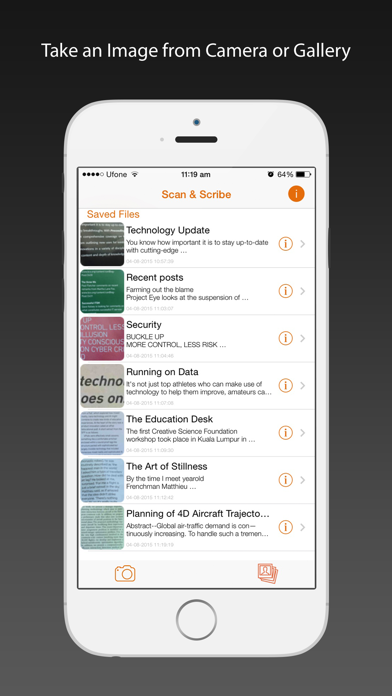
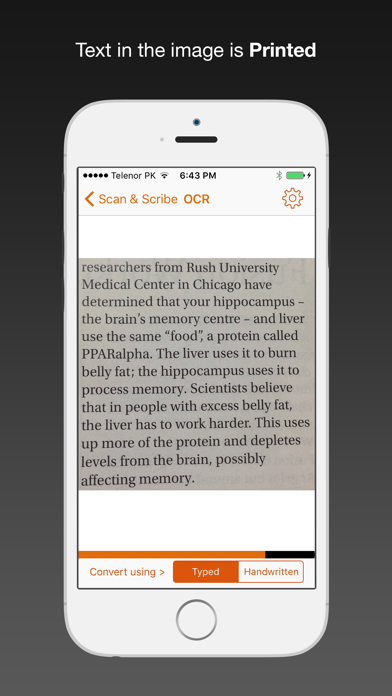
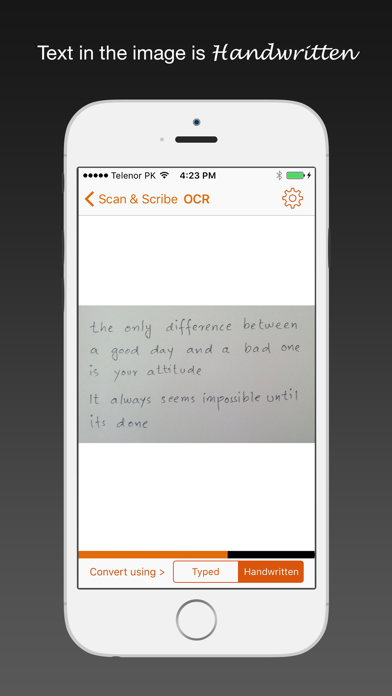
Using Scan & Scribe you can convert your Printed/Typed Docs and Handwritten Notes (written in unconnected writing) to editable document that you can Copy, Save, Listen or Share via Facebook, email (Outlook, Gmail etc.), WhatsApp, Dropbox, OneDrive etc. Its stand out feature is its separate offline OCR engines for Printed and Handwritten contents. It is simple to use: 1. Take a camera shot of docs or handwritten notes (or load it from gallery). 2. Crop and/or remove skew in the intended text in the snapshot. 3. For text extraction from the cropped image, remember to select Handwritten option for hand written texts and Typed option for typed/printed ones. 4. Review the extracted passage, make corrections if required. Incorrectly converted words will be highlighted. 5. You can now convert the text to speech for listening or save it for future use. 6. You can also share it via Facebook, email (Outlook, Gmail etc.), WhatsApp, Dropbox, OneDrive etc. Remember: 1. If image’s text direction is not from left-to-right, rotate the image. 2. All other things should be cropped except the desired text passage to be converted. In case of snapshot from smart phone camera: 1. Take desired snapshot i.e. paper, receipt etc. in bright environment. 2. While capturing image, avoid shadow of the phone and/or of any other object. 3. Properly focus the image in bright environment. Turn on flash if required. At present, app does not properly support following features: 1. Pictures of text on the notebooks having lined pages or ruled paper. 2. Pictures having multi-color background. 3. Images of curved pages. 4. Languages other than English. Acknowledgement: This app is the result of Pakistan's National ICT R&D Funded project "Smart Intelligence - An OCR Engine for Android and iOS Smart Phones" executed by Abasyn University Islamabad's Renzym OCR Research Group.