PC 용 BUSTOP Bus Simulator 2026
- 카테고리: Games
- 최근 업데이트: 2025-11-20
- 현재 버전: 25.10.28
- 파일 크기: 80.27 MB
- 개발자: Thetis Consulting
- 호환성: 필요 Windows XP, Windows Vista, Windows 7, Windows 8, Windows 8.1 and Windows 10, Windows 11


PC에서 BUSTOP Bus Simulator 2026 용 호환 APK 다운로드
| 다운로드 | 개발자 | 평점 | 점수 | 현재 버전 | 성인 랭킹 |
|---|---|---|---|---|---|
| ↓ PC용 APK 다운로드 | Thetis Consulting | 0 | 0 | 25.10.28 | 4+ |
에뮬레이터의 중요성은 컴퓨터에서 안드로이드 환경을 흉내 내고 안드로이드 폰을 구입하지 않고도 안드로이드 앱을 설치하고 실행하는 것을 매우 쉽게 만들어주는 것입니다. 누가 당신이 두 세계를 즐길 수 없다고 말합니까? 우선 아래에있는 에뮬레이터 앱을 다운로드 할 수 있습니다.
A. Nox App . OR
B. Bluestacks App .
Bluestacks는 매우 대중적이므로 개인적으로 "B"옵션을 사용하는 것이 좋습니다. 문제가 발생하면 Google 또는 Naver.com에서 좋은 해결책을 찾을 수 있습니다.
Bluestacks.exe 또는 Nox.exe를 성공적으로 다운로드 한 경우 컴퓨터의 다운로드 폴더 또는 다운로드 한 파일을 일반적으로 저장하는 곳으로 이동하십시오.
찾으면 클릭하여 응용 프로그램을 설치하십시오. PC에서 설치 프로세스를 시작해야합니다.
다음을 클릭하여 EULA 라이센스 계약에 동의하십시오.
응용 프로그램을 설치하려면 화면 지시문을 따르십시오.
위 사항을 올바르게 수행하면 소프트웨어가 성공적으로 설치됩니다.
이제 설치 한 에뮬레이터 애플리케이션을 열고 검색 창을 찾으십시오. 지금 입력하십시오. - BUSTOP Bus Simulator 2026 앱을 쉽게 볼 수 있습니다. 그것을 클릭하십시오. 응용 프로그램 창이 열리고 에뮬레이터 소프트웨어에 응용 프로그램이 표시됩니다. 설치 버튼을 누르면 응용 프로그램이 다운로드되기 시작합니다. 이제 우리는 모두 끝났습니다.
그런 다음 "모든 앱"아이콘이 표시됩니다.
클릭하면 설치된 모든 응용 프로그램이 포함 된 페이지로 이동합니다.
당신은 BUSTOP Bus Simulator 2026 상. 그것을 클릭하고 응용 프로그램 사용을 시작하십시오.
Mac OS 에서 BUSTOP Bus Simulator 2026 다운로드
| 다운로드 | 개발자 | 점수 | 현재 버전 | 성인 랭킹 |
|---|---|---|---|---|
| 무료 - Mac 에서 다운로드 | Thetis Consulting | 0 |
25.10.28 | 4+ |
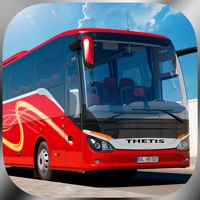
Choose between 12 different buses, pick up passengers along the routes and configure your bus to make this driving simulator very realistic. Improve your skills and challenge yourself driving in more than 360 routes with more than a thousand stops and stations combinations in those routes! Featuring the best driving simulator for mobile devices, BUSTOP Bus Simulator 2026 is the perfect driving experience of driving realistic buses in a real city. Drive the most famous buses of public transportation in our high detailed simulation. Features: • 12 buses. • Categories: travel and urban buses, special sportive paintings and one full articulated bus! • Outside cameras and also a totally functional interior to each vehicle. • 360 routes in the travel planner. • Realistic traffic • Street lights, cars driving on city streets and pedestrians. • Bus stops, stations, travel schedules and stops during the journey. • People to get in and get out of the bus in the stops. • Time and weather conditions. • Huge map, hundreds of miles to drive thought. If you played our other simulations you know how committed are to this product, and to make it as perfect as we can, so you can experience a real driving simulation, compatible with as many devices as possible, in a high performance and detailed simulation. Please, contact us to give your feedback! (support. at thetisgames.com) Detailed informations: GROUP OF VEHICLES • Urban • Travel • Sports • Articulated VEHICLE • MCI 102EL3 • TravelBus 2915 GX • Novabus LFS Articulated • VolksBus 5.150 OD • Euro Urban Merc UT-S • Type-C SchoolBus • MarcoPolo DC 1.140 • NYC Daimler Orion VII NG • VW 19.320 EOT Clubs Brazil • VW 19.320 EOT Basketball transportation • VW 19.320 EOT Football • VW 19.320 EOT Euro 2016 Apple's Terms of Use: https://www.apple.com/legal/internet-services/itunes/dev/stdeula/ If you need to contact us, send an e-mail to support (at) thetisgames.com