PC 용 Word Genius: Train your brain hidden word puzzler
- 카테고리: Games
- 최근 업데이트: 2016-11-09
- 현재 버전: 1.5
- 파일 크기: 218.02 MB
- 개발자: Alley Labs
- 호환성: 필요 Windows XP, Windows Vista, Windows 7, Windows 8, Windows 8.1 and Windows 10, Windows 11

PC에서 Word Genius: Train your brain hidden word puzzler 용 호환 APK 다운로드
| 다운로드 | 개발자 | 평점 | 점수 | 현재 버전 | 성인 랭킹 |
|---|---|---|---|---|---|
| ↓ PC용 APK 다운로드 | Alley Labs | 0 | 0 | 1.5 | 4+ |
에뮬레이터의 중요성은 컴퓨터에서 안드로이드 환경을 흉내 내고 안드로이드 폰을 구입하지 않고도 안드로이드 앱을 설치하고 실행하는 것을 매우 쉽게 만들어주는 것입니다. 누가 당신이 두 세계를 즐길 수 없다고 말합니까? 우선 아래에있는 에뮬레이터 앱을 다운로드 할 수 있습니다.
A. Nox App . OR
B. Bluestacks App .
Bluestacks는 매우 대중적이므로 개인적으로 "B"옵션을 사용하는 것이 좋습니다. 문제가 발생하면 Google 또는 Naver.com에서 좋은 해결책을 찾을 수 있습니다.
Bluestacks.exe 또는 Nox.exe를 성공적으로 다운로드 한 경우 컴퓨터의 다운로드 폴더 또는 다운로드 한 파일을 일반적으로 저장하는 곳으로 이동하십시오.
찾으면 클릭하여 응용 프로그램을 설치하십시오. PC에서 설치 프로세스를 시작해야합니다.
다음을 클릭하여 EULA 라이센스 계약에 동의하십시오.
응용 프로그램을 설치하려면 화면 지시문을 따르십시오.
위 사항을 올바르게 수행하면 소프트웨어가 성공적으로 설치됩니다.
이제 설치 한 에뮬레이터 애플리케이션을 열고 검색 창을 찾으십시오. 지금 입력하십시오. - Word Genius: Train your brain hidden word puzzler 앱을 쉽게 볼 수 있습니다. 그것을 클릭하십시오. 응용 프로그램 창이 열리고 에뮬레이터 소프트웨어에 응용 프로그램이 표시됩니다. 설치 버튼을 누르면 응용 프로그램이 다운로드되기 시작합니다. 이제 우리는 모두 끝났습니다.
그런 다음 "모든 앱"아이콘이 표시됩니다.
클릭하면 설치된 모든 응용 프로그램이 포함 된 페이지로 이동합니다.
당신은 Word Genius: Train your brain hidden word puzzler 상. 그것을 클릭하고 응용 프로그램 사용을 시작하십시오.
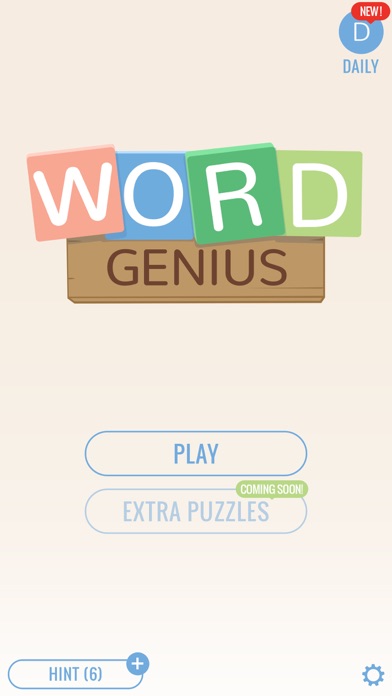
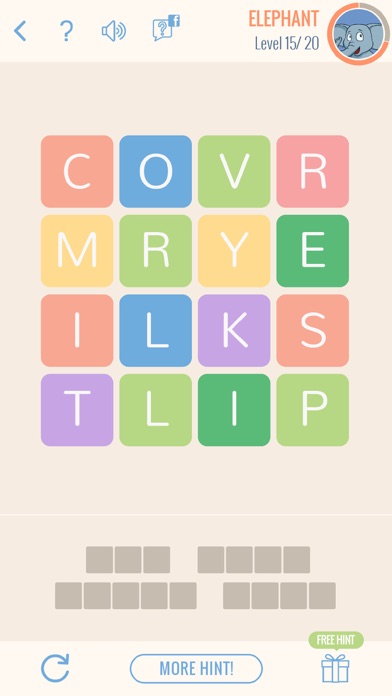
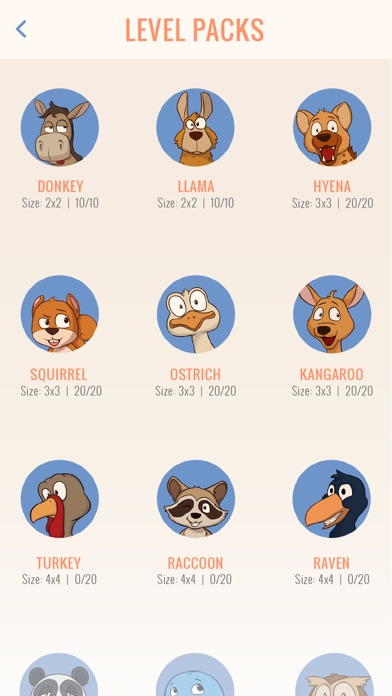
WORD GENIUS by Alley Labs Challenge your brain with over 300 levels, each more difficult than the last. Even the smartest word gamers will have a real challenge with this word puzzle game. HOW TO PLAY Word puzzle starts easy then gets challenging very quickly. Find hidden words in a grid puzzle. Swipe up, down, left, right, and diagonally to link the letter and build the right words. The length and order of each word are shown below the puzzle in the grey boxes. The words need to be solved in the right order to progress. GET HINTS In case you cannot move further, just tap the restart button. You can use hints whenever you get stuck. If you run out, you can always earn more. FEATURES • Free to play. • 16 packs with 300 levels will challenge your brain with fun letter-linking problem solving. • Daily Puzzles Challenge. • Free hint bonus every day! Plus, you can either shop for more hints or watch a video for free hints. • Pastel theme with lively animal characters packs to unlock. • Language support: Currently English, with multiple languages on the way. Start playing with words now and see how fast you can beat all the levels. Have fun linking letters and become a true Word Genius. We love hearing any feedback from you. Please contact us anytime E: [email protected] UPDATES New Daily Puzzle Feature New levels and new challenges coming soon. Support for multiple languages on the way.