
PC 용 Checklist: M.C. Beaton Edition
- 카테고리: Book
- 최근 업데이트: 2017-11-23
- 현재 버전: 1.4
- 파일 크기: 130.89 MB
- 개발자: Carolyn Lea
- 호환성: 필요 Windows XP, Windows Vista, Windows 7, Windows 8, Windows 8.1 and Windows 10, Windows 11



PC에서 Checklist: M.C. Beaton Edition 용 호환 APK 다운로드
| 다운로드 | 개발자 | 평점 | 점수 | 현재 버전 | 성인 랭킹 |
|---|---|---|---|---|---|
| ↓ PC용 APK 다운로드 | Carolyn Lea | 0 | 1.4 | 12+ |
에뮬레이터의 중요성은 컴퓨터에서 안드로이드 환경을 흉내 내고 안드로이드 폰을 구입하지 않고도 안드로이드 앱을 설치하고 실행하는 것을 매우 쉽게 만들어주는 것입니다. 누가 당신이 두 세계를 즐길 수 없다고 말합니까? 우선 아래에있는 에뮬레이터 앱을 다운로드 할 수 있습니다.
A. Nox App . OR
B. Bluestacks App .
Bluestacks는 매우 대중적이므로 개인적으로 "B"옵션을 사용하는 것이 좋습니다. 문제가 발생하면 Google 또는 Naver.com에서 좋은 해결책을 찾을 수 있습니다.
Bluestacks.exe 또는 Nox.exe를 성공적으로 다운로드 한 경우 컴퓨터의 다운로드 폴더 또는 다운로드 한 파일을 일반적으로 저장하는 곳으로 이동하십시오.
찾으면 클릭하여 응용 프로그램을 설치하십시오. PC에서 설치 프로세스를 시작해야합니다.
다음을 클릭하여 EULA 라이센스 계약에 동의하십시오.
응용 프로그램을 설치하려면 화면 지시문을 따르십시오.
위 사항을 올바르게 수행하면 소프트웨어가 성공적으로 설치됩니다.
이제 설치 한 에뮬레이터 애플리케이션을 열고 검색 창을 찾으십시오. 지금 입력하십시오. - Checklist: M.C. Beaton Edition 앱을 쉽게 볼 수 있습니다. 그것을 클릭하십시오. 응용 프로그램 창이 열리고 에뮬레이터 소프트웨어에 응용 프로그램이 표시됩니다. 설치 버튼을 누르면 응용 프로그램이 다운로드되기 시작합니다. 이제 우리는 모두 끝났습니다.
그런 다음 "모든 앱"아이콘이 표시됩니다.
클릭하면 설치된 모든 응용 프로그램이 포함 된 페이지로 이동합니다.
당신은 Checklist: M.C. Beaton Edition 상. 그것을 클릭하고 응용 프로그램 사용을 시작하십시오.
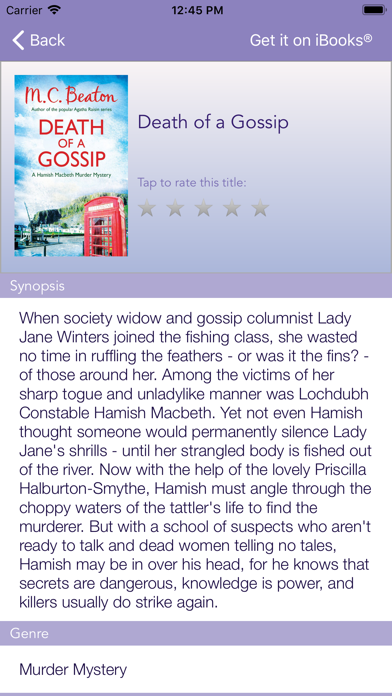
My Favorite Author: MC Beaton Edition is a simple checklist app for readers of MC Beaton, an author who has won international acclaim for her bestselling Hamish Macbeth and Agatha Raisin mysteries. M.C. Beaton is the most well-known pseudonym of British author, Marion Chesney Gibbons. She is largely recognized for her two mystery series: one involving a Scottish Highland constable with flaming red hair (Hamish) and the other following a public relations guru turned private-eye in the English Cotswolds (Agatha). This checklist will keep you organized as you read through their adventures. BUT, did you know that M.C. Beaton started out by writing historical romance novels? She wrote over a hundred of them using many lesser known pseudonyms: Ann Fairfax, Jennie Tremaine, Helen Crampton, Marion Chesney, Charlotte Ward, and Sarah Chester. She also has an Edwardian Mystery Series featuring Lady Rose Summer and Harry Cathcart. Would you like to find out more? Checklist: MC Beaton Edition lists every title from each genre (both mysteries and romances) so you won't miss a single one. Read them all in order or as you come across them. Check off each title after you've read it and add another checkmark if you own a copy. Rate each book between 0 and 5 stars and keep detailed notes as desired. Every book has a description to help you decide which one you're going to read next. If you are a fan of Hamish Macbeth or Agatha Raisin, you need this list. If you absolutely love MC Beaton and want to discover more of her works you'll need this list as well. And if you've never heard of MC Beaton and her wonderful characters, then use this list to check them out. You won't be sorry you did. DISCLAIMER: We are in no way affiliated with MCBeaton.com nor any other entity associated with MC Beaton. We do not endorse any publisher contained within this app nor do they endorse Lea Studios or this app. We are simply fans of MC Beaton creating lists for other fans of MC Beaton for discovery, enrichment, and fun!





