
PC 용 jDM
- 카테고리: Utilities
- 최근 업데이트: 2026-02-07
- 현재 버전: 6.0
- 파일 크기: 11.39 MB
- 개발자: JAGRAJ SINGH
- 호환성: 필요 Windows XP, Windows Vista, Windows 7, Windows 8, Windows 8.1 and Windows 10, Windows 11




에뮬레이터의 중요성은 컴퓨터에서 안드로이드 환경을 흉내 내고 안드로이드 폰을 구입하지 않고도 안드로이드 앱을 설치하고 실행하는 것을 매우 쉽게 만들어주는 것입니다. 누가 당신이 두 세계를 즐길 수 없다고 말합니까? 우선 아래에있는 에뮬레이터 앱을 다운로드 할 수 있습니다.
A. Nox App . OR
B. Bluestacks App .
Bluestacks는 매우 대중적이므로 개인적으로 "B"옵션을 사용하는 것이 좋습니다. 문제가 발생하면 Google 또는 Naver.com에서 좋은 해결책을 찾을 수 있습니다.
Bluestacks.exe 또는 Nox.exe를 성공적으로 다운로드 한 경우 컴퓨터의 다운로드 폴더 또는 다운로드 한 파일을 일반적으로 저장하는 곳으로 이동하십시오.
찾으면 클릭하여 응용 프로그램을 설치하십시오. PC에서 설치 프로세스를 시작해야합니다.
다음을 클릭하여 EULA 라이센스 계약에 동의하십시오.
응용 프로그램을 설치하려면 화면 지시문을 따르십시오.
위 사항을 올바르게 수행하면 소프트웨어가 성공적으로 설치됩니다.
이제 설치 한 에뮬레이터 애플리케이션을 열고 검색 창을 찾으십시오. 지금 입력하십시오. - jDM 앱을 쉽게 볼 수 있습니다. 그것을 클릭하십시오. 응용 프로그램 창이 열리고 에뮬레이터 소프트웨어에 응용 프로그램이 표시됩니다. 설치 버튼을 누르면 응용 프로그램이 다운로드되기 시작합니다. 이제 우리는 모두 끝났습니다.
그런 다음 "모든 앱"아이콘이 표시됩니다.
클릭하면 설치된 모든 응용 프로그램이 포함 된 페이지로 이동합니다.
당신은 jDM 상. 그것을 클릭하고 응용 프로그램 사용을 시작하십시오.
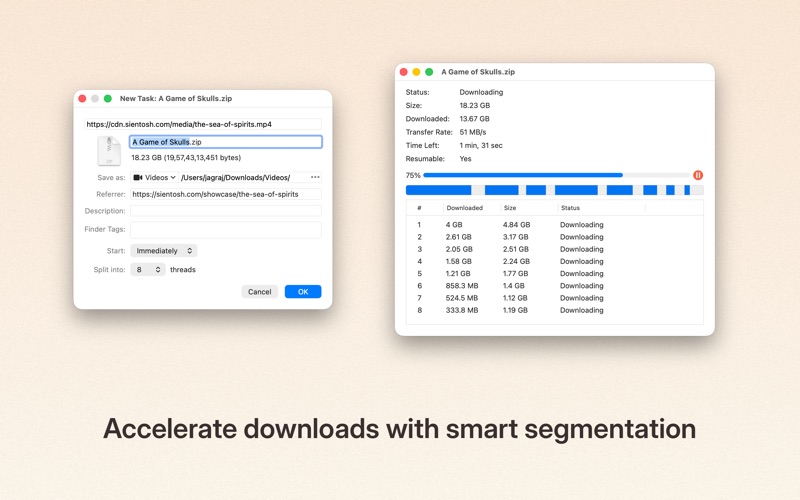
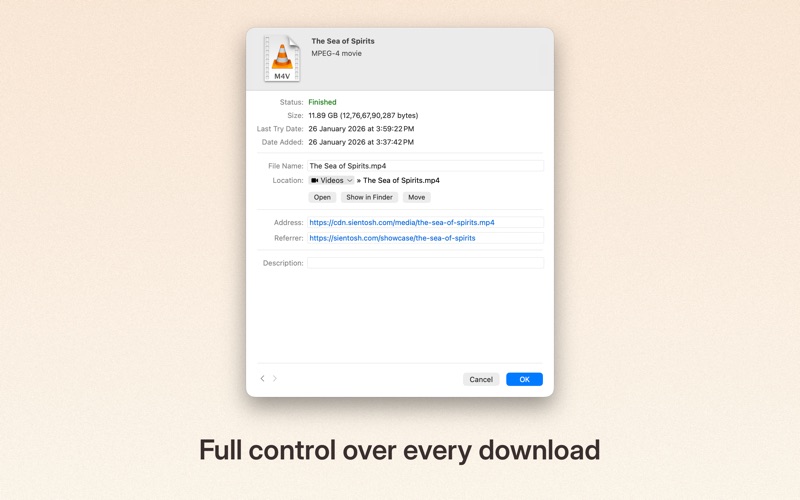
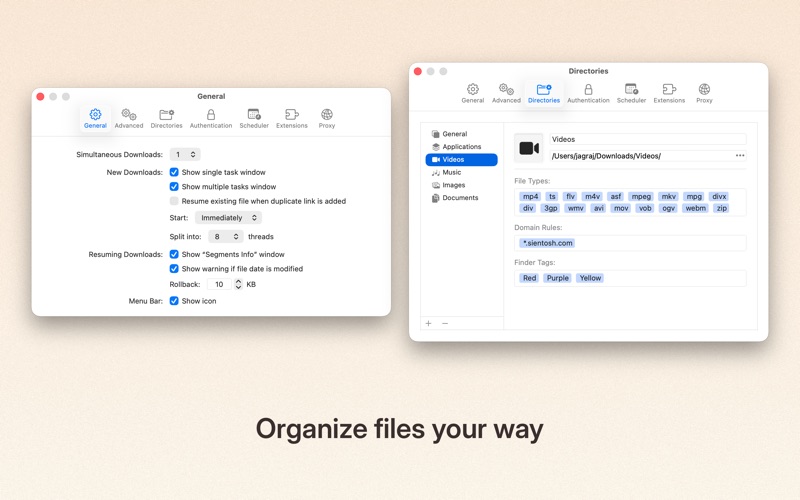
jDM is a fast, reliable download manager built specifically for macOS. It accelerates downloads, resumes interruptions, and gives you full control over how files are saved — all in a clean, native Mac experience. Whether you’re downloading large files, grabbing media from websites, or managing dozens of downloads at once, jDM keeps everything organized and running smoothly. Faster downloads • Split downloads into multiple connections for maximum speed and reliability. Seamless browser integration • Send downloads directly from Safari, Chrome, Firefox, and other supported browsers using jDM extensions. Reliable resume & recovery • Automatically resume interrupted downloads caused by network issues, system sleep, or shutdowns. Smart organization • Create download categories, define file types, domain-based rules, and custom save locations to keep files neatly organized. Powerful scheduling • Schedule downloads to start or stop at specific times. Optionally put your Mac to sleep or shut it down when downloads finish. Website & batch downloads • Grab files from entire webpages, filter by folders or categories, and download exactly what you need. macOS-native experience • Designed to feel right at home on your Mac, with modern UI, menu shortcuts, and system integration. jDM supports HTTP, HTTPS, and FTP downloads, authentication, cookies, redirects, and more — giving you the flexibility and control you expect from a professional download manager. Try jDM for free, or unlock Pro features with a subscription or lifetime access. Terms of Use: https://www.apple.com/legal/internet-services/itunes/dev/stdeula/ Privacy Policy: https://sientosh.com/jdm/privacy-policy