PC 용 Weather Alarm منبه الطقس
- 카테고리: Weather
- 최근 업데이트: 2026-09-17
- 현재 버전: 4.9
- 파일 크기: 26.92 MB
- 개발자: Raja' Ibrahim
- 호환성: 필요 Windows XP, Windows Vista, Windows 7, Windows 8, Windows 8.1 and Windows 10, Windows 11

PC에서 Weather Alarm منبه الطقس 용 호환 APK 다운로드
| 다운로드 | 개발자 | 평점 | 점수 | 현재 버전 | 성인 랭킹 |
|---|---|---|---|---|---|
| ↓ PC용 APK 다운로드 | Raja' Ibrahim | 1 | 5 | 4.9 | 17+ |
에뮬레이터의 중요성은 컴퓨터에서 안드로이드 환경을 흉내 내고 안드로이드 폰을 구입하지 않고도 안드로이드 앱을 설치하고 실행하는 것을 매우 쉽게 만들어주는 것입니다. 누가 당신이 두 세계를 즐길 수 없다고 말합니까? 우선 아래에있는 에뮬레이터 앱을 다운로드 할 수 있습니다.
A. Nox App . OR
B. Bluestacks App .
Bluestacks는 매우 대중적이므로 개인적으로 "B"옵션을 사용하는 것이 좋습니다. 문제가 발생하면 Google 또는 Naver.com에서 좋은 해결책을 찾을 수 있습니다.
Bluestacks.exe 또는 Nox.exe를 성공적으로 다운로드 한 경우 컴퓨터의 다운로드 폴더 또는 다운로드 한 파일을 일반적으로 저장하는 곳으로 이동하십시오.
찾으면 클릭하여 응용 프로그램을 설치하십시오. PC에서 설치 프로세스를 시작해야합니다.
다음을 클릭하여 EULA 라이센스 계약에 동의하십시오.
응용 프로그램을 설치하려면 화면 지시문을 따르십시오.
위 사항을 올바르게 수행하면 소프트웨어가 성공적으로 설치됩니다.
이제 설치 한 에뮬레이터 애플리케이션을 열고 검색 창을 찾으십시오. 지금 입력하십시오. - Weather Alarm منبه الطقس 앱을 쉽게 볼 수 있습니다. 그것을 클릭하십시오. 응용 프로그램 창이 열리고 에뮬레이터 소프트웨어에 응용 프로그램이 표시됩니다. 설치 버튼을 누르면 응용 프로그램이 다운로드되기 시작합니다. 이제 우리는 모두 끝났습니다.
그런 다음 "모든 앱"아이콘이 표시됩니다.
클릭하면 설치된 모든 응용 프로그램이 포함 된 페이지로 이동합니다.
당신은 Weather Alarm منبه الطقس 상. 그것을 클릭하고 응용 프로그램 사용을 시작하십시오.
Mac OS 에서 Weather Alarm منبه الطقس 다운로드
| 다운로드 | 개발자 | 점수 | 현재 버전 | 성인 랭킹 |
|---|---|---|---|---|
| 무료 - Mac 에서 다운로드 | Raja' Ibrahim | 5 |
4.9 | 17+ |
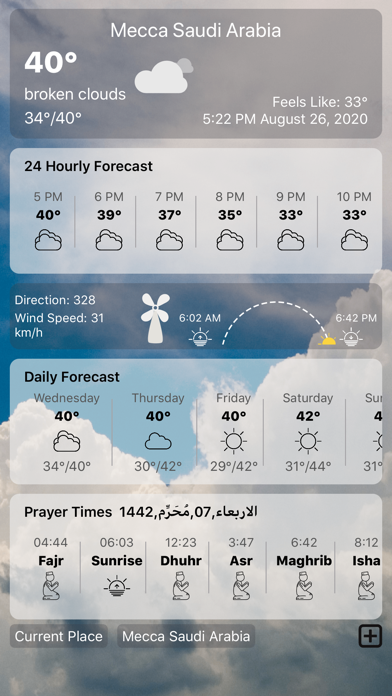
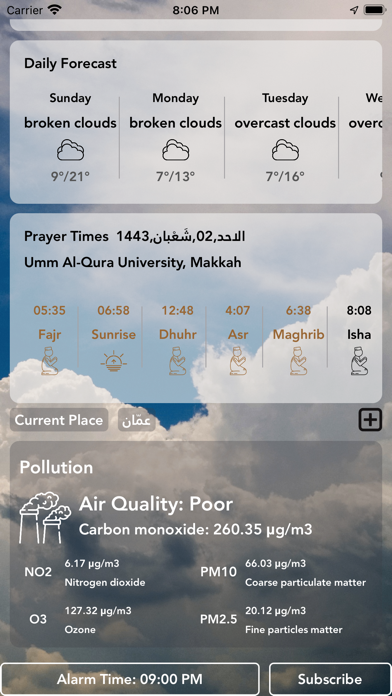
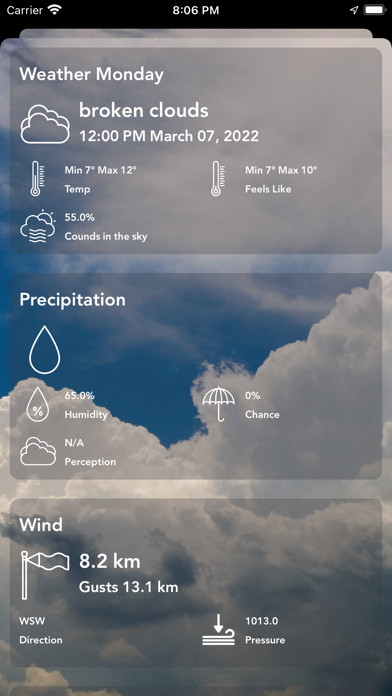
What will the weather bring? When is the next prayer? Weather Alarm brings the information you need for your day together in one convenient place. Check the forecast, choose your daily alert time, and head out prepared. Whether you’re planning your commute, a trip, or time outdoors, Weather Alarm helps you know what to expect. Features: • Daily weather alerts at your chosen time. • Hourly and multi-day weather forecasts. • Daily low and high temperatures with colorful range bars for easy comparison. • Detailed weather information for each day, just a tap away. • Prayer times and a convenient next-prayer display. • Tap the next prayer to jump directly to the prayer-times section. • Qibla direction and a compass to help you find your bearings. • Sunrise and sunset times. • Wind speed and direction. • Air quality and pollution information where available. • Add multiple cities and follow their weather. • Arabic and English support with in-app language switching. Please note: An internet connection is required to update forecasts. Enable notifications to receive alerts, and open the app periodically to refresh forecasts and scheduled notifications. Compass functionality depends on your device’s sensors and may be affected by nearby metal objects or magnetic interference. Terms of Use: https://www.apple.com/legal/internet-services/itunes/dev/stdeula/