PC 용 Smile and Learn
- 카테고리: Education
- 최근 업데이트: 2026-08-04
- 현재 버전: 7.8.8
- 파일 크기: 188.29 MB
- 개발자: Smile & Learn
- 호환성: 필요 Windows XP, Windows Vista, Windows 7, Windows 8, Windows 8.1 and Windows 10, Windows 11


PC에서 Smile and Learn 용 호환 APK 다운로드
| 다운로드 | 개발자 | 평점 | 점수 | 현재 버전 | 성인 랭킹 |
|---|---|---|---|---|---|
| ↓ PC용 APK 다운로드 | Smile & Learn | 1 | 4 | 7.8.8 | 4+ |
에뮬레이터의 중요성은 컴퓨터에서 안드로이드 환경을 흉내 내고 안드로이드 폰을 구입하지 않고도 안드로이드 앱을 설치하고 실행하는 것을 매우 쉽게 만들어주는 것입니다. 누가 당신이 두 세계를 즐길 수 없다고 말합니까? 우선 아래에있는 에뮬레이터 앱을 다운로드 할 수 있습니다.
A. Nox App . OR
B. Bluestacks App .
Bluestacks는 매우 대중적이므로 개인적으로 "B"옵션을 사용하는 것이 좋습니다. 문제가 발생하면 Google 또는 Naver.com에서 좋은 해결책을 찾을 수 있습니다.
Bluestacks.exe 또는 Nox.exe를 성공적으로 다운로드 한 경우 컴퓨터의 다운로드 폴더 또는 다운로드 한 파일을 일반적으로 저장하는 곳으로 이동하십시오.
찾으면 클릭하여 응용 프로그램을 설치하십시오. PC에서 설치 프로세스를 시작해야합니다.
다음을 클릭하여 EULA 라이센스 계약에 동의하십시오.
응용 프로그램을 설치하려면 화면 지시문을 따르십시오.
위 사항을 올바르게 수행하면 소프트웨어가 성공적으로 설치됩니다.
이제 설치 한 에뮬레이터 애플리케이션을 열고 검색 창을 찾으십시오. 지금 입력하십시오. - Smile and Learn 앱을 쉽게 볼 수 있습니다. 그것을 클릭하십시오. 응용 프로그램 창이 열리고 에뮬레이터 소프트웨어에 응용 프로그램이 표시됩니다. 설치 버튼을 누르면 응용 프로그램이 다운로드되기 시작합니다. 이제 우리는 모두 끝났습니다.
그런 다음 "모든 앱"아이콘이 표시됩니다.
클릭하면 설치된 모든 응용 프로그램이 포함 된 페이지로 이동합니다.
당신은 Smile and Learn 상. 그것을 클릭하고 응용 프로그램 사용을 시작하십시오.
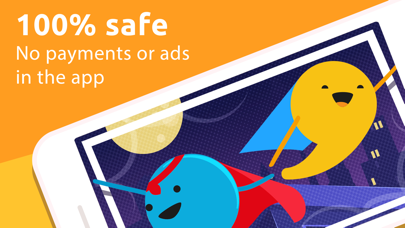
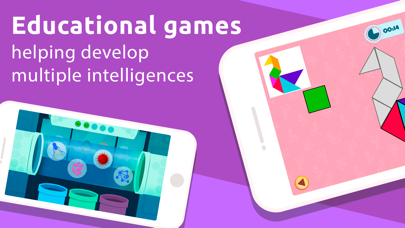
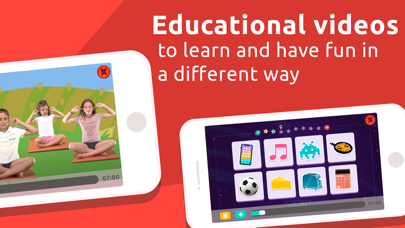
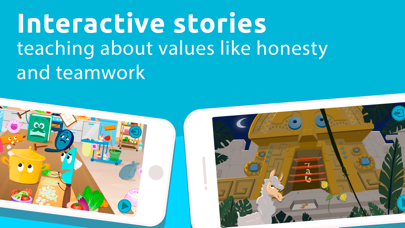
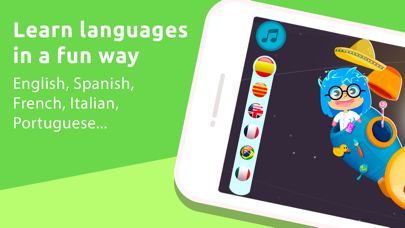
Smile and Learn Education: learn through play Smile and Learn Education is an educational app for children with thousands of games, interactive stories, videos, quizzes, audiobooks, and learning activities in several languages. Designed for families and schools, Smile and Learn helps children work on curriculum-based content, core skills, languages, coding, math, reading, creativity, emotions, and much more in a safe environment adapted to different learning paces. Turn learning into a fun and personalized experience With Smile and Learn, children can explore a wide range of educational content while playing, reading, watching videos, solving challenges, and discovering new topics at their own pace. The app supports learning at home, at school, or as part of a personalized learning plan. What will you find in Smile and Learn? * Thousands of educational games, stories, videos, quizzes, audiobooks, and activities in one app. * Games to develop attention, memory, language, comprehension, logic, and creativity. * Interactive stories and audiobooks created with an educational approach. * Educational videos to explain key concepts in a visual and engaging way. * Activities for math, language arts, science, emotions, art, yoga, coding, and languages. * Content available in Spanish, English, French, Portuguese, Italian, Catalan, and neutral Spanish. * Resources designed for learning at home, at school, or as support for personalized learning. * A safe environment for children, with no ads and no access to social media. * Information for families and schools about time spent, progress, and learning development. Personalized and inclusive learning Smile and Learn makes it possible to adapt the experience to each child. The app includes settings such as difficulty level, font type, and a calm game mode with no time pressure. The stories also include pictograms to support reading comprehension and help children with different educational support needs, such as autism, ADHD, Down syndrome, or intellectual disabilities. Languages, reading, and core skills All content is designed to help children learn in an active and motivating way. They can practice languages, solve challenges, listen to stories, watch educational videos, work on cognitive skills, and reinforce school learning through a visual, safe, and fun experience. For families and schools Smile and Learn is designed to support children in different learning contexts. Families can use it at home to encourage learning through play, while schools can use it as a digital resource to reinforce educational content and support different learning needs. Subscription Smile and Learn includes a selection of content available without a subscription. To access the full catalog of games, stories, videos, and activities, you can activate a subscription through the App Store. The subscription renews automatically and can be managed or canceled from your App Store account settings before the next renewal. Help Do you have a question or problem? Contact us at [email protected] Privacy Policy and Terms of Use https://www.smileandlearn.com/politica-de-privacidad/