PC 용 Time Tracker with Alto
- 카테고리: Business
- 최근 업데이트: 2026-08-05
- 현재 버전: 3.3.7
- 파일 크기: 49.67 MB
- 개발자: Lifelike UX Limited
- 호환성: 필요 Windows XP, Windows Vista, Windows 7, Windows 8, Windows 8.1 and Windows 10, Windows 11



PC에서 Time Tracker with Alto 용 호환 APK 다운로드
| 다운로드 | 개발자 | 평점 | 점수 | 현재 버전 | 성인 랭킹 |
|---|---|---|---|---|---|
| ↓ PC용 APK 다운로드 | Lifelike UX Limited | 0 | 0 | 3.3.7 | 4+ |
에뮬레이터의 중요성은 컴퓨터에서 안드로이드 환경을 흉내 내고 안드로이드 폰을 구입하지 않고도 안드로이드 앱을 설치하고 실행하는 것을 매우 쉽게 만들어주는 것입니다. 누가 당신이 두 세계를 즐길 수 없다고 말합니까? 우선 아래에있는 에뮬레이터 앱을 다운로드 할 수 있습니다.
A. Nox App . OR
B. Bluestacks App .
Bluestacks는 매우 대중적이므로 개인적으로 "B"옵션을 사용하는 것이 좋습니다. 문제가 발생하면 Google 또는 Naver.com에서 좋은 해결책을 찾을 수 있습니다.
Bluestacks.exe 또는 Nox.exe를 성공적으로 다운로드 한 경우 컴퓨터의 다운로드 폴더 또는 다운로드 한 파일을 일반적으로 저장하는 곳으로 이동하십시오.
찾으면 클릭하여 응용 프로그램을 설치하십시오. PC에서 설치 프로세스를 시작해야합니다.
다음을 클릭하여 EULA 라이센스 계약에 동의하십시오.
응용 프로그램을 설치하려면 화면 지시문을 따르십시오.
위 사항을 올바르게 수행하면 소프트웨어가 성공적으로 설치됩니다.
이제 설치 한 에뮬레이터 애플리케이션을 열고 검색 창을 찾으십시오. 지금 입력하십시오. - Time Tracker with Alto 앱을 쉽게 볼 수 있습니다. 그것을 클릭하십시오. 응용 프로그램 창이 열리고 에뮬레이터 소프트웨어에 응용 프로그램이 표시됩니다. 설치 버튼을 누르면 응용 프로그램이 다운로드되기 시작합니다. 이제 우리는 모두 끝났습니다.
그런 다음 "모든 앱"아이콘이 표시됩니다.
클릭하면 설치된 모든 응용 프로그램이 포함 된 페이지로 이동합니다.
당신은 Time Tracker with Alto 상. 그것을 클릭하고 응용 프로그램 사용을 시작하십시오.
Mac OS 에서 Time Tracker with Alto 다운로드
| 다운로드 | 개발자 | 점수 | 현재 버전 | 성인 랭킹 |
|---|---|---|---|---|
| ₩2,500 - Mac 에서 다운로드 | Lifelike UX Limited | 0 |
3.3.7 | 4+ |
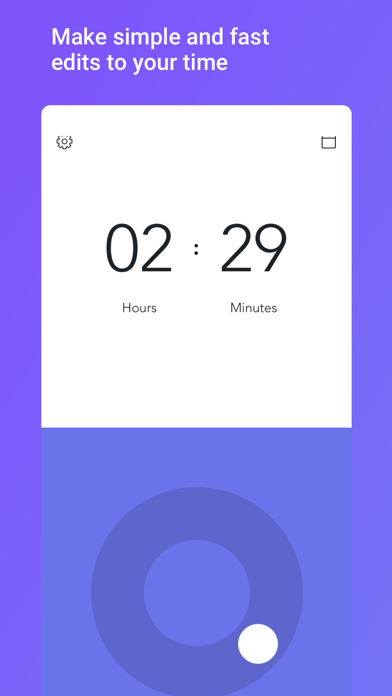
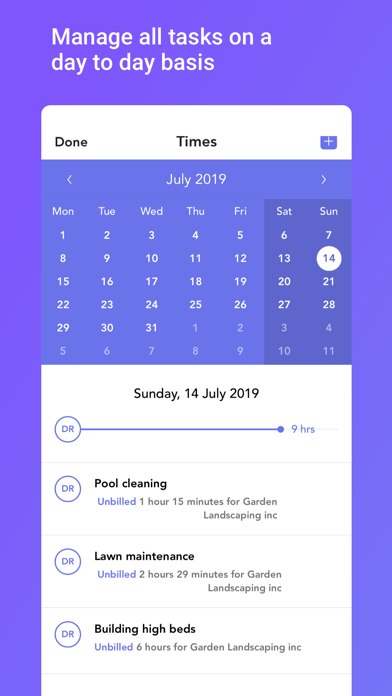
Time Tracker is the easiest way to track your working hours and create invoices in minutes. Whether you work alone or with a team, Time Tracker helps you log time, manage expenses, and bill clients fast. Built for freelancers, small businesses, and contractors, Time Tracker is perfect for designers, developers, consultants, movers, landscapers, musicians, and more. You can use Time Tracker on its own or sync it with our companion app, Invoice & Estimate with Alto, to manage invoices, estimates, payments, and client information across all your devices. Top features include: » Start, pause, and log billable hours with a simple timer » Attach expenses, receipts, photos, and files to your sessions » Create and send professional invoices right from the app » Sync time entries with your calendar » Set up clients quickly using your contacts Time Tracker gives you even more ways to work smarter: » Track time for each client and easily import your hours into invoices » Assign work and let your team members log hours and create invoices » Accept credit card, debit card, and PayPal payments using Stripe, or PayPal » Link receipts, photos, code commits, and project notes and your photos » Import clients from your address book and get reminders to invoice on time Start today and take control of your time.