PC 용 HOS Smart Home All In One
- 카테고리: Lifestyle
- 최근 업데이트: 2023-04-03
- 현재 버전: 7.44
- 파일 크기: 149.07 MB
- 개발자: Ahmed El-Bermawy
- 호환성: 필요 Windows XP, Windows Vista, Windows 7, Windows 8, Windows 8.1 and Windows 10, Windows 11

PC에서 HOS Smart Home All In One 용 호환 APK 다운로드
| 다운로드 | 개발자 | 평점 | 점수 | 현재 버전 | 성인 랭킹 |
|---|---|---|---|---|---|
| ↓ PC용 APK 다운로드 | Ahmed El-Bermawy | 0 | 0 | 7.44 | 4+ |
에뮬레이터의 중요성은 컴퓨터에서 안드로이드 환경을 흉내 내고 안드로이드 폰을 구입하지 않고도 안드로이드 앱을 설치하고 실행하는 것을 매우 쉽게 만들어주는 것입니다. 누가 당신이 두 세계를 즐길 수 없다고 말합니까? 우선 아래에있는 에뮬레이터 앱을 다운로드 할 수 있습니다.
A. Nox App . OR
B. Bluestacks App .
Bluestacks는 매우 대중적이므로 개인적으로 "B"옵션을 사용하는 것이 좋습니다. 문제가 발생하면 Google 또는 Naver.com에서 좋은 해결책을 찾을 수 있습니다.
Bluestacks.exe 또는 Nox.exe를 성공적으로 다운로드 한 경우 컴퓨터의 다운로드 폴더 또는 다운로드 한 파일을 일반적으로 저장하는 곳으로 이동하십시오.
찾으면 클릭하여 응용 프로그램을 설치하십시오. PC에서 설치 프로세스를 시작해야합니다.
다음을 클릭하여 EULA 라이센스 계약에 동의하십시오.
응용 프로그램을 설치하려면 화면 지시문을 따르십시오.
위 사항을 올바르게 수행하면 소프트웨어가 성공적으로 설치됩니다.
이제 설치 한 에뮬레이터 애플리케이션을 열고 검색 창을 찾으십시오. 지금 입력하십시오. - HOS Smart Home All In One 앱을 쉽게 볼 수 있습니다. 그것을 클릭하십시오. 응용 프로그램 창이 열리고 에뮬레이터 소프트웨어에 응용 프로그램이 표시됩니다. 설치 버튼을 누르면 응용 프로그램이 다운로드되기 시작합니다. 이제 우리는 모두 끝났습니다.
그런 다음 "모든 앱"아이콘이 표시됩니다.
클릭하면 설치된 모든 응용 프로그램이 포함 된 페이지로 이동합니다.
당신은 HOS Smart Home All In One 상. 그것을 클릭하고 응용 프로그램 사용을 시작하십시오.
Mac OS 에서 HOS Smart Home All In One 다운로드
| 다운로드 | 개발자 | 점수 | 현재 버전 | 성인 랭킹 |
|---|---|---|---|---|
| ₩41,000 - Mac 에서 다운로드 | Ahmed El-Bermawy | 0 |
7.44 | 4+ |
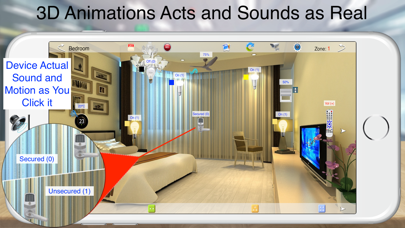
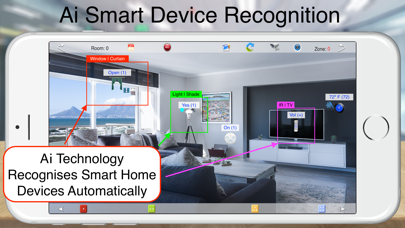
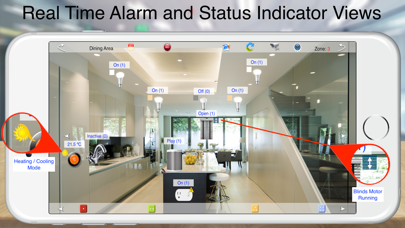
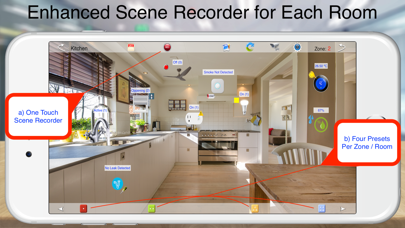
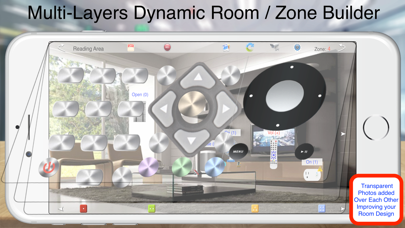
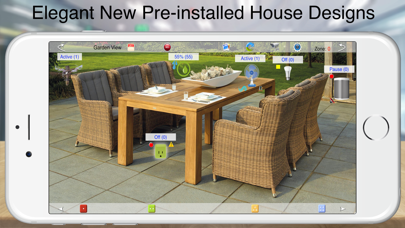
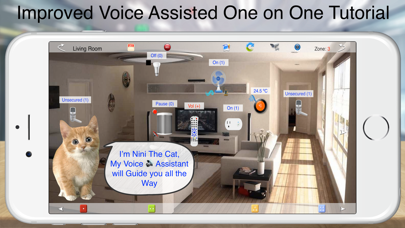
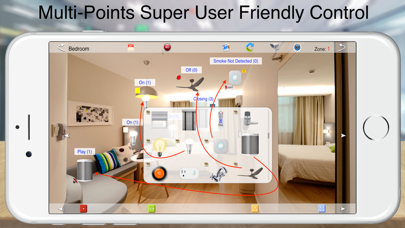
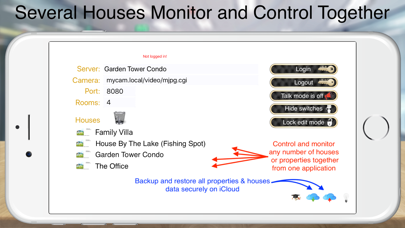
HOS Smart Home is a full-featured Home Automation App with support for Apple HomeKit, KNX, BACnet, digitalSTROM & TCP/IP Control protocols, compatible with almost every TCP/IP controlled device. Providing Live values for all Smart devices showing the actual 3D animated image of the device with Live Values represent the actual percentage (or other units) of the device during operation (Live Edition). Ai technology visually detects all smart devices in your house using the devices camera live mode or the pre selected wallpaper (Live Edition). Alarm & Status Stickers shows device status in animated 3D as Fault Status, Out of Service, Low Battery, Light Hue Color, Fan Swing Mode, and many more (Live Edition). Dynamic 3D Animation reacts exactly as it do in real world, like a Fan that turns faster as the actual rotation speeding up or a light that changing color status as the real bulb changing it's hue (Live Edition). Hi Quality Sound Effects reflects the real sound of each smart device as it operates in real world, Like opening and closing a sprinkler or faucet, turning on/off a light switch, rotating a thermostat knob, running a ceiling or a desk fan and many also for HVAC units (Live Edition). One touch Scene recorder allow you to store 4 presets of all devices together Even from different protocols (for Apple HomeKit, BACnet, KNX) on each zone so it’s like 24 scenes for each room. Improved Apple Watch Presets/Scenes playing recorded Scenes for Apple HomeKit, BACnet, KNX, and digitalSTROM. The App is fully supporting voice commands for all Apple HomeKit paired devices using Siri Voice Commands. Designed to control multiple houses and properties at the same time so if you have a summer house and a winter hut you may control and monitor both from same app on your touch device iPhone/iPad, Apple Watch or AppleTV. Including Global System Events Actions And Control Into Each Smart Button You Create like DoorBell, Come/Arrive, Wakeup/Sleep, etc. (digitalSTROM). WYSIWYG (What You See Is What You Got) technology allow you to use your iPhone/iPad camera to add real rooms / devices photos / skins to be controlled by a simple touch. VR (Virtual Reality) simulate the exact actions of the real push button wall / in-line switches in your room with a set-up easier than setting a channel on your conventional TV. Multi Layers Option Allowing you to Add A transparent layer of alpha pictures on each others to build your own unique custom room design making home control real & more user friendly. One on one voice assisted live tutorial makes it easy for the average user to get the basics of building a smart home control using HOS. A dedicated library of rooms profiles and Animated remote controls skins professionally designed to meet with most modern houses rooms, devices and BMS standards. Backup and Restore your Smart Houses profiles on your iCloud as well as your personal computer (no other system do) never been as easy. The software is an apple iOS or TVOS application that is configured and controlled from anywhere in the world with any web-enabled iOS or TVOS device. This is an all devices App (iPhone/iPad, Apple Watch, and AppleTV) which means you can pay for one device and download the app for all other devices for free. Main Features: - Controls light, wall / inline switches, thermostats, door locks, garage doors, water valves, energy monitors, environmental sensors, cameras and more! - User friendly animated customized on screen switches simulate the exact actions of the real push button wall / in-line switches. - Advanced monitor / control view checks indoor / outdoor temperature, humidity, and electricity consumption. - Status control system for panic, leave / arrive, fire, wake / hibernate, and 4 user independent alarms (digitalSTROM). - Full control of SONOS speakers with TTS (text to speech) for user announcements, system commands, warning alerts, and entertainment.