PC 용 Mods for Pc & Addons for Minecraft Pocket Edition
- 카테고리: Entertainment
- 최근 업데이트: 2017-01-19
- 현재 버전: 1.22
- 파일 크기: 32.24 MB
- 개발자: Jewelsapps S. L.
- 호환성: 필요 Windows XP, Windows Vista, Windows 7, Windows 8, Windows 8.1 and Windows 10, Windows 11
PC에서 Mods for Pc & Addons for Minecraft Pocket Edition 용 호환 APK 다운로드
| 다운로드 | 개발자 | 평점 | 점수 | 현재 버전 | 성인 랭킹 |
|---|---|---|---|---|---|
| ↓ PC용 APK 다운로드 | Jewelsapps S. L. | 1 | 5 | 1.22 | 4+ |
에뮬레이터의 중요성은 컴퓨터에서 안드로이드 환경을 흉내 내고 안드로이드 폰을 구입하지 않고도 안드로이드 앱을 설치하고 실행하는 것을 매우 쉽게 만들어주는 것입니다. 누가 당신이 두 세계를 즐길 수 없다고 말합니까? 우선 아래에있는 에뮬레이터 앱을 다운로드 할 수 있습니다.
A. Nox App . OR
B. Bluestacks App .
Bluestacks는 매우 대중적이므로 개인적으로 "B"옵션을 사용하는 것이 좋습니다. 문제가 발생하면 Google 또는 Naver.com에서 좋은 해결책을 찾을 수 있습니다.
Bluestacks.exe 또는 Nox.exe를 성공적으로 다운로드 한 경우 컴퓨터의 다운로드 폴더 또는 다운로드 한 파일을 일반적으로 저장하는 곳으로 이동하십시오.
찾으면 클릭하여 응용 프로그램을 설치하십시오. PC에서 설치 프로세스를 시작해야합니다.
다음을 클릭하여 EULA 라이센스 계약에 동의하십시오.
응용 프로그램을 설치하려면 화면 지시문을 따르십시오.
위 사항을 올바르게 수행하면 소프트웨어가 성공적으로 설치됩니다.
이제 설치 한 에뮬레이터 애플리케이션을 열고 검색 창을 찾으십시오. 지금 입력하십시오. - Mods for Pc & Addons for Minecraft Pocket Edition 앱을 쉽게 볼 수 있습니다. 그것을 클릭하십시오. 응용 프로그램 창이 열리고 에뮬레이터 소프트웨어에 응용 프로그램이 표시됩니다. 설치 버튼을 누르면 응용 프로그램이 다운로드되기 시작합니다. 이제 우리는 모두 끝났습니다.
그런 다음 "모든 앱"아이콘이 표시됩니다.
클릭하면 설치된 모든 응용 프로그램이 포함 된 페이지로 이동합니다.
당신은 Mods for Pc & Addons for Minecraft Pocket Edition 상. 그것을 클릭하고 응용 프로그램 사용을 시작하십시오.
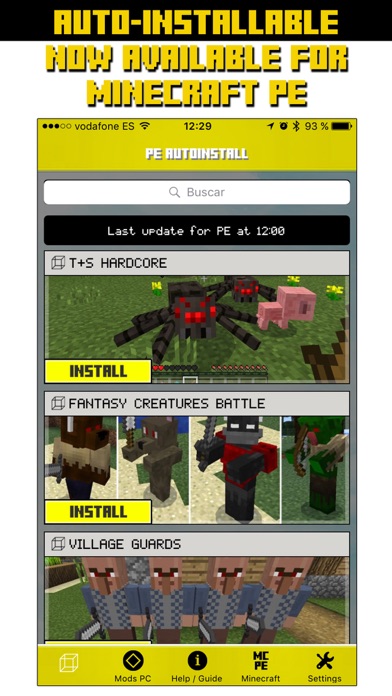
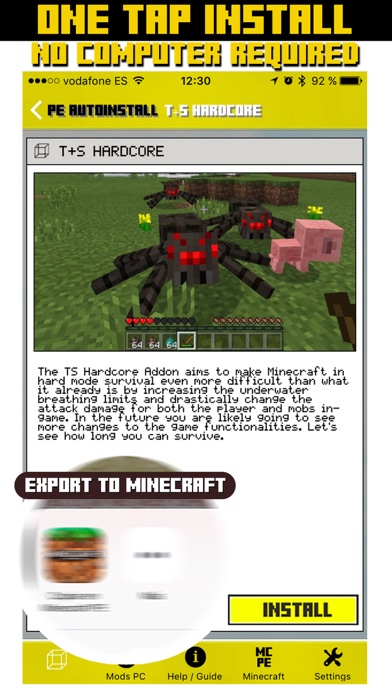
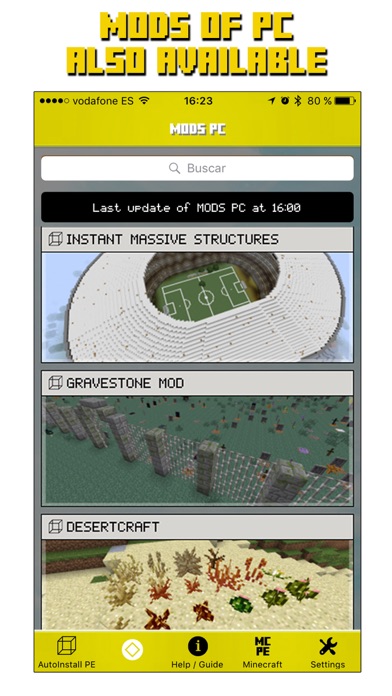
*** 50% OFF LIMITED TO 24 HOURS *** *** Only now, more than 300 MODS! (Nº1 APP STORE)*** *** Included LUCKY BLOCK MOD (no extra cost) *** Mods for Pc & Addons for Minecraft Pocket Edition Add any Minecraft Mod simply and easily. It is the app with the most Mods in the entire App store. We have all of them! Download this fantastic app now and you will have all of the Minecraft Mods in the palm of your hand. This is the only app that allows you to add all the Mods you want without any problems, there are no limits! We update the Mods every hour to find out what people are playing or if the Mod is online or offline. This means that you will always be connected to the Minecraft community and you will be able to access the most famous Mods in the world and play with thousands of fellow Minecraft friends. Do you have doubts about how to register on a Mod ? Do you know how Mods work? Do not worry, we provide you with help in order to solve all of your doubts. Warning: Unofficial product. This application is not approved nor affiliated with Mojang AB, its name, commercial brand and other aspects of the application are registered brands and the property of their respective owners. Please note that this app serves as a guide, and can not directly mod the game from this app. This app is updated often, and lots of times Mods are removed or added from this app so we cant not guarantee that a particular mod will be in the app. To fully utilize this app you will need a Mac, Windows, or Linux Computer. You must mod the game at your own risk