
PC 용 The Guest - Photo Sharing
- 카테고리: Lifestyle
- 최근 업데이트: 2021-07-29
- 현재 버전: 2.12.3
- 파일 크기: 67.73 MB
- 개발자: The Knot Inc.
- 호환성: 필요 Windows XP, Windows Vista, Windows 7, Windows 8, Windows 8.1 and Windows 10, Windows 11


PC에서 The Guest - Photo Sharing 용 호환 APK 다운로드
| 다운로드 | 개발자 | 평점 | 점수 | 현재 버전 | 성인 랭킹 |
|---|---|---|---|---|---|
| ↓ PC용 APK 다운로드 | The Knot Inc. | 0 | 2.12.3 | 4+ |
에뮬레이터의 중요성은 컴퓨터에서 안드로이드 환경을 흉내 내고 안드로이드 폰을 구입하지 않고도 안드로이드 앱을 설치하고 실행하는 것을 매우 쉽게 만들어주는 것입니다. 누가 당신이 두 세계를 즐길 수 없다고 말합니까? 우선 아래에있는 에뮬레이터 앱을 다운로드 할 수 있습니다.
A. Nox App . OR
B. Bluestacks App .
Bluestacks는 매우 대중적이므로 개인적으로 "B"옵션을 사용하는 것이 좋습니다. 문제가 발생하면 Google 또는 Naver.com에서 좋은 해결책을 찾을 수 있습니다.
Bluestacks.exe 또는 Nox.exe를 성공적으로 다운로드 한 경우 컴퓨터의 다운로드 폴더 또는 다운로드 한 파일을 일반적으로 저장하는 곳으로 이동하십시오.
찾으면 클릭하여 응용 프로그램을 설치하십시오. PC에서 설치 프로세스를 시작해야합니다.
다음을 클릭하여 EULA 라이센스 계약에 동의하십시오.
응용 프로그램을 설치하려면 화면 지시문을 따르십시오.
위 사항을 올바르게 수행하면 소프트웨어가 성공적으로 설치됩니다.
이제 설치 한 에뮬레이터 애플리케이션을 열고 검색 창을 찾으십시오. 지금 입력하십시오. - The Guest - Photo Sharing 앱을 쉽게 볼 수 있습니다. 그것을 클릭하십시오. 응용 프로그램 창이 열리고 에뮬레이터 소프트웨어에 응용 프로그램이 표시됩니다. 설치 버튼을 누르면 응용 프로그램이 다운로드되기 시작합니다. 이제 우리는 모두 끝났습니다.
그런 다음 "모든 앱"아이콘이 표시됩니다.
클릭하면 설치된 모든 응용 프로그램이 포함 된 페이지로 이동합니다.
당신은 The Guest - Photo Sharing 상. 그것을 클릭하고 응용 프로그램 사용을 시작하십시오.
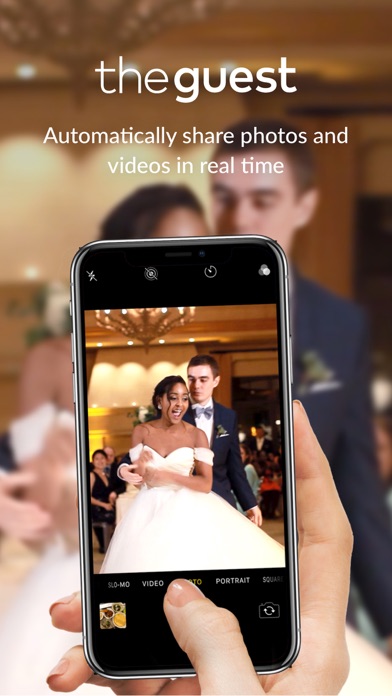
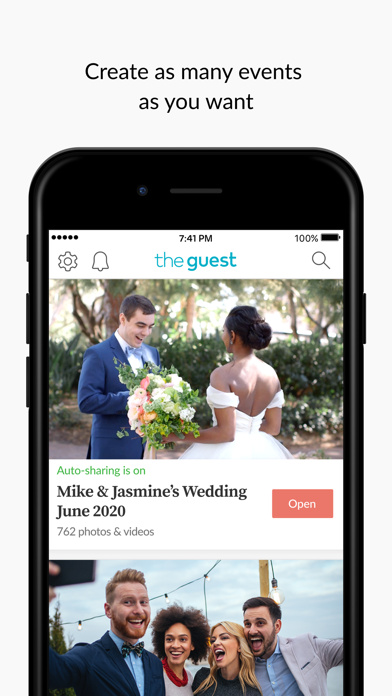
Getting married? Throwing a big event? Automatically get all of the photos and videos guests take at your wedding, reception or celebration with The Guest by The Knot! No uploading, no tagging, no separate camera apps. With The Guest (formerly known as Veri), all guests need is their normal iPhone camera to join in on the photo-sharing fun. Simply create an event, invite guests via phone number or email address, and The Guest does the rest— for free! As soon as an event begins, The Guest will start sharing photos and videos guests are taking with their iPhone cameras in real time as they take them. Use The Guest To: + GET EVERYONE’S PHOTOS & VIDEOS - Wedding guests take 2000 pics on average— which the newlyweds will never see. Since The Guest automatically shares wedding pics and videos as guests take them, you’ll never have this issue! + SAY “BYE” TO UPLOADING AND SEPARATE CAMERA APPS - Guests use their normal iPhone camera, and photos & videos are instantly auto-shared to everyone who’s part of an event! Guests are in-control of their content, and can delete their pics or pause their auto-sharing at any time. + ACCESS FULL-RESOLUTION PHOTOS & FULL-LENGTH VIDEOS - Everyone can download any -or all!- of an event’s photos and videos in full resolution. + GET EVERYTHING INSTANTLY - No waiting weeks to get your wedding pics. With The Guest, photos & videos are shared in real time. + HAVE A BEAUTIFUL WEB ALBUM - Everyone can see, download and share all of the photos in the app’s event or in the web album The Guest automatically creates. +SHOW LIVE WEB SLIDESHOWS - Display an event’s photos and videos on any screen as a live slideshow with just one simple web link. +RELIVE IT WITH MAP VIEW - Guests can see where they went during an event with a completely private, real-time map view + ATTEND FROM ANYWHERE - Guests who couldn’t make it to an event in person can follow along in real time via The Guest. What real couples are saying: “The Guest is a must-have for every event/trip and shared moments! We used it twice. For our friends' wedding and for our wedding. So glad we had it! It was so much fun having our friends’ shots and moments in real time. It was like living our reception from everyone's perspective!” - Melanie R. “We literally have pictures with everyone who came to our wedding thanks to this app. I highly recommend using this if you’re having a wedding or any event you want lots of pics of. Loved having this!!” - Brian S. "Made sharing wedding pics so easy. Perfect for special days. Loved it." - Nikki M. Questions, suggestions or feedback? Reach out to [The Guest Feedback Email Address]. We read and reply to every email. Just so you know: Continually running your phone’s GPS in the background can dramatically decrease its battery life. The Guest only accesses your GPS when you’re sharing at an event. Photos: Cloudless Weddings CA Privacy: https://www.theknotww.com/ca-collection-notice


