PC 용 Hair Trimmer
- 카테고리: Entertainment
- 최근 업데이트: 2016-05-10
- 현재 버전: 1.0
- 파일 크기: 9.94 MB
- 개발자: Ahmed Alhazmi
- 호환성: 필요 Windows XP, Windows Vista, Windows 7, Windows 8, Windows 8.1 and Windows 10, Windows 11

에뮬레이터의 중요성은 컴퓨터에서 안드로이드 환경을 흉내 내고 안드로이드 폰을 구입하지 않고도 안드로이드 앱을 설치하고 실행하는 것을 매우 쉽게 만들어주는 것입니다. 누가 당신이 두 세계를 즐길 수 없다고 말합니까? 우선 아래에있는 에뮬레이터 앱을 다운로드 할 수 있습니다.
A. Nox App . OR
B. Bluestacks App .
Bluestacks는 매우 대중적이므로 개인적으로 "B"옵션을 사용하는 것이 좋습니다. 문제가 발생하면 Google 또는 Naver.com에서 좋은 해결책을 찾을 수 있습니다.
Bluestacks.exe 또는 Nox.exe를 성공적으로 다운로드 한 경우 컴퓨터의 다운로드 폴더 또는 다운로드 한 파일을 일반적으로 저장하는 곳으로 이동하십시오.
찾으면 클릭하여 응용 프로그램을 설치하십시오. PC에서 설치 프로세스를 시작해야합니다.
다음을 클릭하여 EULA 라이센스 계약에 동의하십시오.
응용 프로그램을 설치하려면 화면 지시문을 따르십시오.
위 사항을 올바르게 수행하면 소프트웨어가 성공적으로 설치됩니다.
이제 설치 한 에뮬레이터 애플리케이션을 열고 검색 창을 찾으십시오. 지금 입력하십시오. - Hair Trimmer 앱을 쉽게 볼 수 있습니다. 그것을 클릭하십시오. 응용 프로그램 창이 열리고 에뮬레이터 소프트웨어에 응용 프로그램이 표시됩니다. 설치 버튼을 누르면 응용 프로그램이 다운로드되기 시작합니다. 이제 우리는 모두 끝났습니다.
그런 다음 "모든 앱"아이콘이 표시됩니다.
클릭하면 설치된 모든 응용 프로그램이 포함 된 페이지로 이동합니다.
당신은 Hair Trimmer 상. 그것을 클릭하고 응용 프로그램 사용을 시작하십시오.
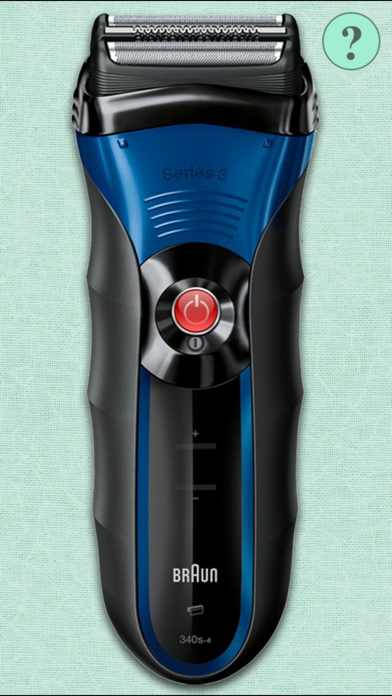
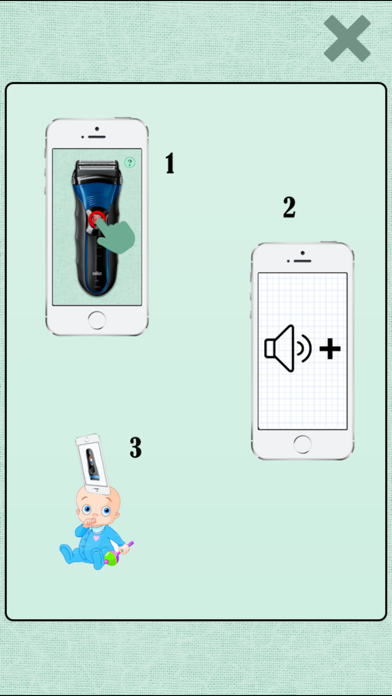
Disclaimer: This app is intended for entertainment purposes only and does not provide true razor functionality. Turn your smartphone into a simulated hair trimmer / razor now! This is one of the most realistic apps of its kind, perfect to make your friend fool and entertaining children simulating a real hair trimmer, clipper or shaver. How to use it: 1) Turn on the razor / clipper by tapping on its on/off button , it will start to make noise (if it is not making some sound , try turning up the volume of the device) . 2)Get the device screen close to the head / hairs of the object and the sound will change , creating the illusion that you are actually cutting hair of that person . 3) When you want to stop the razor , just touch the button again and the haircut will be over (The image of the clipper will change to show you that now it's off). Whether you want to play a prank on your friends or if you just want to have a good time , Real Razor will provide you loads of fun and a whole new experience using the newest features of your device.. This app is so real that you might get bald!