PC 용 Airshow Mobile 2
- 카테고리: Travel
- 최근 업데이트: 2021-03-24
- 현재 버전: 1.0.17
- 파일 크기: 1.08 GB
- 개발자: Rockwell Collins, Inc.
- 호환성: 필요 Windows XP, Windows Vista, Windows 7, Windows 8, Windows 8.1 and Windows 10, Windows 11
PC에서 Airshow Mobile 2 용 호환 APK 다운로드
| 다운로드 | 개발자 | 평점 | 점수 | 현재 버전 | 성인 랭킹 |
|---|---|---|---|---|---|
| ↓ PC용 APK 다운로드 | Rockwell Collins, Inc. | 0 | 0 | 1.0.17 | 4+ |
에뮬레이터의 중요성은 컴퓨터에서 안드로이드 환경을 흉내 내고 안드로이드 폰을 구입하지 않고도 안드로이드 앱을 설치하고 실행하는 것을 매우 쉽게 만들어주는 것입니다. 누가 당신이 두 세계를 즐길 수 없다고 말합니까? 우선 아래에있는 에뮬레이터 앱을 다운로드 할 수 있습니다.
A. Nox App . OR
B. Bluestacks App .
Bluestacks는 매우 대중적이므로 개인적으로 "B"옵션을 사용하는 것이 좋습니다. 문제가 발생하면 Google 또는 Naver.com에서 좋은 해결책을 찾을 수 있습니다.
Bluestacks.exe 또는 Nox.exe를 성공적으로 다운로드 한 경우 컴퓨터의 다운로드 폴더 또는 다운로드 한 파일을 일반적으로 저장하는 곳으로 이동하십시오.
찾으면 클릭하여 응용 프로그램을 설치하십시오. PC에서 설치 프로세스를 시작해야합니다.
다음을 클릭하여 EULA 라이센스 계약에 동의하십시오.
응용 프로그램을 설치하려면 화면 지시문을 따르십시오.
위 사항을 올바르게 수행하면 소프트웨어가 성공적으로 설치됩니다.
이제 설치 한 에뮬레이터 애플리케이션을 열고 검색 창을 찾으십시오. 지금 입력하십시오. - Airshow Mobile 2 앱을 쉽게 볼 수 있습니다. 그것을 클릭하십시오. 응용 프로그램 창이 열리고 에뮬레이터 소프트웨어에 응용 프로그램이 표시됩니다. 설치 버튼을 누르면 응용 프로그램이 다운로드되기 시작합니다. 이제 우리는 모두 끝났습니다.
그런 다음 "모든 앱"아이콘이 표시됩니다.
클릭하면 설치된 모든 응용 프로그램이 포함 된 페이지로 이동합니다.
당신은 Airshow Mobile 2 상. 그것을 클릭하고 응용 프로그램 사용을 시작하십시오.
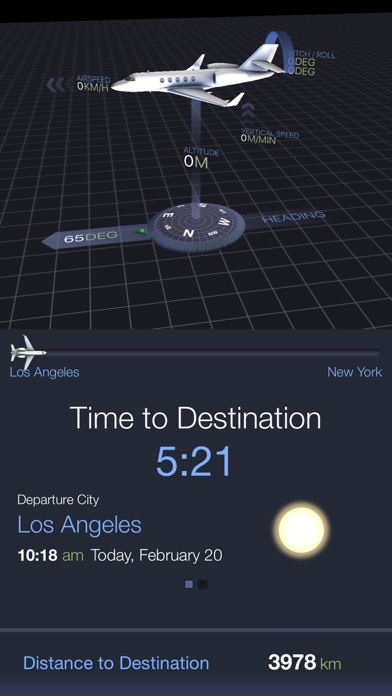
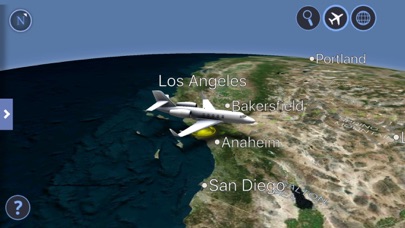
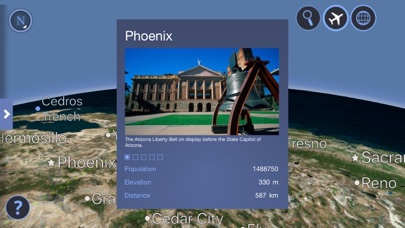
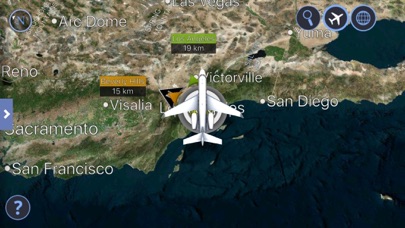
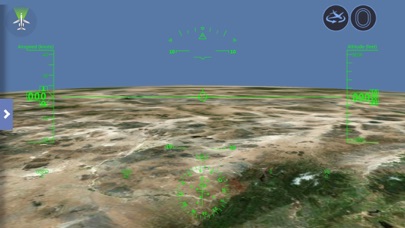
Rockwell Collins has leveraged 30+ years of moving map expertise with market changing technologies to deliver an advanced version of Airshow. Airshow Mobile 2 delivers real time flight data from take-off to landing with an interactive 3D environment keeping passengers informed and entertained. Key features of the app include: • Beautiful satellite 3D maps that present the world beyond the cabin in high definition • An Autoplay cycle that shows a predefined script of map views that is flight phase aware • Interactive roaming, zooming and navigation of the globe • Customized settings and layers that allow the user to choose how the map is displayed • Convenient flight information including estimated time to arrival, flight speed and more • Command Center: a consolidated view of maps and flight information into one display, with the ability to swipe through map views and flight information • Selectable map views such as Flight Preview, Total Route, Mid Flight, Time Zone Globe and World Clocks • Windows Seat provides the view from the cockpit or window seats on the left or right side of the aircraft. When in the cockpit view, a Heads Up Display is available that shows the movement of the aircraft as it pitches and rolls*. The Panorama feature in this view allows users to move their device in any direction and see the world as if they were looking through a transparent cabin*. • Portrait Mode: rotating the device from landscape to portrait orientation enables a view quickly displays flight progress, departure and destination information, and other key aircraft data. Note: The Airshow Mobile 2 App must be used in conjunction with a companion Airshow system in order to obtain real-time aircraft flight data. The aircraft FMS must provide Pitch and Roll information to Airshow to see this movement in the HUD. The tablet/phone must support multicast or broadcast. The tablet/phone must have an accelerometer and a gyroscope to support the Panorama feature.