PC 용 Super Vectorizer Pro:AI Vector
- 카테고리: Graphics & Design
- 최근 업데이트: 2026-11-03
- 현재 버전: 2.4.0
- 파일 크기: 2.61 MB
- 개발자: XiuXia Yang
- 호환성: 필요 Windows XP, Windows Vista, Windows 7, Windows 8, Windows 8.1 and Windows 10, Windows 11

PC에서 Super Vectorizer Pro:AI Vector 용 호환 APK 다운로드
| 다운로드 | 개발자 | 평점 | 점수 | 현재 버전 | 성인 랭킹 |
|---|---|---|---|---|---|
| ↓ PC용 APK 다운로드 | XiuXia Yang | 0 | 0 | 2.4.0 | 4+ |
에뮬레이터의 중요성은 컴퓨터에서 안드로이드 환경을 흉내 내고 안드로이드 폰을 구입하지 않고도 안드로이드 앱을 설치하고 실행하는 것을 매우 쉽게 만들어주는 것입니다. 누가 당신이 두 세계를 즐길 수 없다고 말합니까? 우선 아래에있는 에뮬레이터 앱을 다운로드 할 수 있습니다.
A. Nox App . OR
B. Bluestacks App .
Bluestacks는 매우 대중적이므로 개인적으로 "B"옵션을 사용하는 것이 좋습니다. 문제가 발생하면 Google 또는 Naver.com에서 좋은 해결책을 찾을 수 있습니다.
Bluestacks.exe 또는 Nox.exe를 성공적으로 다운로드 한 경우 컴퓨터의 다운로드 폴더 또는 다운로드 한 파일을 일반적으로 저장하는 곳으로 이동하십시오.
찾으면 클릭하여 응용 프로그램을 설치하십시오. PC에서 설치 프로세스를 시작해야합니다.
다음을 클릭하여 EULA 라이센스 계약에 동의하십시오.
응용 프로그램을 설치하려면 화면 지시문을 따르십시오.
위 사항을 올바르게 수행하면 소프트웨어가 성공적으로 설치됩니다.
이제 설치 한 에뮬레이터 애플리케이션을 열고 검색 창을 찾으십시오. 지금 입력하십시오. - Super Vectorizer Pro:AI Vector 앱을 쉽게 볼 수 있습니다. 그것을 클릭하십시오. 응용 프로그램 창이 열리고 에뮬레이터 소프트웨어에 응용 프로그램이 표시됩니다. 설치 버튼을 누르면 응용 프로그램이 다운로드되기 시작합니다. 이제 우리는 모두 끝났습니다.
그런 다음 "모든 앱"아이콘이 표시됩니다.
클릭하면 설치된 모든 응용 프로그램이 포함 된 페이지로 이동합니다.
당신은 Super Vectorizer Pro:AI Vector 상. 그것을 클릭하고 응용 프로그램 사용을 시작하십시오.
Mac OS 에서 Super Vectorizer Pro 다운로드
| 다운로드 | 개발자 | 점수 | 현재 버전 | 성인 랭킹 |
|---|---|---|---|---|
| ₩25,000 - Mac 에서 다운로드 | XiuXia Yang | 0 |
2.4.0 | 4+ |
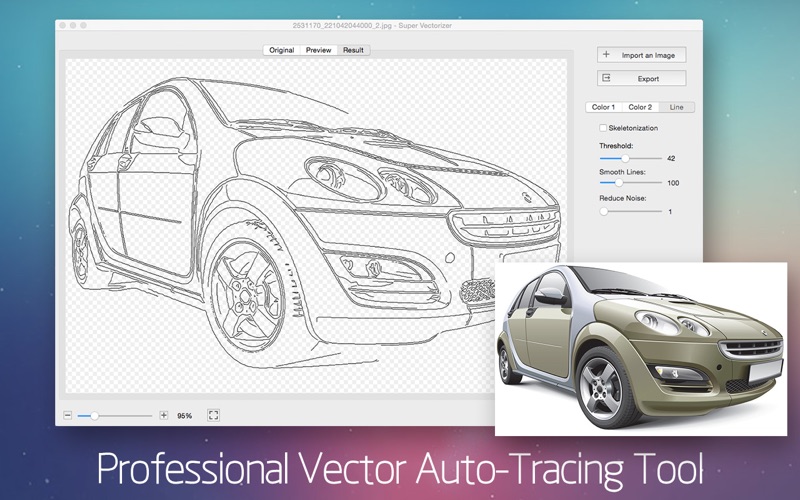
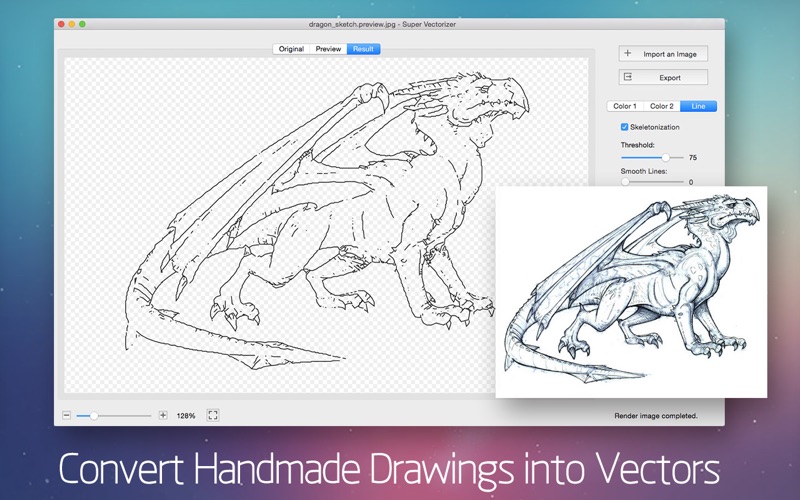
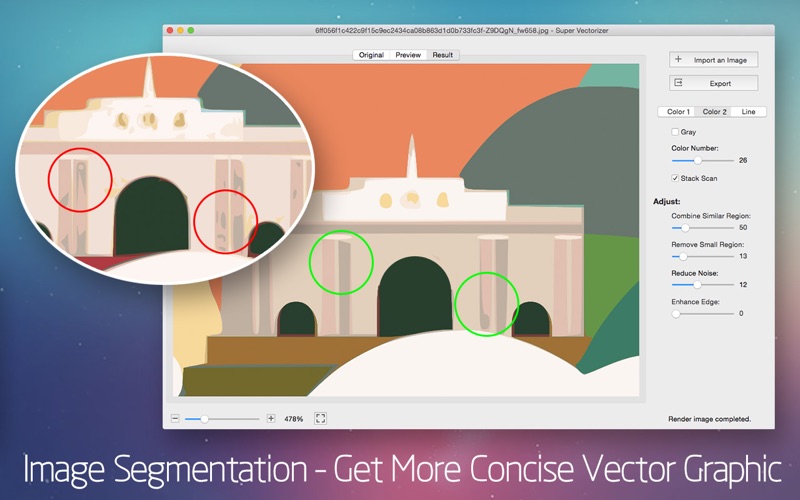
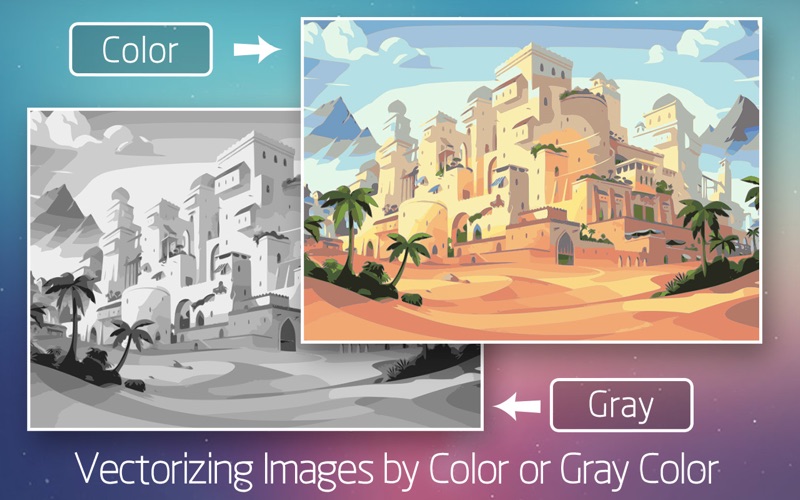
Super Vectorizer Pro is a professional-grade image tracer that automatically converts and traces photos, logos, sketches, and line art etc — JPEG, PNG, GIF, and 70+ formats — into crisp, infinitely scalable vector graphics in SVG, AI, EPS, DXF, and PDF. Output works seamlessly in Illustrator and CorelDRAW, and in Cricut Design Space for cut-ready projects — plus most other vector and cutting tools. ## Key Features 1. Fully automatic, beautifully clean. Drop in an image and get a ready-to-use vector in seconds — no manual node editing required. 2. Two powerful color modes. Color mode for flat, poster-style results; the unique Region mode for photographic, gradient-rich tracings — a segmentation algorithm you won't find anywhere else on the App Store. 3. Region Mode, rebuilt. A true region-based tracer. Instead of being capped by a color count, the image is split along real edges and every region is filled with its own representative color. Complex portraits can now resolve thousands of regions while preserving smooth gradients and fine detail. 4. Sharper edges, zero drift. We rewrote the edge-enhancement engine. Colors snap cleanly at the boundary — and the boundary itself stays put. No more soft halos or white seams. 5. Two precision controls. Simplify merges similar-colored regions; Min Area clears away stray speckles. Once buried in a single slider, they're now independent and intuitive. 6. 10 built-in presets. One-tap starting points for Portrait, Landscape, Icon, Manga, and Line Art & Text — plus Icon / Manga tuned for Color mode. 7. AI super-resolution (Apple Silicon). Small images and line art are upscaled before tracing for finer edges — yet exports stay at the original size. 8. Trace by what matters. Vectorize by Color, Region or Line. Switch to Skeletonization or Line mode to turn pencil sketches and technical drawings into editable strokes. 9. Segmentation editing. Trace cleaner line borders that simplify complex images into concise, easy-to-edit vectors — without region overlap. 10. Four-times-better smoothing. An enhanced pre-processing engine smooths noisy images far more effectively than the previous generation, for tighter, more accurate results that closely match your original. 11. Pro-grade output & workflow. Export to AI, SVG, EPS, DXF, and PDF · preview at full detail with smooth zoom · open via drag-and-drop · handle very large images · transparent-background support. ## Supported Input Formats (70+) JPG, BMP, PNG, GIF, PDF, PSD, PNT, RGB, ARW, BMPF, CUR, CRW, CR2, DCR, DNG, EPSF, EPSI, EPI, EPS, EXR, EFX, ERF, FPX, FPIX, FAX, FFF, GIFF, G3, HDR, ICNS, ICO, JP2, JFX, JFAX, JPE, JFIF, JPF, MPO, MAC, MRW, MOS, NRW, NEF, ORF, PICT, PIC, PCT, PS, PNTG, PNGF, PEF, QTIF, QTI, RAW, RAF, RW2, RWL, SR2, SRF, SRW, SGI, TRIC, TIFF, TGA, TARGA, TIF, XBM, 3FR, 8BPS Super Vectorizer Pro is built for everyone from hobbyists to professional design teams. With cutting-edge raster-to-vector technology, it does an impressive job of converting photos and bitmaps into crisp Line Art, illustrations, and scalable vector graphics. Save hours and money — get your artwork print-, embroider-, and cut-ready faster than ever. We'd love your feedback: [email protected]