PC 용 Animal Sounds & Images (mini)
- 카테고리: Entertainment
- 최근 업데이트: 2023-12-05
- 현재 버전: 3.1.0
- 파일 크기: 9.94 MB
- 개발자: Thomas Zinnbauer
- 호환성: 필요 Windows XP, Windows Vista, Windows 7, Windows 8, Windows 8.1 and Windows 10, Windows 11
PC에서 Animal Sounds & Images (mini) 용 호환 APK 다운로드
| 다운로드 | 개발자 | 평점 | 점수 | 현재 버전 | 성인 랭킹 |
|---|---|---|---|---|---|
| ↓ PC용 APK 다운로드 | Thomas Zinnbauer | 0 | 0 | 3.1.0 | 4+ |
호환되는 PC 앱 또는 대안 확인
| 소프트웨어 | 다운로드 | 평점 | 개발자 |
|---|---|---|---|
| Animal Sounds & Images (mini) |
PC 앱 받기 | 0/5 0 리뷰 0 |
Thomas Zinnbauer |
에뮬레이터의 중요성은 컴퓨터에서 안드로이드 환경을 흉내 내고 안드로이드 폰을 구입하지 않고도 안드로이드 앱을 설치하고 실행하는 것을 매우 쉽게 만들어주는 것입니다. 누가 당신이 두 세계를 즐길 수 없다고 말합니까? 우선 아래에있는 에뮬레이터 앱을 다운로드 할 수 있습니다.
A. Nox App . OR
B. Bluestacks App .
Bluestacks는 매우 대중적이므로 개인적으로 "B"옵션을 사용하는 것이 좋습니다. 문제가 발생하면 Google 또는 Naver.com에서 좋은 해결책을 찾을 수 있습니다.
Bluestacks.exe 또는 Nox.exe를 성공적으로 다운로드 한 경우 컴퓨터의 다운로드 폴더 또는 다운로드 한 파일을 일반적으로 저장하는 곳으로 이동하십시오.
찾으면 클릭하여 응용 프로그램을 설치하십시오. PC에서 설치 프로세스를 시작해야합니다.
다음을 클릭하여 EULA 라이센스 계약에 동의하십시오.
응용 프로그램을 설치하려면 화면 지시문을 따르십시오.
위 사항을 올바르게 수행하면 소프트웨어가 성공적으로 설치됩니다.
이제 설치 한 에뮬레이터 애플리케이션을 열고 검색 창을 찾으십시오. 지금 입력하십시오. - Animal Sounds & Images (mini) 앱을 쉽게 볼 수 있습니다. 그것을 클릭하십시오. 응용 프로그램 창이 열리고 에뮬레이터 소프트웨어에 응용 프로그램이 표시됩니다. 설치 버튼을 누르면 응용 프로그램이 다운로드되기 시작합니다. 이제 우리는 모두 끝났습니다.
그런 다음 "모든 앱"아이콘이 표시됩니다.
클릭하면 설치된 모든 응용 프로그램이 포함 된 페이지로 이동합니다.
당신은 Animal Sounds & Images (mini) 상. 그것을 클릭하고 응용 프로그램 사용을 시작하십시오.
Mac OS 에서 Animal Sounds & Images (mini) 다운로드
| 다운로드 | 개발자 | 점수 | 현재 버전 | 성인 랭킹 |
|---|---|---|---|---|
| 무료 - Mac 에서 다운로드 | Thomas Zinnbauer | 0 |
3.1.0 | 4+ |
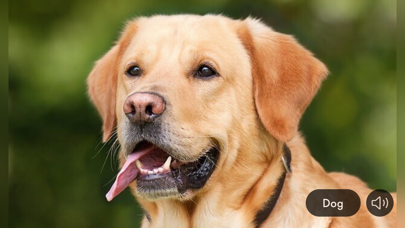
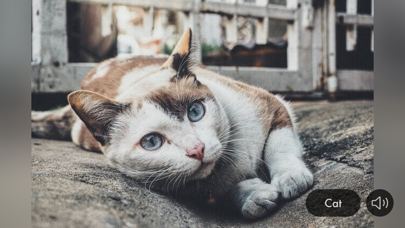
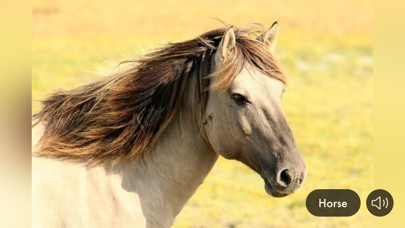
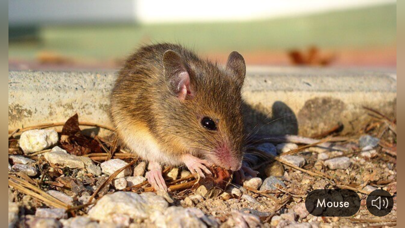
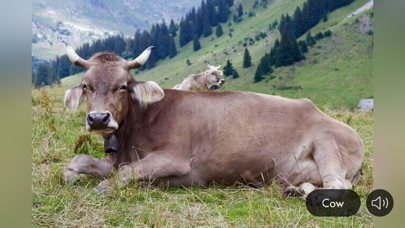
This app is a (mini) preview for free for the main app that features more than 100 different animals, reproducing authentic animal sounds. After each playback of the animal sound, the name of the animal is pronounced. The operation is effortlessly executed through simple swiping, similar to the full-screen view of photos. +++ An App Specifically Designed for Our Little Ones +++ My one-and-a-half-year-old daughter is fascinated by animals and likes to name them after their sounds. A dog becomes "WoofWoof," a cow becomes "Moo". Since she has already flipped through picture books countless times, I searched for an app - easy to use, simply displaying animals, and perhaps even reproducing their sounds. I found nothing that met my expectations. Apps for the youngest children were either too complicated or included ads and flashy elements that I didn't want to expose my child to so early. So, I decided to develop this app for my daughter myself... and what can I say? She loves it. +++ Child-Friendly and Effortless Operation +++ So simple. Even the littlest ones intuitively master the swiping gesture. This app is a (mini) preview for free for the main app that showcases over 100 animals and reproduces their realistic sounds. Just swipe, as when viewing photos in full-screen mode. After each playback of the animal sound, the name of the animal is pronounced again. The animal sound can be replayed at any time. No buttons, no menus—nothing that the child could accidentally press, requiring Mom or Dad to intervene. +++ Carefully Curated Content +++ All images and animal sounds have been meticulously and individually curated and edited for this app. They consist of realistic audio recordings of real animals to achieve the highest possible learning effect. Did you know, for example, how an armadillo or a llama sounds? +++ Download the full version "+100 Animal Sounds" +++