PC 용 Offroad Hummer Robot Transformation : Iron Machine
- 카테고리: Games
- 최근 업데이트: 2017-04-20
- 현재 버전: 1.0
- 파일 크기: 130.32 MB
- 개발자: Meta Dort
- 호환성: 필요 Windows XP, Windows Vista, Windows 7, Windows 8, Windows 8.1 and Windows 10, Windows 11



PC에서 Offroad Hummer Robot Transformation : Iron Machine 용 호환 APK 다운로드
| 다운로드 | 개발자 | 평점 | 점수 | 현재 버전 | 성인 랭킹 |
|---|---|---|---|---|---|
| ↓ PC용 APK 다운로드 | Meta Dort | 0 | 0 | 1.0 | 12+ |
호환되는 PC 앱 또는 대안 확인
| 소프트웨어 | 다운로드 | 평점 | 개발자 |
|---|---|---|---|
| Offroad Hummer Robot Transformation |
PC 앱 받기 | 0/5 0 리뷰 0 |
Meta Dort |
에뮬레이터의 중요성은 컴퓨터에서 안드로이드 환경을 흉내 내고 안드로이드 폰을 구입하지 않고도 안드로이드 앱을 설치하고 실행하는 것을 매우 쉽게 만들어주는 것입니다. 누가 당신이 두 세계를 즐길 수 없다고 말합니까? 우선 아래에있는 에뮬레이터 앱을 다운로드 할 수 있습니다.
A. Nox App . OR
B. Bluestacks App .
Bluestacks는 매우 대중적이므로 개인적으로 "B"옵션을 사용하는 것이 좋습니다. 문제가 발생하면 Google 또는 Naver.com에서 좋은 해결책을 찾을 수 있습니다.
Bluestacks.exe 또는 Nox.exe를 성공적으로 다운로드 한 경우 컴퓨터의 다운로드 폴더 또는 다운로드 한 파일을 일반적으로 저장하는 곳으로 이동하십시오.
찾으면 클릭하여 응용 프로그램을 설치하십시오. PC에서 설치 프로세스를 시작해야합니다.
다음을 클릭하여 EULA 라이센스 계약에 동의하십시오.
응용 프로그램을 설치하려면 화면 지시문을 따르십시오.
위 사항을 올바르게 수행하면 소프트웨어가 성공적으로 설치됩니다.
이제 설치 한 에뮬레이터 애플리케이션을 열고 검색 창을 찾으십시오. 지금 입력하십시오. - Offroad Hummer Robot Transformation : Iron Machine 앱을 쉽게 볼 수 있습니다. 그것을 클릭하십시오. 응용 프로그램 창이 열리고 에뮬레이터 소프트웨어에 응용 프로그램이 표시됩니다. 설치 버튼을 누르면 응용 프로그램이 다운로드되기 시작합니다. 이제 우리는 모두 끝났습니다.
그런 다음 "모든 앱"아이콘이 표시됩니다.
클릭하면 설치된 모든 응용 프로그램이 포함 된 페이지로 이동합니다.
당신은 Offroad Hummer Robot Transformation : Iron Machine 상. 그것을 클릭하고 응용 프로그램 사용을 시작하십시오.
Mac OS 에서 Offroad Hummer Robot Transformation 다운로드
| 다운로드 | 개발자 | 점수 | 현재 버전 | 성인 랭킹 |
|---|---|---|---|---|
| 무료 - Mac 에서 다운로드 | Meta Dort | 0 |
1.0 | 12+ |
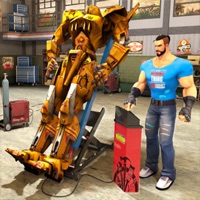
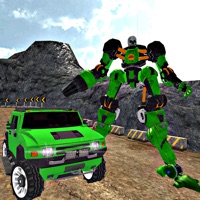
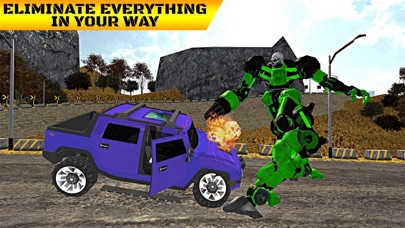
After the big failure in city now the evil robots captured all the areas of country sides, green mountains and large offroads. The goods transport in the cities has been destroyed by these villainous transform robots. Now in this offroad hummer transform robot you have a huge challenge to save the country sides, offroad transportation and the beauty of green mountains. You have a magnificent chance as a hummer car robot to hit these transform cars and kill the evil force transform robots with your metal punches and steel kicks. Protect and clean the homeland and offroads from these evil robot cars. Game play is simple but difficult as you control your futuristic robot and transform it to hummer car simulator. You have a splendid opportunity as a hummer robot to become a hero like optimus prime. This brilliant robot war game will surely give you the experience of drive, control, and fight. Game Features: » Maverick Realistic 3d Robot Animations. » Superb Big City Environment and Graphics. » Stunning Car Physics and Drive. » Realistic Sounds Engineered for this Hummer Robot Game. » Playable on multiple devices. » Different Camera views.