PC 용 Pro Camera-HD 비디오 어플리케이션
- 카테고리: Entertainment
- 최근 업데이트: 2025-01-21
- 현재 버전: 1.81.80
- 파일 크기: 108.33 MB
- 개발자: FanTengMu(Tianjin) Technology Co., Ltd.
- 호환성: 필요 Windows XP, Windows Vista, Windows 7, Windows 8, Windows 8.1 and Windows 10, Windows 11



PC에서 Pro Camera-HD 비디오 어플리케이션 용 호환 APK 다운로드
| 다운로드 | 개발자 | 평점 | 점수 | 현재 버전 | 성인 랭킹 |
|---|---|---|---|---|---|
| ↓ PC용 APK 다운로드 | FanTengMu(Tianjin) Technology Co., Ltd. | 64 | 4.39063 | 1.81.80 | 4+ |
호환되는 PC 앱 또는 대안 확인
| 소프트웨어 | 다운로드 | 평점 | 개발자 |
|---|---|---|---|
| Pro Camera-HD 비디오 어플리케이션 |
PC 앱 받기 | 4.39063/5 64 리뷰 4.39063 |
FanTengMu(Tianjin) Technology Co., Ltd. |
에뮬레이터의 중요성은 컴퓨터에서 안드로이드 환경을 흉내 내고 안드로이드 폰을 구입하지 않고도 안드로이드 앱을 설치하고 실행하는 것을 매우 쉽게 만들어주는 것입니다. 누가 당신이 두 세계를 즐길 수 없다고 말합니까? 우선 아래에있는 에뮬레이터 앱을 다운로드 할 수 있습니다.
A. Nox App . OR
B. Bluestacks App .
Bluestacks는 매우 대중적이므로 개인적으로 "B"옵션을 사용하는 것이 좋습니다. 문제가 발생하면 Google 또는 Naver.com에서 좋은 해결책을 찾을 수 있습니다.
Bluestacks.exe 또는 Nox.exe를 성공적으로 다운로드 한 경우 컴퓨터의 다운로드 폴더 또는 다운로드 한 파일을 일반적으로 저장하는 곳으로 이동하십시오.
찾으면 클릭하여 응용 프로그램을 설치하십시오. PC에서 설치 프로세스를 시작해야합니다.
다음을 클릭하여 EULA 라이센스 계약에 동의하십시오.
응용 프로그램을 설치하려면 화면 지시문을 따르십시오.
위 사항을 올바르게 수행하면 소프트웨어가 성공적으로 설치됩니다.
이제 설치 한 에뮬레이터 애플리케이션을 열고 검색 창을 찾으십시오. 지금 입력하십시오. - Pro Camera-HD 비디오 어플리케이션 앱을 쉽게 볼 수 있습니다. 그것을 클릭하십시오. 응용 프로그램 창이 열리고 에뮬레이터 소프트웨어에 응용 프로그램이 표시됩니다. 설치 버튼을 누르면 응용 프로그램이 다운로드되기 시작합니다. 이제 우리는 모두 끝났습니다.
그런 다음 "모든 앱"아이콘이 표시됩니다.
클릭하면 설치된 모든 응용 프로그램이 포함 된 페이지로 이동합니다.
당신은 Pro Camera-HD 비디오 어플리케이션 상. 그것을 클릭하고 응용 프로그램 사용을 시작하십시오.
Mac OS 에서 Pro Camera-HD 비디오 어플리케이션 다운로드
| 다운로드 | 개발자 | 점수 | 현재 버전 | 성인 랭킹 |
|---|---|---|---|---|
| 무료 - Mac 에서 다운로드 | FanTengMu(Tianjin) Technology Co., Ltd. | 4.39063 |
1.81.80 | 4+ |
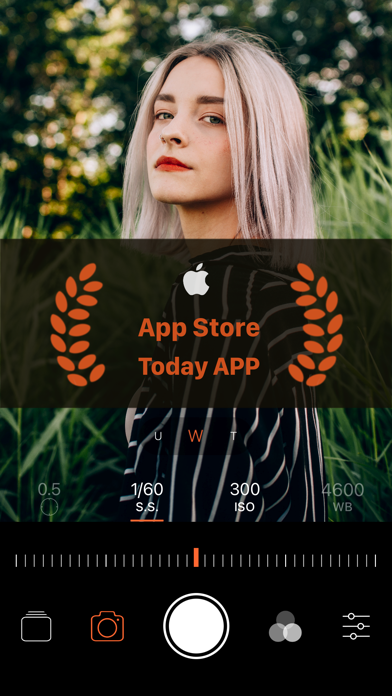
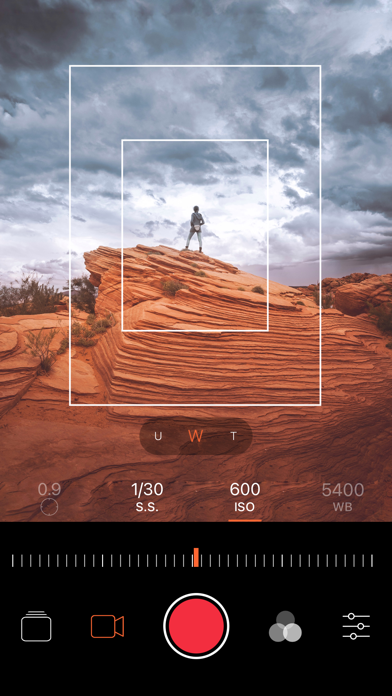
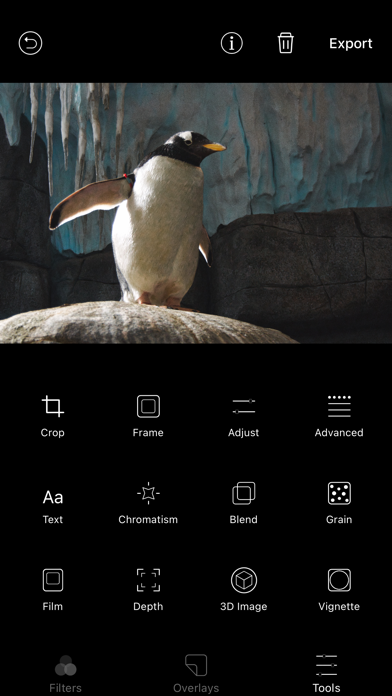
Pro Camera is an app integrating professional photography, professional video recording, photo editing and video editing. It integrates powerful computational photography technology to give full play to your camera potential. -- Camera Mode -- -Single Photo -Video Mode -Burst Mode -Macro Photography -Slow Shutter -Depth Of Field/ Portrait (Requires multi lens camera system or truedepth camera system) -3D Image (Requires multi lens camera system or truedepth camera system) -Smart Smile Mode -Time-Lapse -Slow Motion -Dynamic Photos -Fisheye Mode -Analog Film -Fun Mode -- Main Functions Of The Camera -- -Manual control (focus, shutter, ISO, white balance) -Independent control lock (focus, exposure, white balance) -White balance control (custom, daylight, shadow, cloudy, tungsten lamp, fluorescent lamp, flashlight) -150 + real-time high-performance preset (Single Photo, Video, Time-Lapse, 3D image) -Multi lens support (wide-angle, telephoto, ultra wide-angle, front lens, dual lens, true depth lens) -Many aspect ratios -2-10x digital zoom -Grid -Light level histogram -Level -EV indication -Support horizontal and vertical screen -Volume key for take photo/record video -Flashlight -FN parameter (9 groups of manual parameters) --Main Functions Of Photography -- -Capture 48MP pixel photo with HEIF, JPEG,TIFF,ProRAW (iPhone 14 Pro and later) -Capture quality options -Image formats: HEIF, JPEG, TIFF, RAW, RAW + JPEG, ProRAW (iPhone 12 Pro and later), ProRAW + JPEG (iPhone 12 pro and later) -Exposure Bracketing (support HEIF, RAW, TIFF) -Up to 60 seconds slow shutter -Burst function -Smart smile photography -Slow shutter sensitivity adjustment -Depth of field / portrait mode supports focusing change of finished photos, and supports analog aperture control (f/1.2-f/16) and a variety of out of focus effects -3D mode supports MOV and GIF format export -Add location information tag for photos -Mirror front camera -3s, 5s, 10s Timer -Photo EXIF metadata viewing support (aperture, shutter, ISO, lens, etc.) -- Main Functions Of Video -- -4K MAX (4032x3024) (24fps, 25FPS, 30fps) -4K (24-60fps) -1080P (24-240fps) -720P (24-240fps) -480P (24-240fps) -Normal/Cinema level stabilization -Advanced audio settings (AAC/PCM, channel, 44.1khz/48khz) -Video flashlight -- Photo / Video Editing -- -150 + professional presets -150 + overlays -Image clipping, rotation, flipping, etc. -Photo frames -Basic image adjustment (support RAW image) -Advanced image tools (HSL etc.) -Chromatism -Blend -Grain -Analog Film -Depth of field -3D photo —About Subscriptions— -Subscrible to get all features and remove ads. -Subscriptions are billed annually. Alternatively a one time payment plan is available (this is not a subscription). -Payment will be charged to your iTunes account at confirmation of purchase.Subscriptions will automatically renew unless auto-renew is turned off at least 24 hours before the end of the current period. -Your account will be charged for renewal,in accordance with your plan,within 24 hours prior to the end of the current period. -You may check, manage or cancel the subscription in your iTunes account settings at any time after purchase. Manage Subscription Route: ‘Settings’—>’iTunes&App Store’—>’Apple ID’—>’View Apple ID’—>’Subscriptions’. Privacy Policy:http://www.sjslai.com/privacypolicy.html Terms of Use:http://www.sjslai.com/termsofservices.html —About Data Collection— 1. The app will not collect any user information, not to mention the user's facial information. Users can also use the app offline. 2. We do not collect user information and facial information, so there is no purpose to collect user information and facial information. 3. Users can select their own photos to add filter and other effects, or record video in real time. Photos and videos will not be uploaded, stored remotely, or shared with third parties. 4. The [data collection] part of our privacy policy. There are also explanations for data collection.