
PC 용 Draw Your Car - Make Your Game
- 카테고리: Games
- 최근 업데이트: 2019-09-10
- 현재 버전: 1.91
- 파일 크기: 90.39 MB
- 개발자: Alex Naronov
- 호환성: 필요 Windows XP, Windows Vista, Windows 7, Windows 8, Windows 8.1 and Windows 10, Windows 11


PC에서 Draw Your Car - Make Your Game 용 호환 APK 다운로드
| 다운로드 | 개발자 | 평점 | 점수 | 현재 버전 | 성인 랭킹 |
|---|---|---|---|---|---|
| ↓ PC용 APK 다운로드 | Alex Naronov | 11 | 4.09091 | 1.91 | 4+ |
에뮬레이터의 중요성은 컴퓨터에서 안드로이드 환경을 흉내 내고 안드로이드 폰을 구입하지 않고도 안드로이드 앱을 설치하고 실행하는 것을 매우 쉽게 만들어주는 것입니다. 누가 당신이 두 세계를 즐길 수 없다고 말합니까? 우선 아래에있는 에뮬레이터 앱을 다운로드 할 수 있습니다.
A. Nox App . OR
B. Bluestacks App .
Bluestacks는 매우 대중적이므로 개인적으로 "B"옵션을 사용하는 것이 좋습니다. 문제가 발생하면 Google 또는 Naver.com에서 좋은 해결책을 찾을 수 있습니다.
Bluestacks.exe 또는 Nox.exe를 성공적으로 다운로드 한 경우 컴퓨터의 다운로드 폴더 또는 다운로드 한 파일을 일반적으로 저장하는 곳으로 이동하십시오.
찾으면 클릭하여 응용 프로그램을 설치하십시오. PC에서 설치 프로세스를 시작해야합니다.
다음을 클릭하여 EULA 라이센스 계약에 동의하십시오.
응용 프로그램을 설치하려면 화면 지시문을 따르십시오.
위 사항을 올바르게 수행하면 소프트웨어가 성공적으로 설치됩니다.
이제 설치 한 에뮬레이터 애플리케이션을 열고 검색 창을 찾으십시오. 지금 입력하십시오. - Draw Your Car - Make Your Game 앱을 쉽게 볼 수 있습니다. 그것을 클릭하십시오. 응용 프로그램 창이 열리고 에뮬레이터 소프트웨어에 응용 프로그램이 표시됩니다. 설치 버튼을 누르면 응용 프로그램이 다운로드되기 시작합니다. 이제 우리는 모두 끝났습니다.
그런 다음 "모든 앱"아이콘이 표시됩니다.
클릭하면 설치된 모든 응용 프로그램이 포함 된 페이지로 이동합니다.
당신은 Draw Your Car - Make Your Game 상. 그것을 클릭하고 응용 프로그램 사용을 시작하십시오.
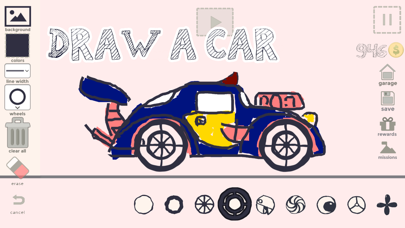
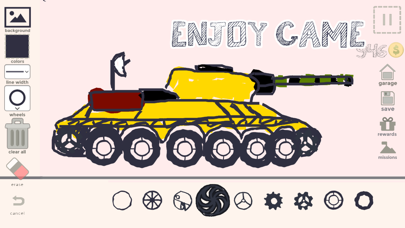
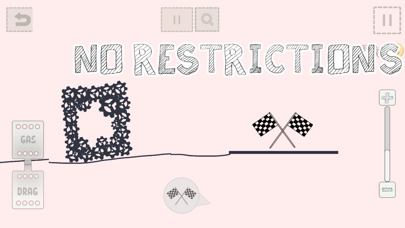
Draw a car in this drawing car racing game. In this drawing game you can draw your car and then drive it. You just draw it using your finger and its wheels and can drive ahead. You can also build your car, color your car, customise it and draw a road and then drive it to complete the level. It is a combination of vehicle building game and a drawing game where you need to use your imagination to draw it and drive ahead to the finish line. After building your own car you can also customize cars with a set of wheels to drive ahead. You can also play it like racing game to complete levels. One of the best drawing games! There is also an endless level with road draw where you need to build both car and create road and use your jelly car to drive ahead. Use your imagination - create and build anything you like in this free drawing game. Use finger to draw your car, color it and build it including wheels. Then drive and enjoy! Addictive gameplay! Create your own car and drive it ahead! You can build something you like, just use your imagination and use finger to draw your car, color it and build it and then use it to complete levels in this drawing game. Showcase yourself your customized car ! Features: Vehicle building game Color your car Create your own - anything you can imagine Build any car you like Drive ahead to complete levels Collect coins to customize and color your car Draw it for free! Race with your car! Use your creation to race to complete level!