PC 용 NOAA Tide Chart & Tables
- 카테고리: Weather
- 최근 업데이트: 2026-11-14
- 현재 버전: 2.10.8
- 파일 크기: 47.58 MB
- 개발자: NextStack LLC
- 호환성: 필요 Windows XP, Windows Vista, Windows 7, Windows 8, Windows 8.1 and Windows 10, Windows 11


PC에서 NOAA Tide Chart & Tables 용 호환 APK 다운로드
| 다운로드 | 개발자 | 평점 | 점수 | 현재 버전 | 성인 랭킹 |
|---|---|---|---|---|---|
| ↓ PC용 APK 다운로드 | NextStack LLC | 0 | 0 | 2.10.8 | 4+ |
에뮬레이터의 중요성은 컴퓨터에서 안드로이드 환경을 흉내 내고 안드로이드 폰을 구입하지 않고도 안드로이드 앱을 설치하고 실행하는 것을 매우 쉽게 만들어주는 것입니다. 누가 당신이 두 세계를 즐길 수 없다고 말합니까? 우선 아래에있는 에뮬레이터 앱을 다운로드 할 수 있습니다.
A. Nox App . OR
B. Bluestacks App .
Bluestacks는 매우 대중적이므로 개인적으로 "B"옵션을 사용하는 것이 좋습니다. 문제가 발생하면 Google 또는 Naver.com에서 좋은 해결책을 찾을 수 있습니다.
Bluestacks.exe 또는 Nox.exe를 성공적으로 다운로드 한 경우 컴퓨터의 다운로드 폴더 또는 다운로드 한 파일을 일반적으로 저장하는 곳으로 이동하십시오.
찾으면 클릭하여 응용 프로그램을 설치하십시오. PC에서 설치 프로세스를 시작해야합니다.
다음을 클릭하여 EULA 라이센스 계약에 동의하십시오.
응용 프로그램을 설치하려면 화면 지시문을 따르십시오.
위 사항을 올바르게 수행하면 소프트웨어가 성공적으로 설치됩니다.
이제 설치 한 에뮬레이터 애플리케이션을 열고 검색 창을 찾으십시오. 지금 입력하십시오. - NOAA Tide Chart & Tables 앱을 쉽게 볼 수 있습니다. 그것을 클릭하십시오. 응용 프로그램 창이 열리고 에뮬레이터 소프트웨어에 응용 프로그램이 표시됩니다. 설치 버튼을 누르면 응용 프로그램이 다운로드되기 시작합니다. 이제 우리는 모두 끝났습니다.
그런 다음 "모든 앱"아이콘이 표시됩니다.
클릭하면 설치된 모든 응용 프로그램이 포함 된 페이지로 이동합니다.
당신은 NOAA Tide Chart & Tables 상. 그것을 클릭하고 응용 프로그램 사용을 시작하십시오.
Mac OS 에서 NOAA Tide Chart & Tables 다운로드
| 다운로드 | 개발자 | 점수 | 현재 버전 | 성인 랭킹 |
|---|---|---|---|---|
| 무료 - Mac 에서 다운로드 | NextStack LLC | 0 |
2.10.8 | 4+ |
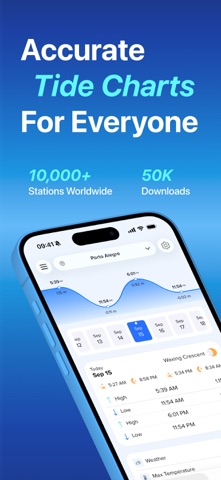
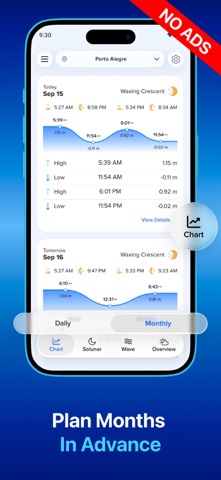
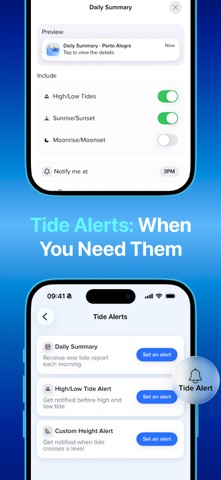
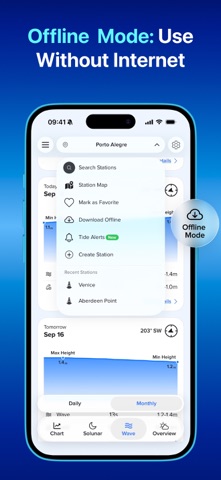
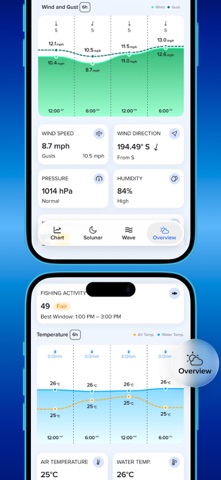
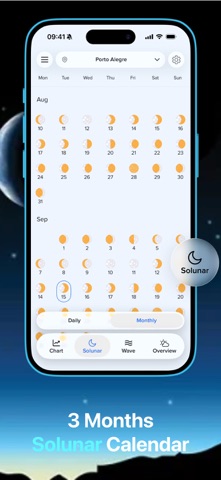
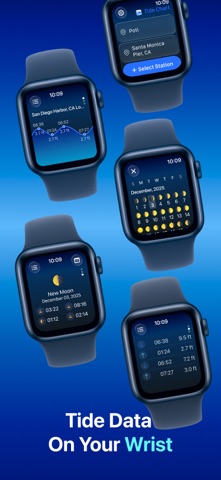
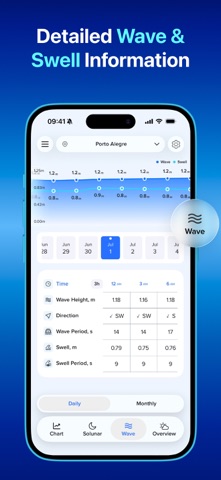
NOAA Tide Chart & Forecast puts NOAA's official tide data right in your pocket: accurate predictions, real-time conditions, and easy station search, all in one…NOAA Tide Chart & Forecast puts NOAA's official tide data right in your pocket: accurate predictions, real-time conditions, and easy station search, all in one app. Whether you're sailing, fishing, boating, or surfing, our app helps you plan around the tides with confidence. Our app offers professional tide predictions for high and low tides across the globe, as well as day-to-day forecasts for in-depth tidal data on a specific date. You can also access real-time solunar data for sunrise and sunset times, as well as monthly reports for long-term planning. Here is a summary of the features we offer: Key Features: - Global tide charts: high and low water predictions for stations worldwide, shown as a full curve so you can read the whole day at a glance rather than just the peak times - Daily tide forecast: in-depth tidal insights for the day ahead, including the timing and height of each high and low. - Find tides near you: location-based search picks up your nearest station instantly, so you get data for where you actually are rather than the nearest big port. - Fishing tide chart tools: solunar data showing the major and minor periods that drive feeding activity, so you can time your trip around the best bite windows. - Fish Activity Score: rates each day from 0 to 100 using solunar periods, moon phase and local conditions. It shows your best window for the day along with major and minor feeding times. - Lunar calendar and real-time sunrise and sunset tracking: moon phase and daylight times for your station, useful for planning early starts and late returns. - Monthly tide reports: see the full month ahead in one view to plan trips, spring tides and the lowest water of the month well in advance. - Tide Alerts: set an alert for the conditions you care about and get notified before they happen, a low tide for clamming, slack water for diving, or the incoming push you've been waiting for. - Wave and swell forecasts: height, period and direction for any station, so you know what the water will actually be doing before you head out. - Tide history: quickly access past tide information to check conditions on a day that fished or sailed well, and plan around the same pattern next time. - Flexible search: find any station by name, station ID or location, whether you know exactly where you're going or you're exploring somewhere new. - Favorites: save the spots you use most and view their high and low data instantly, without searching again each time. - Filtered views: switch between All, Nearest and Favorites to get to the station you need in a couple of taps. - Customize units: set feet or metrs, 12 or 24 hour time, and the measurement preferences that match how you read conditions. Terms of Use https://tide.nextstack.org/public/terms-of-usage.pdf