PC 용 smART sketcher projector
- 카테고리: Entertainment
- 최근 업데이트: 2026-10-19
- 현재 버전: 4.75
- 파일 크기: 60.84 MB
- 개발자: FlyCatcher Inc.
- 호환성: 필요 Windows XP, Windows Vista, Windows 7, Windows 8, Windows 8.1 and Windows 10, Windows 11





PC에서 smART sketcher projector 용 호환 APK 다운로드
| 다운로드 | 개발자 | 평점 | 점수 | 현재 버전 | 성인 랭킹 |
|---|---|---|---|---|---|
| ↓ PC용 APK 다운로드 | FlyCatcher Inc. | 0 | 0 | 4.75 | 4+ |
에뮬레이터의 중요성은 컴퓨터에서 안드로이드 환경을 흉내 내고 안드로이드 폰을 구입하지 않고도 안드로이드 앱을 설치하고 실행하는 것을 매우 쉽게 만들어주는 것입니다. 누가 당신이 두 세계를 즐길 수 없다고 말합니까? 우선 아래에있는 에뮬레이터 앱을 다운로드 할 수 있습니다.
A. Nox App . OR
B. Bluestacks App .
Bluestacks는 매우 대중적이므로 개인적으로 "B"옵션을 사용하는 것이 좋습니다. 문제가 발생하면 Google 또는 Naver.com에서 좋은 해결책을 찾을 수 있습니다.
Bluestacks.exe 또는 Nox.exe를 성공적으로 다운로드 한 경우 컴퓨터의 다운로드 폴더 또는 다운로드 한 파일을 일반적으로 저장하는 곳으로 이동하십시오.
찾으면 클릭하여 응용 프로그램을 설치하십시오. PC에서 설치 프로세스를 시작해야합니다.
다음을 클릭하여 EULA 라이센스 계약에 동의하십시오.
응용 프로그램을 설치하려면 화면 지시문을 따르십시오.
위 사항을 올바르게 수행하면 소프트웨어가 성공적으로 설치됩니다.
이제 설치 한 에뮬레이터 애플리케이션을 열고 검색 창을 찾으십시오. 지금 입력하십시오. - smART sketcher projector 앱을 쉽게 볼 수 있습니다. 그것을 클릭하십시오. 응용 프로그램 창이 열리고 에뮬레이터 소프트웨어에 응용 프로그램이 표시됩니다. 설치 버튼을 누르면 응용 프로그램이 다운로드되기 시작합니다. 이제 우리는 모두 끝났습니다.
그런 다음 "모든 앱"아이콘이 표시됩니다.
클릭하면 설치된 모든 응용 프로그램이 포함 된 페이지로 이동합니다.
당신은 smART sketcher projector 상. 그것을 클릭하고 응용 프로그램 사용을 시작하십시오.
Mac OS 에서 smART sketcher projector 다운로드
| 다운로드 | 개발자 | 점수 | 현재 버전 | 성인 랭킹 |
|---|---|---|---|---|
| 무료 - Mac 에서 다운로드 | FlyCatcher Inc. | 0 |
4.75 | 4+ |
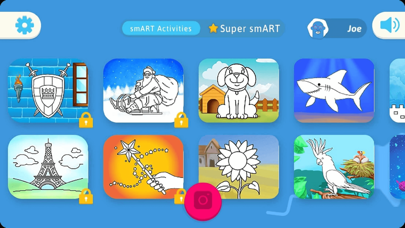
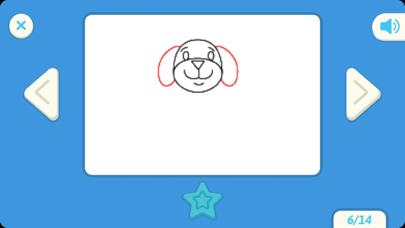
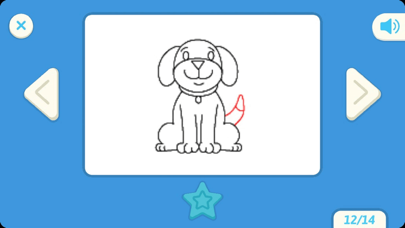
The smART sketcher Projector App is compatible with both the original smART sketcher® Projector and the smART sketcher® 2.0 Projector. Please note this App is not compatible with the smART sketcher® AI Projector. Sketch, draw, and learn to write like a pro using the smART sketcher® Projector and this FREE APP. Step-by-step instructions guide small – or large – hands through the entire process. It makes learning playful and engaging. Just as it should be! Note: You need to have a smART sketcher® Projector to use this app. smART sketcher® puts the fun of sketching, drawing, and writing into the hands of kids ages 5 to 105 using a smART sketcher® Projector. Kids can download photos from any mobile device or use pre-loaded activity packs for endless play-and-learning activities. smART sketcher® encourages creativity, small motor development, storytelling, and early reading skills. It helps bridge the gap between schoolwork, homework and play! NEW!!! - Play smarter! Up your smART sketcher® experience with a Super smART subscription. Join the smART sketcher® members-only program and receive exclusive content. It’s the newest and smARTest way to play! - 3 subscription plans to choose from. - Receive new members-only activities every month. - Play on all of your connected Apple mobile devices registered with your Flycatcher ID. - Try 1 month for free! After the free-trial, a monthly/yearly auto-renewable subscription will be activated. We’re pretty sure you’re going to love this, but if you don’t, you can cancel your subscription anytime. One month of free-trial is available for new subscribers only. Check our EULA at https://www.flycatcher.toys/smart-sketcher/eula/ and privacy policy at https://www.flycatcher.toys/smart-sketcher/privacy-policy/ for full details. Play 3 ways: Imagine anything! Download any photo from your mobile device. Project it on paper with your connected smART sketcher® Projector. Filter it for crayon, marker, or pencil drawing. Sketch like a pro! Color it in to add your own details. Sketch and color Choose a pre-loaded picture on your smART sketcher® Projector. Step-by-step instructions show you how to draw it like a pro! Watch the finished image come to life with sound and movement. Write and play Learn to form upper case, lower case and cursive letters the correct way with step-by-step instructions, plus curriculum-based early reading content, and lots of space to practice your skills! If you want to extend the fun, additional smART sketcher® activity products are available for separate purchase at https://www.flycatcher.toys/smart-sketcher-2/ : - smART sketcher® Creativity Packs, containing 50 learn-to-draw activities, are available in a variety of age-appropriate themes. - smART sketcher® Learn-A-Language Alphabet Packs, containing 50 writing and early reading activities, are available in separate languages as well as cursive writing. - smART sketcher® Creativity Set, contains 20 sheets of framed paper, 5 reusable magnetic frames, 6 crayons, 6 markers, and 6 colored pencils. Everything is organized in a convenient carry-and-stow case. - smART sketcher® Picture This! Frames, contains 20 sheets of framed paper and 5 magnetic frames to display finished work. For app support contact us at https://www.flycatcher.toys/support/ Our privacy policy and terms of use for apps are accepted if you download this app. smART sketcher® is a trademark of Flycatcher Toys INC © 2025. All rights reserved.