
PC 용 Drunk Meter
- 카테고리: Entertainment
- 최근 업데이트: 2017-11-30
- 현재 버전: 2.0
- 파일 크기: 18.13 MB
- 개발자: Saranga Geeganage
- 호환성: 필요 Windows XP, Windows Vista, Windows 7, Windows 8, Windows 8.1 and Windows 10, Windows 11

PC에서 Drunk Meter 용 호환 APK 다운로드
| 다운로드 | 개발자 | 평점 | 점수 | 현재 버전 | 성인 랭킹 |
|---|---|---|---|---|---|
| ↓ PC용 APK 다운로드 | Saranga Geeganage | 0 | 0 | 2.0 | 12+ |
에뮬레이터의 중요성은 컴퓨터에서 안드로이드 환경을 흉내 내고 안드로이드 폰을 구입하지 않고도 안드로이드 앱을 설치하고 실행하는 것을 매우 쉽게 만들어주는 것입니다. 누가 당신이 두 세계를 즐길 수 없다고 말합니까? 우선 아래에있는 에뮬레이터 앱을 다운로드 할 수 있습니다.
A. Nox App . OR
B. Bluestacks App .
Bluestacks는 매우 대중적이므로 개인적으로 "B"옵션을 사용하는 것이 좋습니다. 문제가 발생하면 Google 또는 Naver.com에서 좋은 해결책을 찾을 수 있습니다.
Bluestacks.exe 또는 Nox.exe를 성공적으로 다운로드 한 경우 컴퓨터의 다운로드 폴더 또는 다운로드 한 파일을 일반적으로 저장하는 곳으로 이동하십시오.
찾으면 클릭하여 응용 프로그램을 설치하십시오. PC에서 설치 프로세스를 시작해야합니다.
다음을 클릭하여 EULA 라이센스 계약에 동의하십시오.
응용 프로그램을 설치하려면 화면 지시문을 따르십시오.
위 사항을 올바르게 수행하면 소프트웨어가 성공적으로 설치됩니다.
이제 설치 한 에뮬레이터 애플리케이션을 열고 검색 창을 찾으십시오. 지금 입력하십시오. - Drunk Meter 앱을 쉽게 볼 수 있습니다. 그것을 클릭하십시오. 응용 프로그램 창이 열리고 에뮬레이터 소프트웨어에 응용 프로그램이 표시됩니다. 설치 버튼을 누르면 응용 프로그램이 다운로드되기 시작합니다. 이제 우리는 모두 끝났습니다.
그런 다음 "모든 앱"아이콘이 표시됩니다.
클릭하면 설치된 모든 응용 프로그램이 포함 된 페이지로 이동합니다.
당신은 Drunk Meter 상. 그것을 클릭하고 응용 프로그램 사용을 시작하십시오.
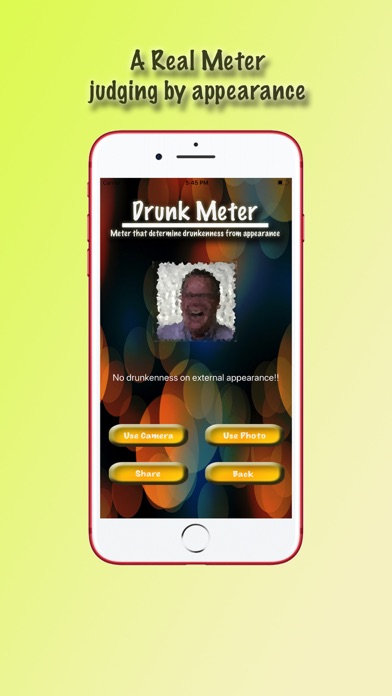
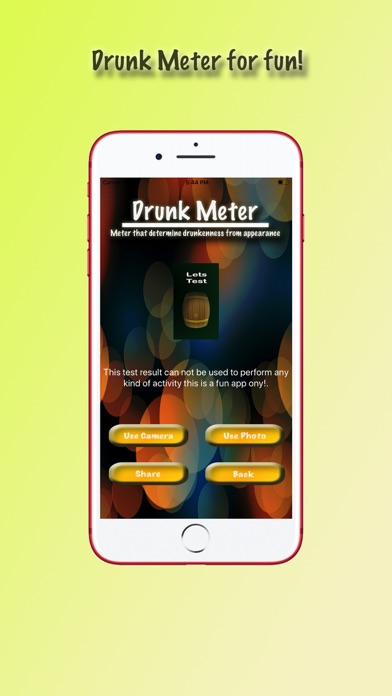
This Drunk Test is designed to calculate the drunkenness using external appearance of facial features and face angles. Calculation are made from deep algorithms ofapple core Image framework and its unique to apple device This application only available in IOs platform and free to download and you can have fun with it! If facial features and angles changes to drunker positions application will give a false positive and if a person change to non drunker appearance and position this will give false negative. So this application should not use for test the ability to perform any activities that prohibited after under influence of alcohol. This is just a fun application to surprise your friend. Please be kind enough to share this application among your community!! Please remember, that drunk test is an application that only provides entertainment and the results are not scientific of evidential value. It’s based only on mathematical algorithm and its results may differ from actual! To get an accurate result use real device! • This is based on your external appearance; hence do not use this result for ability to perform any activity. • Allow using the camera of the device. • Take a photo of one person at time. • Ask your subject to be in natural position, before take a photo. • Your subject should be light up properly before take a photo. • Please share this app in social media.


