
PC 용 HomeByMe AR Experience
- 카테고리: Lifestyle
- 최근 업데이트: 2019-05-14
- 현재 버전: 1.9.3
- 파일 크기: 292.43 MB
- 개발자: Dassault Systemes SE
- 호환성: 필요 Windows XP, Windows Vista, Windows 7, Windows 8, Windows 8.1 and Windows 10, Windows 11


PC에서 HomeByMe AR Experience 용 호환 APK 다운로드
| 다운로드 | 개발자 | 평점 | 점수 | 현재 버전 | 성인 랭킹 |
|---|---|---|---|---|---|
| ↓ PC용 APK 다운로드 | Dassault Systemes SE | 0 | 0 | 1.9.3 | 4+ |
에뮬레이터의 중요성은 컴퓨터에서 안드로이드 환경을 흉내 내고 안드로이드 폰을 구입하지 않고도 안드로이드 앱을 설치하고 실행하는 것을 매우 쉽게 만들어주는 것입니다. 누가 당신이 두 세계를 즐길 수 없다고 말합니까? 우선 아래에있는 에뮬레이터 앱을 다운로드 할 수 있습니다.
A. Nox App . OR
B. Bluestacks App .
Bluestacks는 매우 대중적이므로 개인적으로 "B"옵션을 사용하는 것이 좋습니다. 문제가 발생하면 Google 또는 Naver.com에서 좋은 해결책을 찾을 수 있습니다.
Bluestacks.exe 또는 Nox.exe를 성공적으로 다운로드 한 경우 컴퓨터의 다운로드 폴더 또는 다운로드 한 파일을 일반적으로 저장하는 곳으로 이동하십시오.
찾으면 클릭하여 응용 프로그램을 설치하십시오. PC에서 설치 프로세스를 시작해야합니다.
다음을 클릭하여 EULA 라이센스 계약에 동의하십시오.
응용 프로그램을 설치하려면 화면 지시문을 따르십시오.
위 사항을 올바르게 수행하면 소프트웨어가 성공적으로 설치됩니다.
이제 설치 한 에뮬레이터 애플리케이션을 열고 검색 창을 찾으십시오. 지금 입력하십시오. - HomeByMe AR Experience 앱을 쉽게 볼 수 있습니다. 그것을 클릭하십시오. 응용 프로그램 창이 열리고 에뮬레이터 소프트웨어에 응용 프로그램이 표시됩니다. 설치 버튼을 누르면 응용 프로그램이 다운로드되기 시작합니다. 이제 우리는 모두 끝났습니다.
그런 다음 "모든 앱"아이콘이 표시됩니다.
클릭하면 설치된 모든 응용 프로그램이 포함 된 페이지로 이동합니다.
당신은 HomeByMe AR Experience 상. 그것을 클릭하고 응용 프로그램 사용을 시작하십시오.
Mac OS 에서 HomeByMe AR Experience 다운로드
| 다운로드 | 개발자 | 점수 | 현재 버전 | 성인 랭킹 |
|---|---|---|---|---|
| 무료 - Mac 에서 다운로드 | Dassault Systemes SE | 0 |
1.9.3 | 4+ |
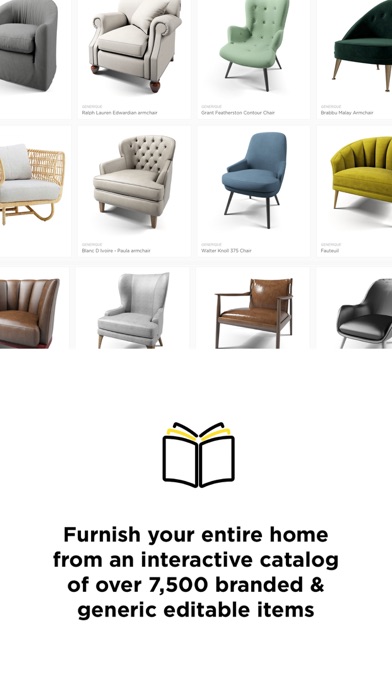
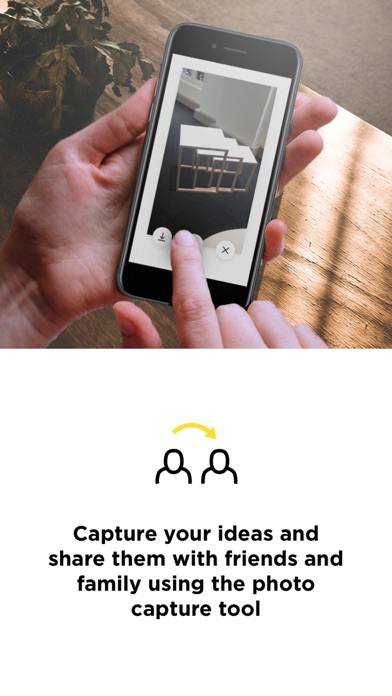
With HomeByMe's markerless augmented reality technology, preview objects in your space in real time, as if you were there.The app uses ARKit technology and includes a large multi-branded catalogue of true-to-scale furniture and decorative elements in 3D. It’s compatible with iPhone 6S or later and iPad Pro and iPad 2017. Trying out different furniture and interior designs has never been easier: You no longer need to wonder what your interior would look like with this or that piece of furniture. Try out our catalog which includes a wide range of branded products: sofas, armchairs, decorative elements, vases…You can preview several pieces of furniture in each of your rooms in real time and with the right dimensions. Convinced by a piece of furniture? Find directly in the app the link to the brand's website. Make the perfect choice and buy it in one click. If you like one of the branded products available in our catalog, we redirect you to the corresponding merchant website in order to find all the necessary information to purchase it. Our catalog is in constant evolution with new furniture partners and you will have direct access to these updates. Share your interior design with family, friends and professionals: Share the pictures of your projects or email them to get feedback from others, test new ideas and keep working on your interior design. To use the app: - Make sure you’re in a bright place and hold your smartphone at chest level - Point your iPhone or iPad to the area where you want to insert an object and move your device around to detect walls and floor - Search in our catalog for the furniture you want to insert - Choose an empty an empty space in the room and insert the furniture there - Click on the furniture to rotate it or move it around - In the same way, insert as many pieces of furniture and objects as you want in your project - When you are done, take a picture of your new layout and share it with friends, family or on social networks.