PC 용 Hindu Calendar - Drik Panchang
- 카테고리: Book
- 최근 업데이트: 2024-10-09
- 현재 버전: 1.4.4
- 파일 크기: 130.38 MB
- 개발자: Adarsh Apps
- 호환성: 필요 Windows XP, Windows Vista, Windows 7, Windows 8, Windows 8.1 and Windows 10, Windows 11


PC에서 Hindu Calendar - Drik Panchang 용 호환 APK 다운로드
| 다운로드 | 개발자 | 평점 | 점수 | 현재 버전 | 성인 랭킹 |
|---|---|---|---|---|---|
| ↓ PC용 APK 다운로드 | Adarsh Apps | 5 | 4.59999 | 1.4.4 | 4+ |
에뮬레이터의 중요성은 컴퓨터에서 안드로이드 환경을 흉내 내고 안드로이드 폰을 구입하지 않고도 안드로이드 앱을 설치하고 실행하는 것을 매우 쉽게 만들어주는 것입니다. 누가 당신이 두 세계를 즐길 수 없다고 말합니까? 우선 아래에있는 에뮬레이터 앱을 다운로드 할 수 있습니다.
A. Nox App . OR
B. Bluestacks App .
Bluestacks는 매우 대중적이므로 개인적으로 "B"옵션을 사용하는 것이 좋습니다. 문제가 발생하면 Google 또는 Naver.com에서 좋은 해결책을 찾을 수 있습니다.
Bluestacks.exe 또는 Nox.exe를 성공적으로 다운로드 한 경우 컴퓨터의 다운로드 폴더 또는 다운로드 한 파일을 일반적으로 저장하는 곳으로 이동하십시오.
찾으면 클릭하여 응용 프로그램을 설치하십시오. PC에서 설치 프로세스를 시작해야합니다.
다음을 클릭하여 EULA 라이센스 계약에 동의하십시오.
응용 프로그램을 설치하려면 화면 지시문을 따르십시오.
위 사항을 올바르게 수행하면 소프트웨어가 성공적으로 설치됩니다.
이제 설치 한 에뮬레이터 애플리케이션을 열고 검색 창을 찾으십시오. 지금 입력하십시오. - Hindu Calendar - Drik Panchang 앱을 쉽게 볼 수 있습니다. 그것을 클릭하십시오. 응용 프로그램 창이 열리고 에뮬레이터 소프트웨어에 응용 프로그램이 표시됩니다. 설치 버튼을 누르면 응용 프로그램이 다운로드되기 시작합니다. 이제 우리는 모두 끝났습니다.
그런 다음 "모든 앱"아이콘이 표시됩니다.
클릭하면 설치된 모든 응용 프로그램이 포함 된 페이지로 이동합니다.
당신은 Hindu Calendar - Drik Panchang 상. 그것을 클릭하고 응용 프로그램 사용을 시작하십시오.
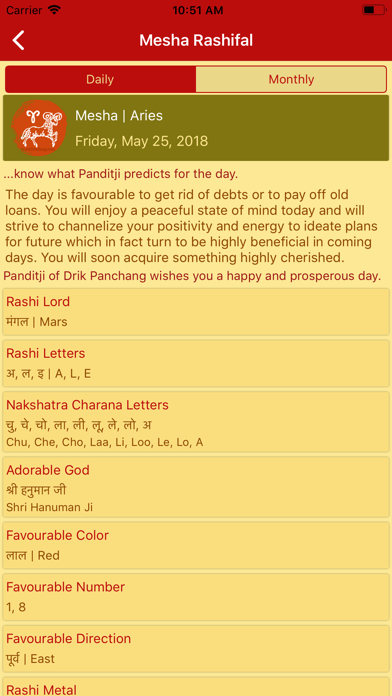
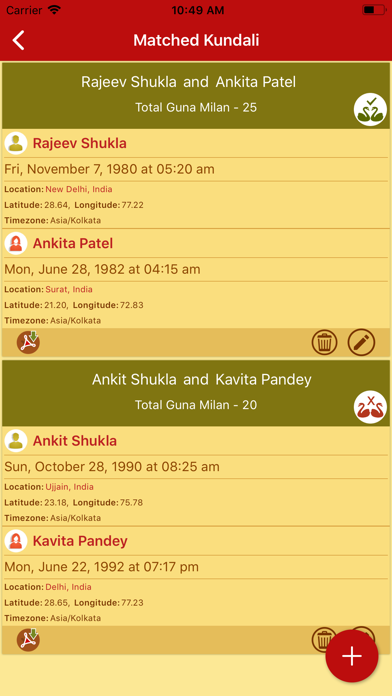
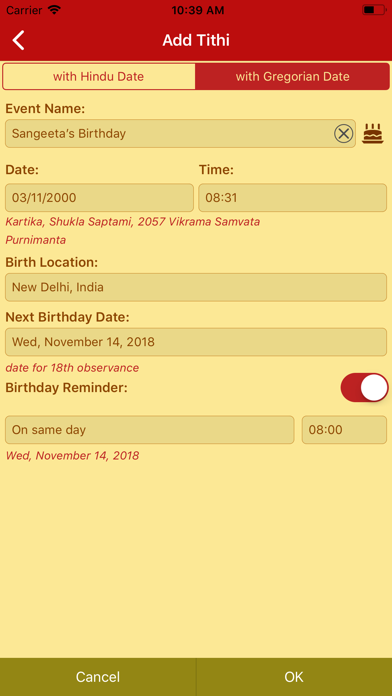
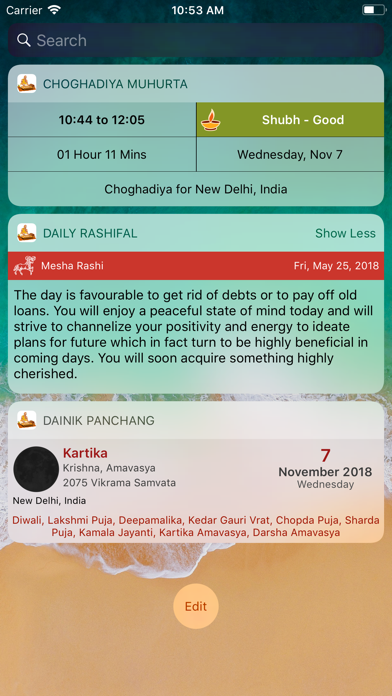
Panchang which is also known as Panchangam is used to denote five elements of Vedic Astrology, namely Tithi, Nakshatra, Yoga, Karana and Var i.e. weekday. These five elements when combined for a day are known as Panchang. These five elements change every day with the movement of the Moon and the Sun. Hence, followers of Hinduism refer Panchangam on day to day basis. Panchang is also known as Hindu Calendar. Drik Panchang is one of the most reputed Panchangam available on Internet. It has been made available for iOS devices with similar features and precision as that of www.DrikPanchang.com This native Panchang, which doesn't need Internet connectivity to use, comes with following features Grid Calendar - The grid can be customized for lunar calendar. Lunar calendars can be customized by selecting Purnimanta and Amanta option and by selecting Vikrama Samvata, Shaka Samvata and Gujarati Samvata options. These selections can convert a lunar calendar into a Gujarati Panchang, Telugu Panchanga or Kannada Panchangam. Festivals - Drik Panchang is the most comprehensive source which lists most Hindu and Indian festivals, Government Holidays, Jayanti, fasting days including Ekadashi, Sankashti, Pradosham, Purnima, Sankranti, Durgashtami and Shivaratri days for each month. Drik Panchang lists all Chandra Grahan and Surya Grahan dates in the year. Kundali Support - Drik Panchang comes with Kundali support and it can generate Lagna Kundali for any date, time and location. For Lagna Kundali it shows detailed planetary position for Sun, Moon, Mars, Mercury, Jupiter, Venus, Saturn, Rahu, Ketu, True Rahu, True Ketu, Uranus, Neptune and Pluto. The Kundali can be drawn either in North Indian or South Indian chart format. Dainika Panchangam - Apart from listing five basic elements of Panchangam, detailed Dainika Panchang highlights Panchaka, Ganda Moola, Bhadra, Vinchudo and all auspicious Yoga including Ravi, Amrita, Sarvartha Siddhi, Tripushkara, Dwipushkara, Ravi Pushya and Guru Pushya for each day. Dainika Panchangam also lists Abhijit Muhurta, Amrit Kalam, Rahu Kalam, Gulikai Kalam, Yamaganda, Dur Muhurtam, Varjyam and Anandadi Yoga. Muhurta Table - Drik Panchang comes with day and night Choghadiya, Shubh Horai and Udaya Lagna. Each running Muhurta is shown with count down timer. Horoscope Match - App can be used to match two horoscopes based on Ashta Kuta. Localization - App supports Hindi as well as English as the default language. Location - Panchang can be generated for any location and city across the globe to get correct date for Upavasa and festivals. App comes with in-built DST support and there is no need to adjust timings for DST. In App Purchase - You can remove the Ads by using the following subscriptions:- - Remove Ads for 1 month at ₹19 with auto-renewable subscription: You will enjoy the complete ads free Drik Panchang app for 1 month or until you cancel the subscription within 24-hours prior to the end of the current period. - Remove Ads for 1 year at ₹199 with auto-renewable subscription: You will enjoy the complete ads free Drik Panchang app for 1 year or until you cancel the subscription within 24-hours prior to the end of the current period. Points to remember: • Payment will be charged to iTunes Account at confirmation of purchase • Subscription automatically renews unless auto-renew is turned off at least 24-hours before the end of the current period. • Account will be charged for renewal within 24-hours prior to the end of the current period, and identify the cost of the renewal. • Subscriptions may be managed by the user and auto-renewal may be turned off by going to the user's Account Settings after purchase. • Any unused portion of a free trial period, if offered, will be forfeited when the user purchases a subscription to that publication, where applicable. Terms of use:- https://www.drikpanchang.com/contactus/privacy-policy/app/dp-apps-terms-and-conditions.html



