PC 용 Kids Preschool Game
- 카테고리: Games
- 최근 업데이트: 2018-01-10
- 현재 버전: 1.0
- 파일 크기: 74.71 MB
- 개발자: Minibuu Games S.A. de C.V.
- 호환성: 필요 Windows XP, Windows Vista, Windows 7, Windows 8, Windows 8.1 and Windows 10, Windows 11




PC에서 Kids Preschool Game 용 호환 APK 다운로드
| 다운로드 | 개발자 | 평점 | 점수 | 현재 버전 | 성인 랭킹 |
|---|---|---|---|---|---|
| ↓ PC용 APK 다운로드 | Minibuu Games S.A. de C.V. | 0 | 0 | 1.0 | 4+ |
호환되는 PC 앱 또는 대안 확인
| 소프트웨어 | 다운로드 | 평점 | 개발자 |
|---|---|---|---|
| Kids Preschool Game |
PC 앱 받기 | 0/5 0 리뷰 0 |
Minibuu Games S.A. de C.V. |
에뮬레이터의 중요성은 컴퓨터에서 안드로이드 환경을 흉내 내고 안드로이드 폰을 구입하지 않고도 안드로이드 앱을 설치하고 실행하는 것을 매우 쉽게 만들어주는 것입니다. 누가 당신이 두 세계를 즐길 수 없다고 말합니까? 우선 아래에있는 에뮬레이터 앱을 다운로드 할 수 있습니다.
A. Nox App . OR
B. Bluestacks App .
Bluestacks는 매우 대중적이므로 개인적으로 "B"옵션을 사용하는 것이 좋습니다. 문제가 발생하면 Google 또는 Naver.com에서 좋은 해결책을 찾을 수 있습니다.
Bluestacks.exe 또는 Nox.exe를 성공적으로 다운로드 한 경우 컴퓨터의 다운로드 폴더 또는 다운로드 한 파일을 일반적으로 저장하는 곳으로 이동하십시오.
찾으면 클릭하여 응용 프로그램을 설치하십시오. PC에서 설치 프로세스를 시작해야합니다.
다음을 클릭하여 EULA 라이센스 계약에 동의하십시오.
응용 프로그램을 설치하려면 화면 지시문을 따르십시오.
위 사항을 올바르게 수행하면 소프트웨어가 성공적으로 설치됩니다.
이제 설치 한 에뮬레이터 애플리케이션을 열고 검색 창을 찾으십시오. 지금 입력하십시오. - Kids Preschool Game 앱을 쉽게 볼 수 있습니다. 그것을 클릭하십시오. 응용 프로그램 창이 열리고 에뮬레이터 소프트웨어에 응용 프로그램이 표시됩니다. 설치 버튼을 누르면 응용 프로그램이 다운로드되기 시작합니다. 이제 우리는 모두 끝났습니다.
그런 다음 "모든 앱"아이콘이 표시됩니다.
클릭하면 설치된 모든 응용 프로그램이 포함 된 페이지로 이동합니다.
당신은 Kids Preschool Game 상. 그것을 클릭하고 응용 프로그램 사용을 시작하십시오.
Mac OS 에서 Kids Preschool Game 다운로드
| 다운로드 | 개발자 | 점수 | 현재 버전 | 성인 랭킹 |
|---|---|---|---|---|
| 무료 - Mac 에서 다운로드 | Minibuu Games S.A. de C.V. | 0 |
1.0 | 4+ |
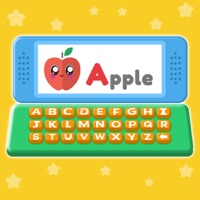
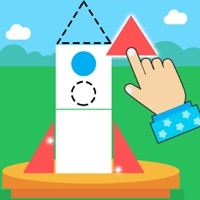
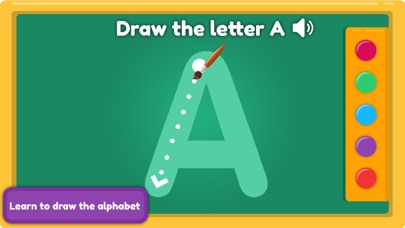
Welcome to preschool games for kids. Allow your child to experience their first day of school, ride the school bus, and walk the halls and classrooms of the school. Preschool games for kids is a tool for parents who want to help their children learn new skills while playing. Preschool games for kids is a safe place for children to play while being constantly challenged to learn new skills for kindergarten. Explore through the letters classroom where you can find different games like ABC for kids where you can paint the abc letter by letter from A to Z. You can also find the game to form words for children, where the child will learn to form words letter by letter in an educational and fun way. Do not forget to go through the numbers classroom, here you can find multiple math games for children, learn to count, add, subtract, multiply and the importance of signs. Explore all the game and touch everything you see and see what happens. Find the basket of basketball and have fun throwing balls to the basket. characteristics: - A very colorful educational application that helps children learn the alphabet in Spanish and English. - Educational and interactive math games. - Educational game of spelling words. -ABC letters in English and Spanish - Learn addition, subtraction, multiplication and signs -Basketball game - Character selector boy or girl -Multiple languages such as English and Spanish