PC 용 AFLW Official App
- 카테고리: Sports
- 최근 업데이트: 2026-11-01
- 현재 버전: 11.18.0
- 파일 크기: 190.20 MB
- 개발자: Telstra Corporation Limited
- 호환성: 필요 Windows XP, Windows Vista, Windows 7, Windows 8, Windows 8.1 and Windows 10, Windows 11


PC에서 AFLW Official App 용 호환 APK 다운로드
| 다운로드 | 개발자 | 평점 | 점수 | 현재 버전 | 성인 랭킹 |
|---|---|---|---|---|---|
| ↓ PC용 APK 다운로드 | Telstra Corporation Limited | 0 | 0 | 11.18.0 | 4+ |
호환되는 PC 앱 또는 대안 확인
| 소프트웨어 | 다운로드 | 평점 | 개발자 |
|---|---|---|---|
| AFLW Official App |
PC 앱 받기 | 0/5 0 리뷰 0 |
Telstra Corporation Limited |
에뮬레이터의 중요성은 컴퓨터에서 안드로이드 환경을 흉내 내고 안드로이드 폰을 구입하지 않고도 안드로이드 앱을 설치하고 실행하는 것을 매우 쉽게 만들어주는 것입니다. 누가 당신이 두 세계를 즐길 수 없다고 말합니까? 우선 아래에있는 에뮬레이터 앱을 다운로드 할 수 있습니다.
A. Nox App . OR
B. Bluestacks App .
Bluestacks는 매우 대중적이므로 개인적으로 "B"옵션을 사용하는 것이 좋습니다. 문제가 발생하면 Google 또는 Naver.com에서 좋은 해결책을 찾을 수 있습니다.
Bluestacks.exe 또는 Nox.exe를 성공적으로 다운로드 한 경우 컴퓨터의 다운로드 폴더 또는 다운로드 한 파일을 일반적으로 저장하는 곳으로 이동하십시오.
찾으면 클릭하여 응용 프로그램을 설치하십시오. PC에서 설치 프로세스를 시작해야합니다.
다음을 클릭하여 EULA 라이센스 계약에 동의하십시오.
응용 프로그램을 설치하려면 화면 지시문을 따르십시오.
위 사항을 올바르게 수행하면 소프트웨어가 성공적으로 설치됩니다.
이제 설치 한 에뮬레이터 애플리케이션을 열고 검색 창을 찾으십시오. 지금 입력하십시오. - AFLW Official App 앱을 쉽게 볼 수 있습니다. 그것을 클릭하십시오. 응용 프로그램 창이 열리고 에뮬레이터 소프트웨어에 응용 프로그램이 표시됩니다. 설치 버튼을 누르면 응용 프로그램이 다운로드되기 시작합니다. 이제 우리는 모두 끝났습니다.
그런 다음 "모든 앱"아이콘이 표시됩니다.
클릭하면 설치된 모든 응용 프로그램이 포함 된 페이지로 이동합니다.
당신은 AFLW Official App 상. 그것을 클릭하고 응용 프로그램 사용을 시작하십시오.
Mac OS 에서 AFLW Official App 다운로드
| 다운로드 | 개발자 | 점수 | 현재 버전 | 성인 랭킹 |
|---|---|---|---|---|
| 무료 - Mac 에서 다운로드 | Telstra Corporation Limited | 0 |
11.18.0 | 4+ |
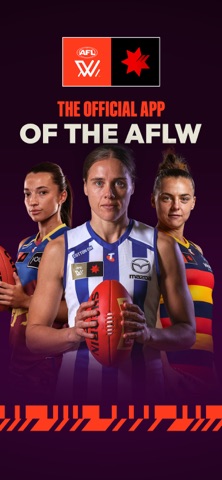
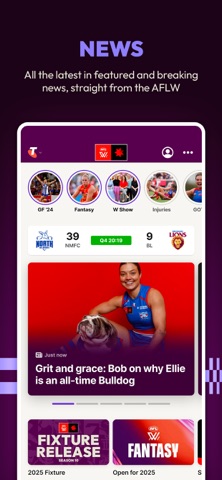
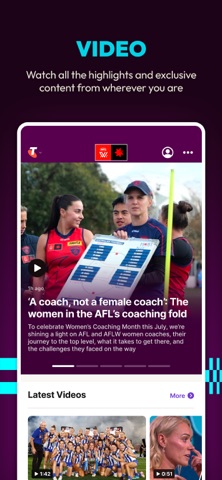
AFLW is back! You can now discover AFLW, plan your game experience and follow every game of the AFLW Competition on the AFLW Official app. The app has undergone a major refresh this season, and AFLW fans can look forward to an optimised homepage featuring live match cards, vertical stories and video clips, stats leaders, and curated content based on their favourite team. The upgraded match centre brings improved navigation, team lists, and enhanced match coverage, including vertical match stories and support for live activities. The app also now supports multiple competitions such as the VFLW, along with refreshed video and news sections, expanded player and team stats, and a more intuitive ladder experience providing deeper access to the game. Logged-in users with an AFL iD account will also enjoy a more personalised experience, with saved preferences and tailored Favourite team content carried across platforms. Key Features include: SCORES: • Live Match Updates: Follow every game in real-time with comprehensive coverage through the Live Match Centre. • Instant Alerts: Get timely notifications for team announcements, match starts, and breaking news. • Listen Live: Listen to live radio commentary for AFLW matches from stations across the country . HIGHLIGHTS: • On-Demand Replays: Watch full match replays quarter-by-quarter. • Shows: Dive into special event coverage, panel shows, and more, all year round. • Top Plays and Moments: Relive the most memorable goals, marks, and plays from each round in curated highlight reels, including Vertical Stories & Clips NEWS: • Breaking News: Stay informed with the latest updates and inside stories. • Expert Summaries: Read match previews and reviews by dedicated AFLW journalists. • Event Coverage: Get comprehensive insights into major events like the AFLW Awards, Trade Period, and the Draft. STATS: Detailed Statistics: follow the key stats for clubs and players throughout the season.