
PC 용 Wedding VR Ver. Yamato
- 카테고리: Entertainment
- 최근 업데이트: 2018-06-14
- 현재 버전: 1.1
- 파일 크기: 600.47 MB
- 개발자: Voltage inc.
- 호환성: 필요 Windows XP, Windows Vista, Windows 7, Windows 8, Windows 8.1 and Windows 10, Windows 11


PC에서 Wedding VR Ver. Yamato 용 호환 APK 다운로드
| 다운로드 | 개발자 | 평점 | 점수 | 현재 버전 | 성인 랭킹 |
|---|---|---|---|---|---|
| ↓ PC용 APK 다운로드 | Voltage inc. | 0 | 1.1 | 12+ |
에뮬레이터의 중요성은 컴퓨터에서 안드로이드 환경을 흉내 내고 안드로이드 폰을 구입하지 않고도 안드로이드 앱을 설치하고 실행하는 것을 매우 쉽게 만들어주는 것입니다. 누가 당신이 두 세계를 즐길 수 없다고 말합니까? 우선 아래에있는 에뮬레이터 앱을 다운로드 할 수 있습니다.
A. Nox App . OR
B. Bluestacks App .
Bluestacks는 매우 대중적이므로 개인적으로 "B"옵션을 사용하는 것이 좋습니다. 문제가 발생하면 Google 또는 Naver.com에서 좋은 해결책을 찾을 수 있습니다.
Bluestacks.exe 또는 Nox.exe를 성공적으로 다운로드 한 경우 컴퓨터의 다운로드 폴더 또는 다운로드 한 파일을 일반적으로 저장하는 곳으로 이동하십시오.
찾으면 클릭하여 응용 프로그램을 설치하십시오. PC에서 설치 프로세스를 시작해야합니다.
다음을 클릭하여 EULA 라이센스 계약에 동의하십시오.
응용 프로그램을 설치하려면 화면 지시문을 따르십시오.
위 사항을 올바르게 수행하면 소프트웨어가 성공적으로 설치됩니다.
이제 설치 한 에뮬레이터 애플리케이션을 열고 검색 창을 찾으십시오. 지금 입력하십시오. - Wedding VR Ver. Yamato 앱을 쉽게 볼 수 있습니다. 그것을 클릭하십시오. 응용 프로그램 창이 열리고 에뮬레이터 소프트웨어에 응용 프로그램이 표시됩니다. 설치 버튼을 누르면 응용 프로그램이 다운로드되기 시작합니다. 이제 우리는 모두 끝났습니다.
그런 다음 "모든 앱"아이콘이 표시됩니다.
클릭하면 설치된 모든 응용 프로그램이 포함 된 페이지로 이동합니다.
당신은 Wedding VR Ver. Yamato 상. 그것을 클릭하고 응용 프로그램 사용을 시작하십시오.
Mac OS 에서 Wedding VR Ver. Yamato 다운로드
| 다운로드 | 개발자 | 점수 | 현재 버전 | 성인 랭킹 |
|---|---|---|---|---|
| ₩7,500 - Mac 에서 다운로드 | Voltage inc. | 1.1 | 12+ |
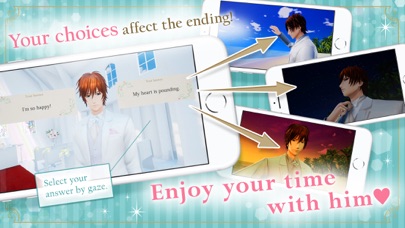
[Compatible Devices] iPhone 6s and up [Compatible OS] iOS 9.0 and up [Disclaimer] 1. Voltage Inc. cannot guarantee support on any other device or operating system besides those listed above. 2. We may change or update the compatible device/OS list at anytime without warning. 3. App may be unstable even on a compatible device/OS depending on device’s usage. 4. Voltage Inc. is not responsible for any health issues caused by this app. 5. Voltage Inc. is not responsible for any damages or loss caused by the use of this app. The happy-full VR experience comes to iPhone! This much-talked-about VR experience is now playable in the palm of your hand! ■Feel as if he’s right in front of you! The groom, Yamato Kougami, is waiting you in the church. It feels as if you could reach out and touch him... Experience the world of “My forged Wedding” like never before! ■Story You are in a church wearing a wedding dress. He has waiting you. He walks toward you. Then he says "Let's start our wedding ceremony". You'll had a surprise experience with a special scene!! ■Feature - Multi Ending You choice the answer in the ceremony. It makes the ending different. ■English/Japanese He's voice is japanese both of the language mode. In English mode, the caption of English is displayed. -------------------------- 【Important Points】 ■The VR goggles should not be used by children under the age of 13, as it may affect visual development. For children under 13, please play the app without VR goggles in “Handheld Mode.” ■Please refrain from extended periods of play. ※We are not responsible for any health issues caused by this app. -------------------------- ■Questions about the app or bug reporting. To report an issue within the app or to ask us a question, please contact [email protected]