
PC 용 Tic Tac Toe by UNAR Labs
- 카테고리: Games
- 최근 업데이트: 2019-04-23
- 현재 버전: 1.1.1
- 파일 크기: 17.60 MB
- 개발자: UNAR Labs, LLC
- 호환성: 필요 Windows XP, Windows Vista, Windows 7, Windows 8, Windows 8.1 and Windows 10, Windows 11



PC에서 Tic Tac Toe by UNAR Labs 용 호환 APK 다운로드
| 다운로드 | 개발자 | 평점 | 점수 | 현재 버전 | 성인 랭킹 |
|---|---|---|---|---|---|
| ↓ PC용 APK 다운로드 | UNAR Labs, LLC | 0 | 0 | 1.1.1 | 4+ |
에뮬레이터의 중요성은 컴퓨터에서 안드로이드 환경을 흉내 내고 안드로이드 폰을 구입하지 않고도 안드로이드 앱을 설치하고 실행하는 것을 매우 쉽게 만들어주는 것입니다. 누가 당신이 두 세계를 즐길 수 없다고 말합니까? 우선 아래에있는 에뮬레이터 앱을 다운로드 할 수 있습니다.
A. Nox App . OR
B. Bluestacks App .
Bluestacks는 매우 대중적이므로 개인적으로 "B"옵션을 사용하는 것이 좋습니다. 문제가 발생하면 Google 또는 Naver.com에서 좋은 해결책을 찾을 수 있습니다.
Bluestacks.exe 또는 Nox.exe를 성공적으로 다운로드 한 경우 컴퓨터의 다운로드 폴더 또는 다운로드 한 파일을 일반적으로 저장하는 곳으로 이동하십시오.
찾으면 클릭하여 응용 프로그램을 설치하십시오. PC에서 설치 프로세스를 시작해야합니다.
다음을 클릭하여 EULA 라이센스 계약에 동의하십시오.
응용 프로그램을 설치하려면 화면 지시문을 따르십시오.
위 사항을 올바르게 수행하면 소프트웨어가 성공적으로 설치됩니다.
이제 설치 한 에뮬레이터 애플리케이션을 열고 검색 창을 찾으십시오. 지금 입력하십시오. - Tic Tac Toe by UNAR Labs 앱을 쉽게 볼 수 있습니다. 그것을 클릭하십시오. 응용 프로그램 창이 열리고 에뮬레이터 소프트웨어에 응용 프로그램이 표시됩니다. 설치 버튼을 누르면 응용 프로그램이 다운로드되기 시작합니다. 이제 우리는 모두 끝났습니다.
그런 다음 "모든 앱"아이콘이 표시됩니다.
클릭하면 설치된 모든 응용 프로그램이 포함 된 페이지로 이동합니다.
당신은 Tic Tac Toe by UNAR Labs 상. 그것을 클릭하고 응용 프로그램 사용을 시작하십시오.
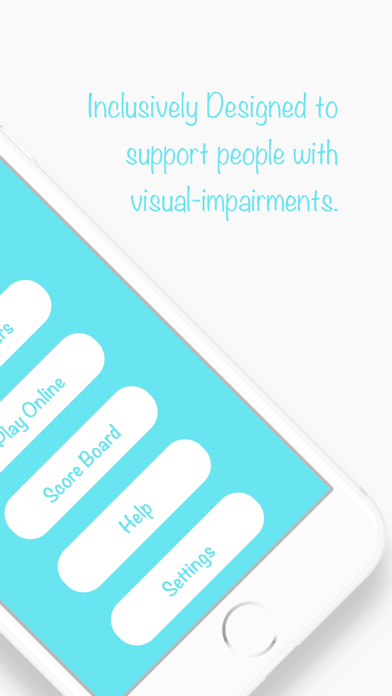
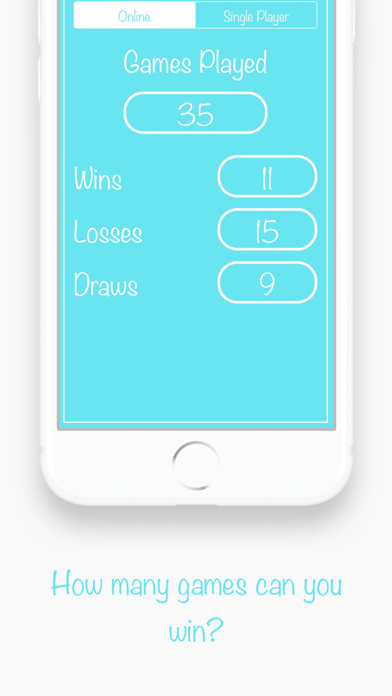
TicTacToe by UNAR Labs, is a free and fully accessible board game that is inclusively designed to support both sighted and visually-impaired users. Optimized for use with VoiceOver, the app enables visually-impaired users to feel the grid dividers (i.e., the lines that divide each grid from its adjacent grid) through vibration, while also providing speech output for vocalizing any actions performed on the screen or for accessing the game menus. Users can customize the vibration and audio settings based on their preference. Players can challenge the computer in “Single-player” mode, where they can choose from three-levels of game difficulty based on their preference. Users can also play with their friends using either one device in “Two-player” mode or using two devices by inviting them via the “Play online” mode. Users can also challenge anyone from around the world using the “Quick Match” mode. The app harnesses the power of Midlina - an AI-based platform, which is the core product of UNAR Labs. Midlina enables multimodal access to otherwise visual information on digital media and makes it accessible to users with visual impairments. As our research progresses, Midlina will constantly evolve, and we will be adding more features to this app. We will also be releasing new applications powered by Midlina, for enabling equal access in education, for navigation, to enhance productivity, and for fun. To learn about our other products visit http://unarlabs.com . UNAR Labs is a startup with a vision to create accessible digital information without sensory bounds. Our mission is to empower visually-impaired people by providing equal information access to all types of digital media using smartphones and tablets. While we have passion, we have limited resources to make our vision come true. If you like our products and believe in our vision, you can help us in three ways: 1) Join us in our journey. Use this form (https://goo.gl/forms/Y7KLLpGpzfokIsdK2) to give us suggestions about our products and tell us more about what inaccessible information you would most like to access. Your input is critical and this feedback helps guide our future development projects. 2) Tell your family, friends, colleagues, and acquaintances about your experience with our products and encourage them to try them out! 3) Invest $ in us, so we can continue to create more awesome products and close the information access gap between sighted and visually-impaired users. Questions, feedback, or feature requests, Email us at [email protected]


