PC 용 Quit Drinking – Stay Sober
- 카테고리: Health & Fitness
- 최근 업데이트: 2019-04-06
- 현재 버전: 1.1
- 파일 크기: 32.55 MB
- 개발자: sandip paghadar
- 호환성: 필요 Windows XP, Windows Vista, Windows 7, Windows 8, Windows 8.1 and Windows 10, Windows 11



PC에서 Quit Drinking – Stay Sober 용 호환 APK 다운로드
| 다운로드 | 개발자 | 평점 | 점수 | 현재 버전 | 성인 랭킹 |
|---|---|---|---|---|---|
| ↓ PC용 APK 다운로드 | sandip paghadar | 0 | 0 | 1.1 | 17+ |
에뮬레이터의 중요성은 컴퓨터에서 안드로이드 환경을 흉내 내고 안드로이드 폰을 구입하지 않고도 안드로이드 앱을 설치하고 실행하는 것을 매우 쉽게 만들어주는 것입니다. 누가 당신이 두 세계를 즐길 수 없다고 말합니까? 우선 아래에있는 에뮬레이터 앱을 다운로드 할 수 있습니다.
A. Nox App . OR
B. Bluestacks App .
Bluestacks는 매우 대중적이므로 개인적으로 "B"옵션을 사용하는 것이 좋습니다. 문제가 발생하면 Google 또는 Naver.com에서 좋은 해결책을 찾을 수 있습니다.
Bluestacks.exe 또는 Nox.exe를 성공적으로 다운로드 한 경우 컴퓨터의 다운로드 폴더 또는 다운로드 한 파일을 일반적으로 저장하는 곳으로 이동하십시오.
찾으면 클릭하여 응용 프로그램을 설치하십시오. PC에서 설치 프로세스를 시작해야합니다.
다음을 클릭하여 EULA 라이센스 계약에 동의하십시오.
응용 프로그램을 설치하려면 화면 지시문을 따르십시오.
위 사항을 올바르게 수행하면 소프트웨어가 성공적으로 설치됩니다.
이제 설치 한 에뮬레이터 애플리케이션을 열고 검색 창을 찾으십시오. 지금 입력하십시오. - Quit Drinking – Stay Sober 앱을 쉽게 볼 수 있습니다. 그것을 클릭하십시오. 응용 프로그램 창이 열리고 에뮬레이터 소프트웨어에 응용 프로그램이 표시됩니다. 설치 버튼을 누르면 응용 프로그램이 다운로드되기 시작합니다. 이제 우리는 모두 끝났습니다.
그런 다음 "모든 앱"아이콘이 표시됩니다.
클릭하면 설치된 모든 응용 프로그램이 포함 된 페이지로 이동합니다.
당신은 Quit Drinking – Stay Sober 상. 그것을 클릭하고 응용 프로그램 사용을 시작하십시오.
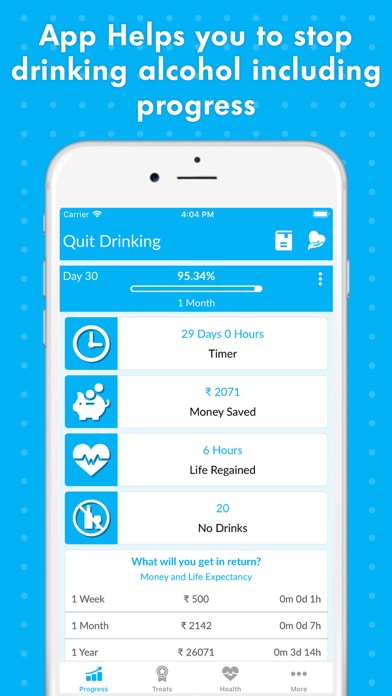
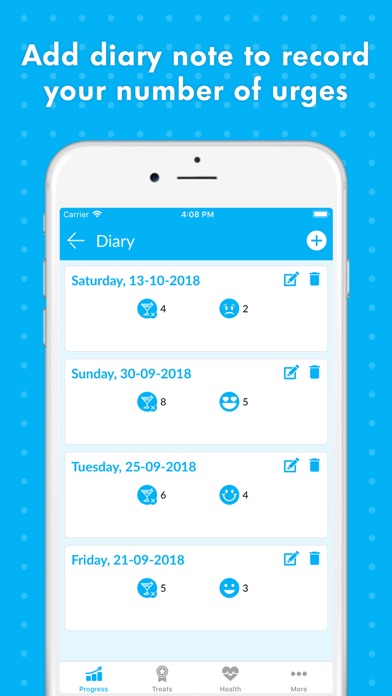
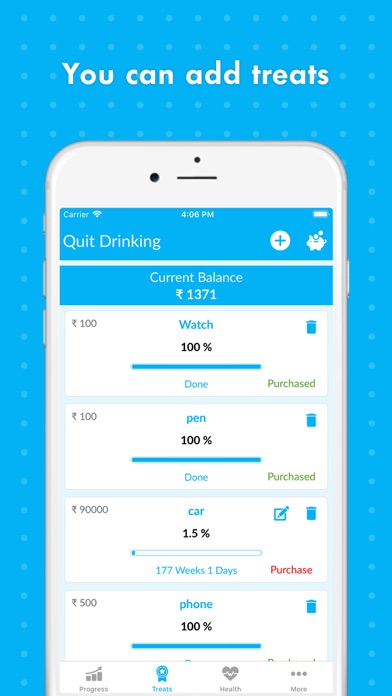
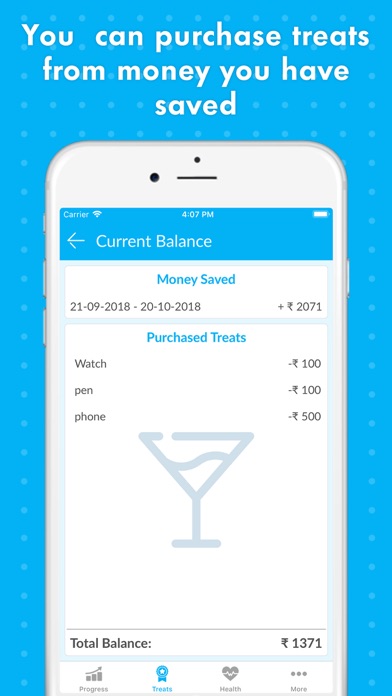
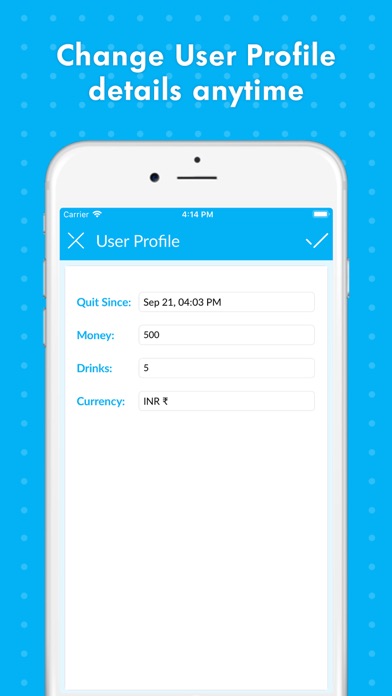
Millions of people suffer from alcoholism addiction. Quit Drinking – Stay Sober helps by sending daily reminders for quit drinking. Quit Drinking – Stay Sober helps you to stop drinking alcohol. It contains many inspirational features that helps you to stay away from alcohol and stay sober. Track the hours, minutes, and even seconds of your sobriety. You can also see the total number of days you’ve been sober. You just need to provide quit drinking date and time, money spent weekly & drinks per week and you will get sober statistics. App Features: Progress of sobriety & Statistics: App shows sober statistics like time you have been sober, money you have saved from not drinking alcohol, life regained, & number of drinks not drunk. (Track as many addictions as you want) Diary Note: You can add diary note to record your number of urges for drink and your mood during the day, and short description / note about whole day. Tips to quit drinking: There are some tips given that helps you to quit drinking and stay motivated. Top reasons to quit drinking: You can add reasons for quitting alcohol. So, whenever you have urge to drink alcohol, read these reasons and feel strong toward your quitting alcohol decision. Treats: You can add treats, and can purchase from money you have saved from quit drinking. Health Stats: It shows how your body and health improves as long you have been sober. It also shows progress of your body and health improvement. You can also share your health improvement to your friends or family. Trophies / Achievements: You can achieve trophies on sober time, money save, life regained and number of drinks not drunk. Stay Sober and Stay Motivated. We hope that our app helps you to quit drinking, stay sober and make your life and family happier.