PC 용 Zef
- 카테고리: Sports
- 최근 업데이트: 2026-08-27
- 현재 버전: 2.8.7
- 파일 크기: 32.47 MB
- 개발자: David Kieffer
- 호환성: 필요 Windows XP, Windows Vista, Windows 7, Windows 8, Windows 8.1 and Windows 10, Windows 11

에뮬레이터의 중요성은 컴퓨터에서 안드로이드 환경을 흉내 내고 안드로이드 폰을 구입하지 않고도 안드로이드 앱을 설치하고 실행하는 것을 매우 쉽게 만들어주는 것입니다. 누가 당신이 두 세계를 즐길 수 없다고 말합니까? 우선 아래에있는 에뮬레이터 앱을 다운로드 할 수 있습니다.
A. Nox App . OR
B. Bluestacks App .
Bluestacks는 매우 대중적이므로 개인적으로 "B"옵션을 사용하는 것이 좋습니다. 문제가 발생하면 Google 또는 Naver.com에서 좋은 해결책을 찾을 수 있습니다.
Bluestacks.exe 또는 Nox.exe를 성공적으로 다운로드 한 경우 컴퓨터의 다운로드 폴더 또는 다운로드 한 파일을 일반적으로 저장하는 곳으로 이동하십시오.
찾으면 클릭하여 응용 프로그램을 설치하십시오. PC에서 설치 프로세스를 시작해야합니다.
다음을 클릭하여 EULA 라이센스 계약에 동의하십시오.
응용 프로그램을 설치하려면 화면 지시문을 따르십시오.
위 사항을 올바르게 수행하면 소프트웨어가 성공적으로 설치됩니다.
이제 설치 한 에뮬레이터 애플리케이션을 열고 검색 창을 찾으십시오. 지금 입력하십시오. - Zef 앱을 쉽게 볼 수 있습니다. 그것을 클릭하십시오. 응용 프로그램 창이 열리고 에뮬레이터 소프트웨어에 응용 프로그램이 표시됩니다. 설치 버튼을 누르면 응용 프로그램이 다운로드되기 시작합니다. 이제 우리는 모두 끝났습니다.
그런 다음 "모든 앱"아이콘이 표시됩니다.
클릭하면 설치된 모든 응용 프로그램이 포함 된 페이지로 이동합니다.
당신은 Zef 상. 그것을 클릭하고 응용 프로그램 사용을 시작하십시오.
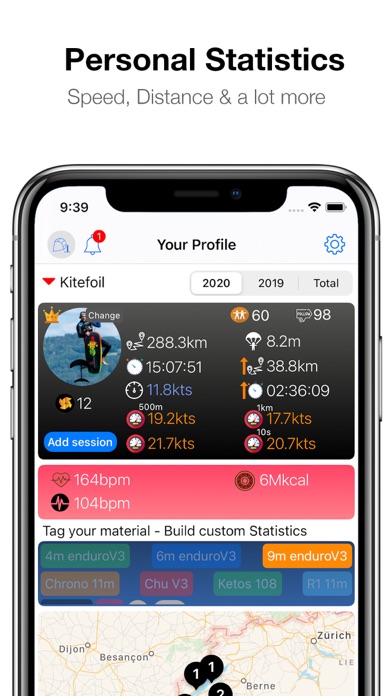
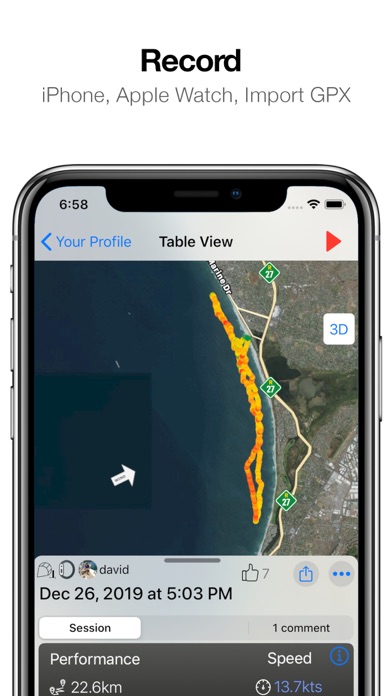
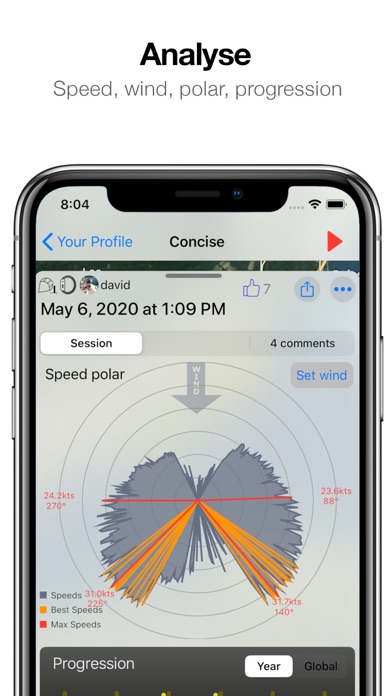
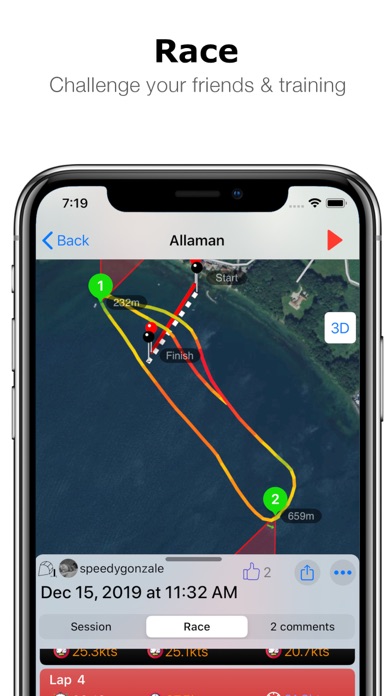
Zef — Ride. Track. Connect. Zef is a multi-sport tracking app built for riders, with a strong focus on nautical sports. Track your sessions, analyze your performance, discover spots, and see your friends live — all in one app. Key Features Track your rides Record your sessions with your iPhone or Apple Watch. Zef integrates with the Health app and supports GPX imports from most watches. Advanced performance analytics Get detailed session stats including speed, distance, duration, speed polar, and health data. Sessions can be replayed to analyze each maneuver. Jump analysis Measure jump height using only your iPhone or Apple Watch. Powered by algorithms inspired by drone technology. Races & challenges Create private or public races for training or competition. Visual guidance and wind angles are displayed directly on your iPhone or Apple Watch. Spots & live activity Discover spots around you and see when riders are active. Follow spots and get notified when sessions start. Friends & live tracking Follow riders by username and get notified when friends go live. Watch their sessions live on the map and stay connected. Supported Sports Sailing, Windsurfing, Kitesurfing, Wingfoil, Kitefoil, Windfoil, SUP Foil, Surfing, Wakeboard, Kayaking, Paddling, Snowkiting, Landkiting, Cross-country skiing, Skating, Bike, Electric Bike, Parawingfoil, and more with custom tags. Apple Ecosystem • iPhone & Apple Watch support • Health app integration • Optimized for the Apple ecosystem Important Sessions must be recorded from the ground to be validated. Legal Terms of Service https://zef.watch/terms-and-conditions.html Privacy Policy https://zef.watch/privacy-and-security-policy.html


