PC 용 Retrace
- 카테고리: Health & Fitness
- 최근 업데이트: 2024-06-28
- 현재 버전: 5.3.1
- 파일 크기: 36.83 MB
- 개발자: reid holmes
- 호환성: 필요 Windows XP, Windows Vista, Windows 7, Windows 8, Windows 8.1 and Windows 10, Windows 11



에뮬레이터의 중요성은 컴퓨터에서 안드로이드 환경을 흉내 내고 안드로이드 폰을 구입하지 않고도 안드로이드 앱을 설치하고 실행하는 것을 매우 쉽게 만들어주는 것입니다. 누가 당신이 두 세계를 즐길 수 없다고 말합니까? 우선 아래에있는 에뮬레이터 앱을 다운로드 할 수 있습니다.
A. Nox App . OR
B. Bluestacks App .
Bluestacks는 매우 대중적이므로 개인적으로 "B"옵션을 사용하는 것이 좋습니다. 문제가 발생하면 Google 또는 Naver.com에서 좋은 해결책을 찾을 수 있습니다.
Bluestacks.exe 또는 Nox.exe를 성공적으로 다운로드 한 경우 컴퓨터의 다운로드 폴더 또는 다운로드 한 파일을 일반적으로 저장하는 곳으로 이동하십시오.
찾으면 클릭하여 응용 프로그램을 설치하십시오. PC에서 설치 프로세스를 시작해야합니다.
다음을 클릭하여 EULA 라이센스 계약에 동의하십시오.
응용 프로그램을 설치하려면 화면 지시문을 따르십시오.
위 사항을 올바르게 수행하면 소프트웨어가 성공적으로 설치됩니다.
이제 설치 한 에뮬레이터 애플리케이션을 열고 검색 창을 찾으십시오. 지금 입력하십시오. - Retrace 앱을 쉽게 볼 수 있습니다. 그것을 클릭하십시오. 응용 프로그램 창이 열리고 에뮬레이터 소프트웨어에 응용 프로그램이 표시됩니다. 설치 버튼을 누르면 응용 프로그램이 다운로드되기 시작합니다. 이제 우리는 모두 끝났습니다.
그런 다음 "모든 앱"아이콘이 표시됩니다.
클릭하면 설치된 모든 응용 프로그램이 포함 된 페이지로 이동합니다.
당신은 Retrace 상. 그것을 클릭하고 응용 프로그램 사용을 시작하십시오.
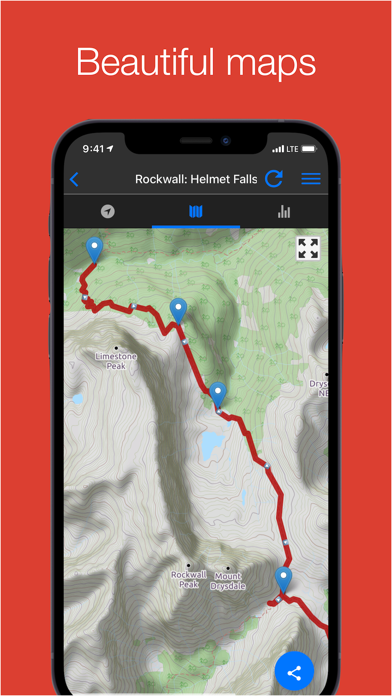
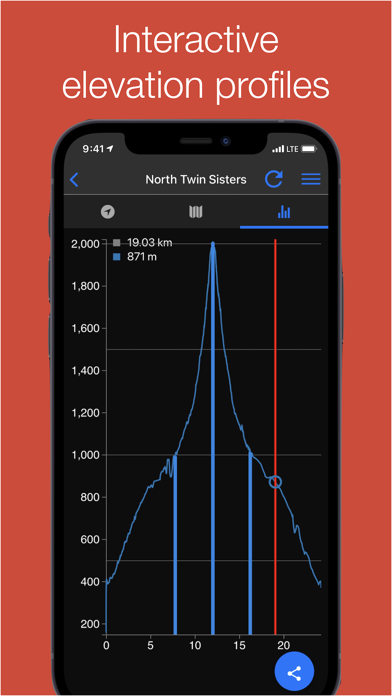
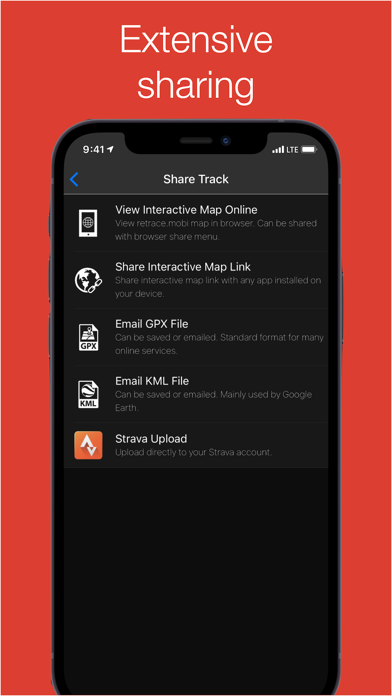
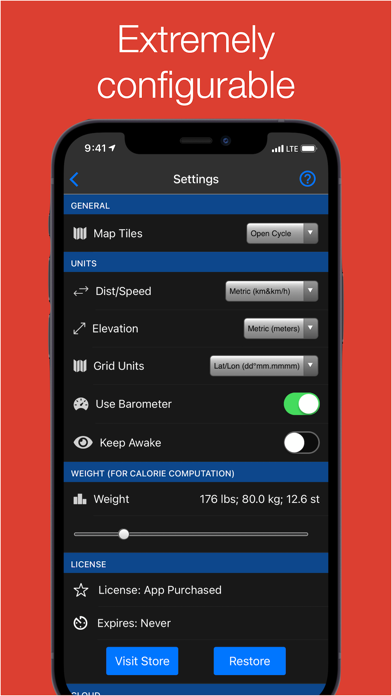
Replace your old hand-held hiking / running / biking GPS with Retrace. Retrace makes it simple to record a GPS log of your activities. Simple displays highlight distance, speed, and elevation changes. If you have data, the map tab shows you where you are on the map; if you do not have data (or have it disabled to save battery), a grid-based view is presented. Elevation profiles are also shown and any waypoints along your track will be added to the elevation profile so you can better understand where they happened. Many more details can be found on the App Site: http://retrace.mobi Retrace caches the most recent 500 map tiles for offline use, so you can pan the map around the area you will be going in advance of your trip and not require any data while you are on your activity. Extensive sharing functionality is built into Retrace. With our free online portal you can easily share your track with Facebook, Twitter, Whatsapp or any other social network. An example of a shared track can be viewed here: https://retrace.mobi/v/j955d793 Additionally, Retrace offers optional anonymous online tracking if you wish to upload your current position automatically every few minutes for your loved ones or friends to track your progress. No username is required and you can optionally password-protect your location. An example of the tracking page can be found here: https://retrace.mobi/l/j79eb65d If you ever have any problems, questions, or suggestions the options page has a 'send feedback' button. If you contact us, we will try to sort out any problems ASAP! You can also email us directly at [email protected] Retrace is great for: * biking * running * hiking * walking * downhill/x-country skiing * off roading (ATV, motorcycle, etc.) * tracking flights / road trips * horseback riding * canoeing / kayaking * golfing * rock climbing / mountaineering * nordic walking * stroller walking / stroller running * any other activity you want to record Retrace supports a variety of export options: * Strava * GPX: Used online e.g., RunTracker/Endomondo * KML: Used by services like Google Earth Tracks can also be _imported_ into Retrace using the popular GPX format so that you can follow them on your activities (e.g., you can export a Strava route and import it into Retrace). Your full track library can also be easily exported so it can be migrated to a new device. Retrace also makes it easy to tag you activities so it is easy to go back and look at tracks for past activities. The track list is capable of displaying thousands of tracks; the track filter lets you quickly find the track you are looking for by filtering on both track names and tags. A variety of configuration options are provided to configure Retrace exactly for you! Locations can be given in Lat/Lon, UTM, MGRS, or UK Grid Ref. Distance can be displayed in km, mi, or nm. Speed can be in km/h, mi/h or knots. Retrace permissions only require the ability to track your location and save your tracks; the network permissions are optional and are only used if you want to export your tracks to another service. Strava note: If you tag your track as 'commute' it will be uploaded as a commute.