
PC 용 Color Master - Color by Number
- 카테고리: Games
- 최근 업데이트: 2019-10-01
- 현재 버전: 1.1.11
- 파일 크기: 91.77 MB
- 개발자: Smart Fun Limited
- 호환성: 필요 Windows XP, Windows Vista, Windows 7, Windows 8, Windows 8.1 and Windows 10, Windows 11





PC에서 Color Master - Color by Number 용 호환 APK 다운로드
| 다운로드 | 개발자 | 평점 | 점수 | 현재 버전 | 성인 랭킹 |
|---|---|---|---|---|---|
| ↓ PC용 APK 다운로드 | Smart Fun Limited | 1 | 5 | 1.1.11 | 4+ |
에뮬레이터의 중요성은 컴퓨터에서 안드로이드 환경을 흉내 내고 안드로이드 폰을 구입하지 않고도 안드로이드 앱을 설치하고 실행하는 것을 매우 쉽게 만들어주는 것입니다. 누가 당신이 두 세계를 즐길 수 없다고 말합니까? 우선 아래에있는 에뮬레이터 앱을 다운로드 할 수 있습니다.
A. Nox App . OR
B. Bluestacks App .
Bluestacks는 매우 대중적이므로 개인적으로 "B"옵션을 사용하는 것이 좋습니다. 문제가 발생하면 Google 또는 Naver.com에서 좋은 해결책을 찾을 수 있습니다.
Bluestacks.exe 또는 Nox.exe를 성공적으로 다운로드 한 경우 컴퓨터의 다운로드 폴더 또는 다운로드 한 파일을 일반적으로 저장하는 곳으로 이동하십시오.
찾으면 클릭하여 응용 프로그램을 설치하십시오. PC에서 설치 프로세스를 시작해야합니다.
다음을 클릭하여 EULA 라이센스 계약에 동의하십시오.
응용 프로그램을 설치하려면 화면 지시문을 따르십시오.
위 사항을 올바르게 수행하면 소프트웨어가 성공적으로 설치됩니다.
이제 설치 한 에뮬레이터 애플리케이션을 열고 검색 창을 찾으십시오. 지금 입력하십시오. - Color Master - Color by Number 앱을 쉽게 볼 수 있습니다. 그것을 클릭하십시오. 응용 프로그램 창이 열리고 에뮬레이터 소프트웨어에 응용 프로그램이 표시됩니다. 설치 버튼을 누르면 응용 프로그램이 다운로드되기 시작합니다. 이제 우리는 모두 끝났습니다.
그런 다음 "모든 앱"아이콘이 표시됩니다.
클릭하면 설치된 모든 응용 프로그램이 포함 된 페이지로 이동합니다.
당신은 Color Master - Color by Number 상. 그것을 클릭하고 응용 프로그램 사용을 시작하십시오.
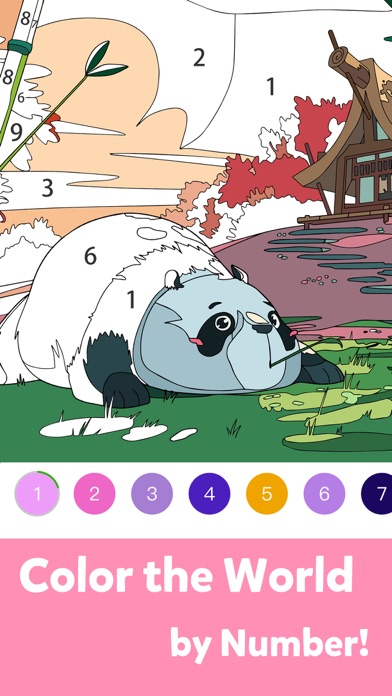
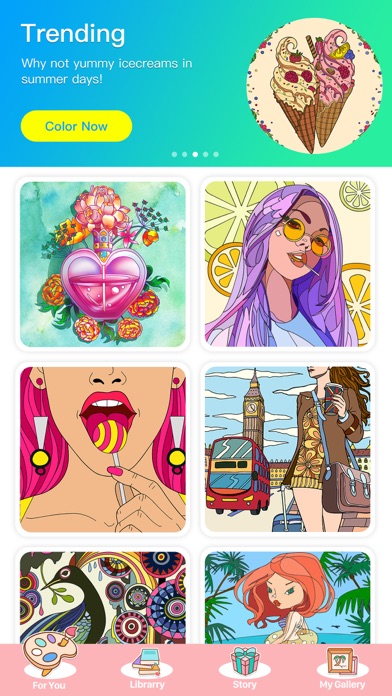
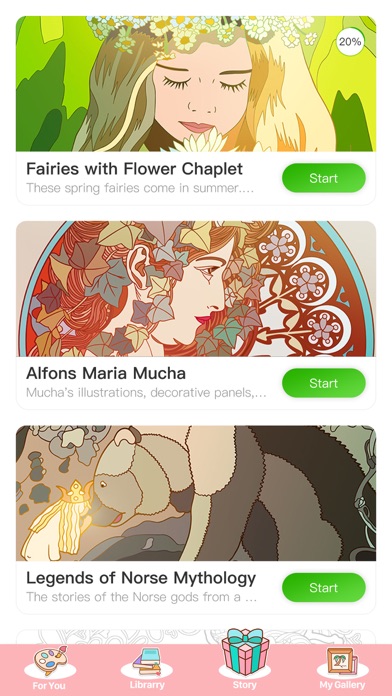
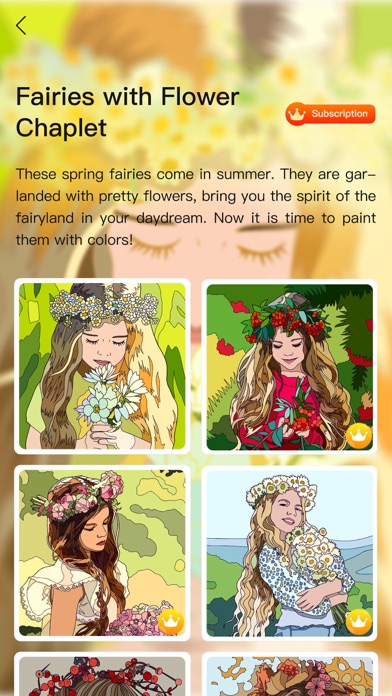
As the best coloring app in 2019, Color Master is developed by coloring professionals and fans together. It is not only an addictive digital coloring book, but also a GIFT of Healthy and Artistic Life Style! It provides the most relaxing and simplest way to release your stresses, increase your creativity in painting! Most of the pictures in Color Master are totally FREE, you can enjoy all tools and colors without any conditions! The happiness of coloring belongs not only to children, but also to Adults. Grab the app, paint your favorite pictures now! You can follow the professional guide to color by number, or color in free style! Any way is leading to a beautiful world in your mind! Deep in Color! Deep in Beauty! Start with Color Master now! FEATURES AND CHARACTERISTICS - Color by number, Color in Free Style, completed coloring gameplays! - Rich themes and categories of pictures/paintings! - Creative and unique artworks by professional masters - Real feeds that customize your preferences! - The easiest and fastest way to paint a picture! - All Free tools, colors and tips! - Continuous surprise and happiness! - Time-lapse video to record your magical creation process! - Open your imagination and recolor your artworks at your pleasure! - Never get bored, never get tired! - Offline Play, Color Anytime, Anywhere! Don’t envy the artist. The beauty and color of the world is under your control now! Remember the color of the world in your dream? It is time to make it come true! Do not hold your Creativity! Show your skill of Coloring now! Get this chance to show your color of the world through your own artworks! We give your master’s choices and collections! From easy to difficult, simple to complicated, you get variety of unique and creative pictures to color. Follow our Fan Page on Facebook to get Color News: https://www.facebook.com/ColorMasterApp/ Color Master Premium Plans We have 3 premium subscription plans, weekly, monthly and yearly. By subscribing, you will have unlimited access to all the premium and series pictures created by professional artists. Also, you can remove ads, save pictures without watermark, and get daily hints for free! Subscription Information - The subscription will be charged to your Apple’s ID account at confirmation of purchase. - The subscription automatically renews unless auto-renew is turned off at least 24-hours before the end of the current period. - Your Apple’s ID account will be charged for renewal within 24 hours prior to the end of the current period. - You can manage your subscription in Apple’s ID account Settings. - You may cancel a subscription during its free trial period via the subscription setting through your Apple’s ID account Settings. This must be done 24 hours before the end of the subscription period to avoid being charged. Please visit http://support.apple.com/kb/ht4098 for more information. - All prices are subject to change without notification. We occasionally run promotion prices as incentives or limited time opportunities for qualifying purchases made during the promotional time period. Due to the time sensitive and promotional nature of these events, we are unable to offer price protection or retroactive discounts or refunds for previous purchases in the event of a price reduction or promotional offering. - Any unused portion of a free trial period, if offered, will be forfeited when the user purchases Color Master Premium. Terms of Service: https://www.smartfunapps.com/terms-of-service Privacy Policy: https://www.smartfunapps.com/privacy-policy