PC 용 Easy Shopping List.
- 카테고리: Shopping
- 최근 업데이트: 2020-05-12
- 현재 버전: 5.8
- 파일 크기: 15.15 MB
- 개발자: EDUJOY ENTERTAINMENT
- 호환성: 필요 Windows XP, Windows Vista, Windows 7, Windows 8, Windows 8.1 and Windows 10, Windows 11




PC에서 Easy Shopping List. 용 호환 APK 다운로드
| 다운로드 | 개발자 | 평점 | 점수 | 현재 버전 | 성인 랭킹 |
|---|---|---|---|---|---|
| ↓ PC용 APK 다운로드 | EDUJOY ENTERTAINMENT | 0 | 0 | 5.8 | 4+ |
에뮬레이터의 중요성은 컴퓨터에서 안드로이드 환경을 흉내 내고 안드로이드 폰을 구입하지 않고도 안드로이드 앱을 설치하고 실행하는 것을 매우 쉽게 만들어주는 것입니다. 누가 당신이 두 세계를 즐길 수 없다고 말합니까? 우선 아래에있는 에뮬레이터 앱을 다운로드 할 수 있습니다.
A. Nox App . OR
B. Bluestacks App .
Bluestacks는 매우 대중적이므로 개인적으로 "B"옵션을 사용하는 것이 좋습니다. 문제가 발생하면 Google 또는 Naver.com에서 좋은 해결책을 찾을 수 있습니다.
Bluestacks.exe 또는 Nox.exe를 성공적으로 다운로드 한 경우 컴퓨터의 다운로드 폴더 또는 다운로드 한 파일을 일반적으로 저장하는 곳으로 이동하십시오.
찾으면 클릭하여 응용 프로그램을 설치하십시오. PC에서 설치 프로세스를 시작해야합니다.
다음을 클릭하여 EULA 라이센스 계약에 동의하십시오.
응용 프로그램을 설치하려면 화면 지시문을 따르십시오.
위 사항을 올바르게 수행하면 소프트웨어가 성공적으로 설치됩니다.
이제 설치 한 에뮬레이터 애플리케이션을 열고 검색 창을 찾으십시오. 지금 입력하십시오. - Easy Shopping List. 앱을 쉽게 볼 수 있습니다. 그것을 클릭하십시오. 응용 프로그램 창이 열리고 에뮬레이터 소프트웨어에 응용 프로그램이 표시됩니다. 설치 버튼을 누르면 응용 프로그램이 다운로드되기 시작합니다. 이제 우리는 모두 끝났습니다.
그런 다음 "모든 앱"아이콘이 표시됩니다.
클릭하면 설치된 모든 응용 프로그램이 포함 된 페이지로 이동합니다.
당신은 Easy Shopping List. 상. 그것을 클릭하고 응용 프로그램 사용을 시작하십시오.
Mac OS 에서 Easy Shopping List. 다운로드
| 다운로드 | 개발자 | 점수 | 현재 버전 | 성인 랭킹 |
|---|---|---|---|---|
| 무료 - Mac 에서 다운로드 | EDUJOY ENTERTAINMENT | 0 |
5.8 | 4+ |
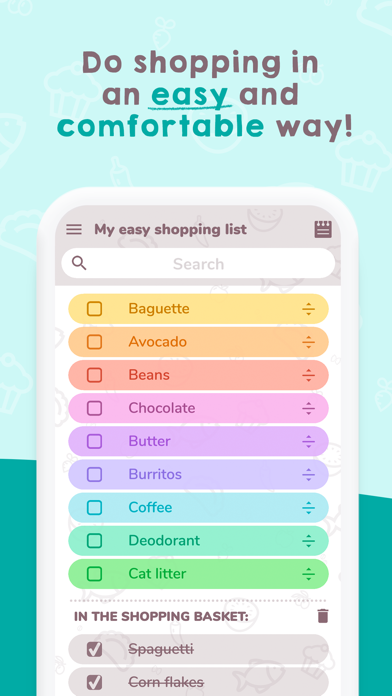
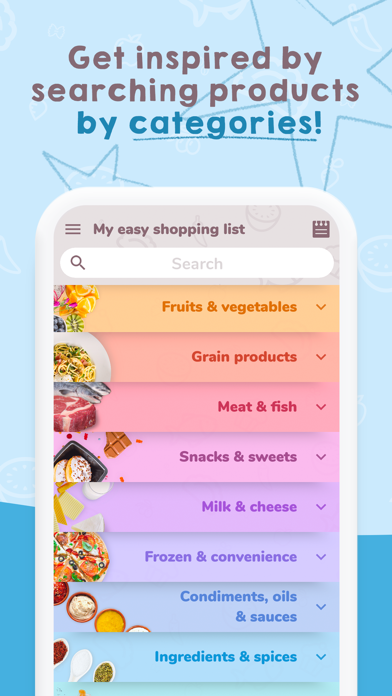
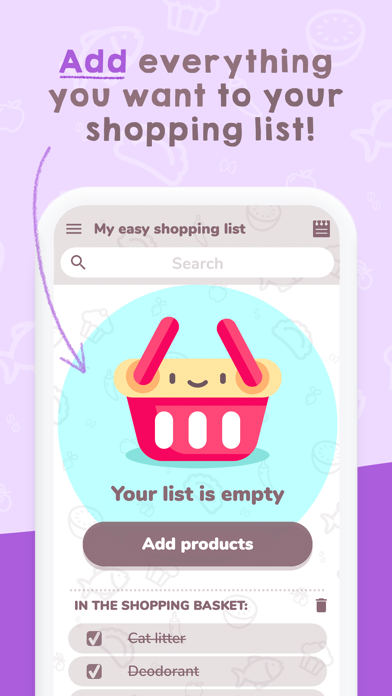
Are you one of those who keep making the shopping list with pen and paper? We present the app in English to manage your shopping list from your mobile! An easier and more convenient solution to write down everything you have to buy in the supermarket. FIND PRODUCTS BY CATEGORIES The app offers you various product categories so you can easily find all kinds of products that are in the supermarket. From bread, meat and fish to garden products. Complete food categories that you can use as inspiration to prepare a family meal or a special dinner with friends. ADD YOUR FAVORITE PRODUCTS AND MEALS If you do not find any product on the list, do not worry! You can add it to the app and associate it with the category that fits best. This way, you can create your personalized supermarket lists with the products that you like the most. SEE YOUR RECENT PURCHASES The application offers an option where you can see the latest products that you have added to the shopping list. You can have the foods you consume the most in hand and add them quickly and easily. SHARE YOUR SHOPPING LIST WITH FAMILY AND FRIENDS Keep your supermarket list updated and synchronized with other people so that at all times you know what products are missing or have already been purchased by your partner, family, flatmates or friends. FEATURES Create the shopping list easily and comfortably Available in several languages: Spanish, French, Italian, German, Russian, Portuguese and English. Easy design and intuitive interface Pre-defined list with hundreds of foods and household products. Add your favorite products. Make as many lists as you want: for home, for the office, for celebrations and parties ... Products and food ordered by categories Completely free ABOUT EDUJOY Thank you very much for using the Edujoy shopping list. We love creating useful and easy-to-use apps for people of all ages. If you have any questions or suggestions about this app you can contact us through the developer's contact or through our profiles on social networks: twitter: twitter.com/edujoygames facebook: facebook.com/edujoysl