PC 용 Word Play: Fun Crossword Games
- 카테고리: Games
- 최근 업데이트: 2022-06-08
- 현재 버전: 1.10
- 파일 크기: 84.25 MB
- 개발자: Janos Kiss
- 호환성: 필요 Windows XP, Windows Vista, Windows 7, Windows 8, Windows 8.1 and Windows 10, Windows 11



PC에서 Word Play: Fun Crossword Games 용 호환 APK 다운로드
| 다운로드 | 개발자 | 평점 | 점수 | 현재 버전 | 성인 랭킹 |
|---|---|---|---|---|---|
| ↓ PC용 APK 다운로드 | Janos Kiss | 0 | 0 | 1.10 | 4+ |
에뮬레이터의 중요성은 컴퓨터에서 안드로이드 환경을 흉내 내고 안드로이드 폰을 구입하지 않고도 안드로이드 앱을 설치하고 실행하는 것을 매우 쉽게 만들어주는 것입니다. 누가 당신이 두 세계를 즐길 수 없다고 말합니까? 우선 아래에있는 에뮬레이터 앱을 다운로드 할 수 있습니다.
A. Nox App . OR
B. Bluestacks App .
Bluestacks는 매우 대중적이므로 개인적으로 "B"옵션을 사용하는 것이 좋습니다. 문제가 발생하면 Google 또는 Naver.com에서 좋은 해결책을 찾을 수 있습니다.
Bluestacks.exe 또는 Nox.exe를 성공적으로 다운로드 한 경우 컴퓨터의 다운로드 폴더 또는 다운로드 한 파일을 일반적으로 저장하는 곳으로 이동하십시오.
찾으면 클릭하여 응용 프로그램을 설치하십시오. PC에서 설치 프로세스를 시작해야합니다.
다음을 클릭하여 EULA 라이센스 계약에 동의하십시오.
응용 프로그램을 설치하려면 화면 지시문을 따르십시오.
위 사항을 올바르게 수행하면 소프트웨어가 성공적으로 설치됩니다.
이제 설치 한 에뮬레이터 애플리케이션을 열고 검색 창을 찾으십시오. 지금 입력하십시오. - Word Play: Fun Crossword Games 앱을 쉽게 볼 수 있습니다. 그것을 클릭하십시오. 응용 프로그램 창이 열리고 에뮬레이터 소프트웨어에 응용 프로그램이 표시됩니다. 설치 버튼을 누르면 응용 프로그램이 다운로드되기 시작합니다. 이제 우리는 모두 끝났습니다.
그런 다음 "모든 앱"아이콘이 표시됩니다.
클릭하면 설치된 모든 응용 프로그램이 포함 된 페이지로 이동합니다.
당신은 Word Play: Fun Crossword Games 상. 그것을 클릭하고 응용 프로그램 사용을 시작하십시오.
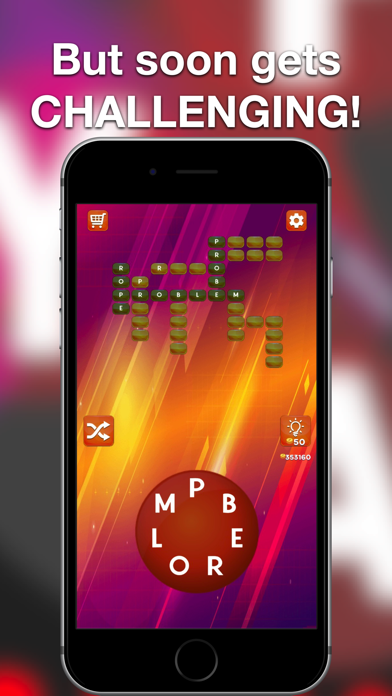
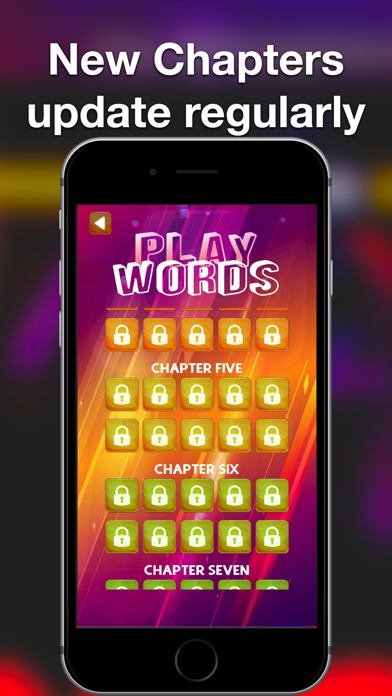
Playwords - Word Connect & Crossing Puzzle Game DOWNLOAD this word connect app for FREE Enjoy playing with this challanging crossword word puzzle game while train your brain and expand your english vocabulary at the same time! And much more!!! WHY CHOOSE US? ● The Playword: word cross game designed for all ages, perfect for kids & adults! ● Daily bonus rewards ● Free 100 coins on the beginning ● Difficulty increases along with levels ● You can also get more coins purchasing or watching advertising videos ● Play offline wherever you want ● Hundreds of Word Puzzle Games ● Free Updats regularly! Playwords - Word Cross & Connect Game is the perfect addiction: daily brain training, language learning and relaxing activity in one app! BENEFITS of word connect for adults games ► Exercise and maintain your brain while playing ► You can learn how to spell words correctly ► Develop your vocabulary, your creativity and problem solving skills ► If you are not native English, this game help you how to think in english ► Stress and tension levels have the potential to be dropped ► Keep calm! It helps escape from the world, help relax and lower your stress level ► It's an activity that can be taken with you wherever you go HOW TO PLAY Slide & drag your finger over the words to solve puzzles. Game gets trickier as you progress. The game’s brain teasers test your vocabulary, lateral thinking & puzzle solving skills. Don't wait! Brain training and language learning for 1 - 123 year olds are a tap away! Don't miss it! Download Playwords - Word Cross, Word Connect Game For All Ages Free now This game is under active development, we always welcome your suggestion to improve "Playwords: Word Connect Puzzle Game" application. Please send us email on [email protected] And don't forget Visit & Follow Us in our Facebook page: http://bit.ly/2DQszuI Download now and enjoy!