PC 용 Record Maker
- 카테고리: Utilities
- 최근 업데이트: 2026-11-02
- 현재 버전: 5.2.0
- 파일 크기: 174.53 MB
- 개발자: 嘉伟 戈
- 호환성: 필요 Windows XP, Windows Vista, Windows 7, Windows 8, Windows 8.1 and Windows 10, Windows 11




에뮬레이터의 중요성은 컴퓨터에서 안드로이드 환경을 흉내 내고 안드로이드 폰을 구입하지 않고도 안드로이드 앱을 설치하고 실행하는 것을 매우 쉽게 만들어주는 것입니다. 누가 당신이 두 세계를 즐길 수 없다고 말합니까? 우선 아래에있는 에뮬레이터 앱을 다운로드 할 수 있습니다.
A. Nox App . OR
B. Bluestacks App .
Bluestacks는 매우 대중적이므로 개인적으로 "B"옵션을 사용하는 것이 좋습니다. 문제가 발생하면 Google 또는 Naver.com에서 좋은 해결책을 찾을 수 있습니다.
Bluestacks.exe 또는 Nox.exe를 성공적으로 다운로드 한 경우 컴퓨터의 다운로드 폴더 또는 다운로드 한 파일을 일반적으로 저장하는 곳으로 이동하십시오.
찾으면 클릭하여 응용 프로그램을 설치하십시오. PC에서 설치 프로세스를 시작해야합니다.
다음을 클릭하여 EULA 라이센스 계약에 동의하십시오.
응용 프로그램을 설치하려면 화면 지시문을 따르십시오.
위 사항을 올바르게 수행하면 소프트웨어가 성공적으로 설치됩니다.
이제 설치 한 에뮬레이터 애플리케이션을 열고 검색 창을 찾으십시오. 지금 입력하십시오. - Record Maker 앱을 쉽게 볼 수 있습니다. 그것을 클릭하십시오. 응용 프로그램 창이 열리고 에뮬레이터 소프트웨어에 응용 프로그램이 표시됩니다. 설치 버튼을 누르면 응용 프로그램이 다운로드되기 시작합니다. 이제 우리는 모두 끝났습니다.
그런 다음 "모든 앱"아이콘이 표시됩니다.
클릭하면 설치된 모든 응용 프로그램이 포함 된 페이지로 이동합니다.
당신은 Record Maker 상. 그것을 클릭하고 응용 프로그램 사용을 시작하십시오.
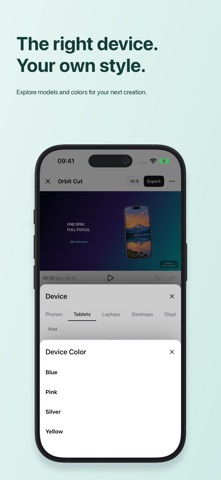
Turn your screen content into something worth sharing. Record Maker puts screen recordings, screenshots, and photos inside real 3D device models. Create app demos, product launch videos, social content, and promotional images. From a quick first cut to the finishing touches Start with a template in Simple mode and replace its media. Use Standard mode to adjust devices, backgrounds, and composition. Switch to Advanced for a timeline, keyframes, and camera movement. All three modes work with the same project, so you can choose the level of control you need. Real devices. More possibilities. Explore device models and finishes, including models with adjustable hinges and lids. Add videos or images to a screen and build a sequence of clips. On multi-screen devices, arrange media for each screen separately. Make the details your own Add backgrounds, text, stickers, music, and QR codes. Use keyframes to animate devices and the camera. Begin with a built-in template or build your own scene from a blank canvas. Ready to share Export video, PNG images, or GIFs, with transparency options for supported outputs. Save to Photos or deliver your work through system sharing. Keep creating across screens Available on iPhone, iPad, and Mac. Widescreen editing brings the preview, inspector, and timeline together. Import and export projects, with autosave and recovery to help preserve your progress. All three editing modes, devices and finishes, built-in music and assets, and standard exports are free to use. Free exports include a watermark, and some pages show ads. Record Maker Pro offers watermark and ad removal, 3D device rotation, template export, and app QR end cards. Start with a screen recording. Make your next demo.