
PC 용 Brewfather
- 카테고리: Food & Drink
- 최근 업데이트: 2026-10-27
- 현재 버전: 3.1.6
- 파일 크기: 22.23 MB
- 개발자: Warpkode AS
- 호환성: 필요 Windows XP, Windows Vista, Windows 7, Windows 8, Windows 8.1 and Windows 10, Windows 11

에뮬레이터의 중요성은 컴퓨터에서 안드로이드 환경을 흉내 내고 안드로이드 폰을 구입하지 않고도 안드로이드 앱을 설치하고 실행하는 것을 매우 쉽게 만들어주는 것입니다. 누가 당신이 두 세계를 즐길 수 없다고 말합니까? 우선 아래에있는 에뮬레이터 앱을 다운로드 할 수 있습니다.
A. Nox App . OR
B. Bluestacks App .
Bluestacks는 매우 대중적이므로 개인적으로 "B"옵션을 사용하는 것이 좋습니다. 문제가 발생하면 Google 또는 Naver.com에서 좋은 해결책을 찾을 수 있습니다.
Bluestacks.exe 또는 Nox.exe를 성공적으로 다운로드 한 경우 컴퓨터의 다운로드 폴더 또는 다운로드 한 파일을 일반적으로 저장하는 곳으로 이동하십시오.
찾으면 클릭하여 응용 프로그램을 설치하십시오. PC에서 설치 프로세스를 시작해야합니다.
다음을 클릭하여 EULA 라이센스 계약에 동의하십시오.
응용 프로그램을 설치하려면 화면 지시문을 따르십시오.
위 사항을 올바르게 수행하면 소프트웨어가 성공적으로 설치됩니다.
이제 설치 한 에뮬레이터 애플리케이션을 열고 검색 창을 찾으십시오. 지금 입력하십시오. - Brewfather 앱을 쉽게 볼 수 있습니다. 그것을 클릭하십시오. 응용 프로그램 창이 열리고 에뮬레이터 소프트웨어에 응용 프로그램이 표시됩니다. 설치 버튼을 누르면 응용 프로그램이 다운로드되기 시작합니다. 이제 우리는 모두 끝났습니다.
그런 다음 "모든 앱"아이콘이 표시됩니다.
클릭하면 설치된 모든 응용 프로그램이 포함 된 페이지로 이동합니다.
당신은 Brewfather 상. 그것을 클릭하고 응용 프로그램 사용을 시작하십시오.
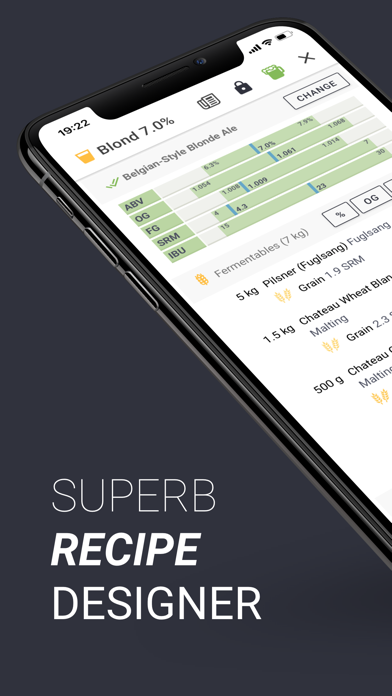
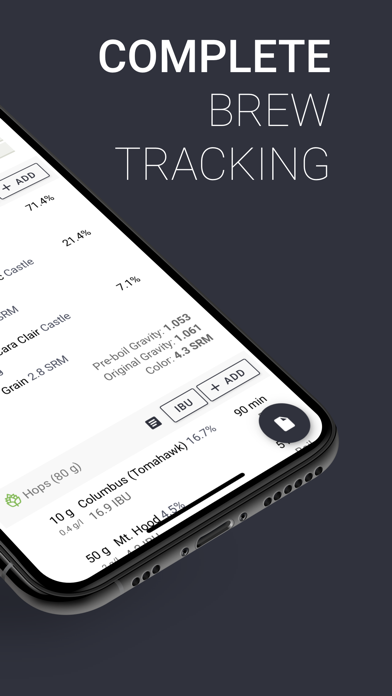
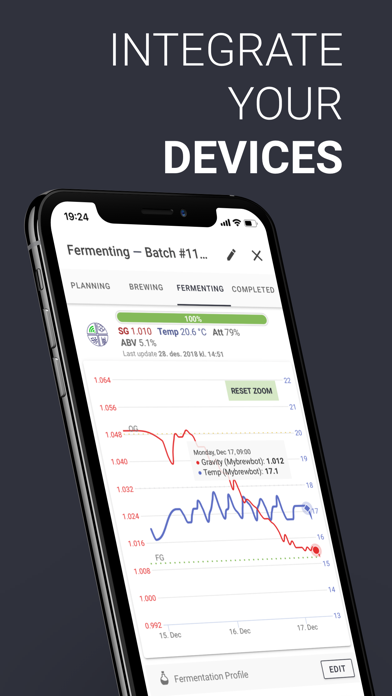
Powerful and easy to use tool for your brewing needs. Easily create and manage your recipes. Keep track of all the details in your batches and your ingredients inventory. Brewfather is made from the ground up to give you the best recipe design and brewing experience on both desktop and mobile devices. With a modern design that is easy to use. Get your recipes done in no time! With automatic synchronization between all your devices and offline support. Combining a powerful recipe designer with intuitive batch tracking and inventory management to make your brew-day easier. Integrated with many popular devices to aid your brewing. Explore the recipe library with hundreds of quality recipes. Features: * Powerful, intuitive and easy to use interface with dark mode support * Multi-device support - one app everywhere - always! * Offline support, auto-saving, and automatic synchronization * Fully-featured and easy to use recipe designer * Complete batch tracking - log every step of your brew * Fermentation chart * Recipe library with hundreds of quality recipes available for you * Brew timer with alarms and notifications for your brew day! * Profiles for your equipment, mash schedule, fermentation steps, and water * Highly customizable equipment profile to suit any brewing system * Large customizable ingredients database with thousands of ingredients * Inventory stock & cost tracking * Multiple style guidelines (BJCP, Brewers Association, Norbrygg, SHBF, DØDL) * Supports custom style guidelines * Print your recipe or batch to PDF * Import and export BeerXML * Metric and US/Imperial units * Scale recipes up/down * Easily share recipes * Estimate your Final Gravity based on many variables * Calculate every important detail of your recipes and batches * Easy to use yeast amount and yeast starter calculator * Integrated water adjustment calculator with mash pH * Strike temperature calculation * Proper calculation of hop-stand bitterness And many more tools and features to help your brewing. Integrations: * Remote logging from Tilt, RAPT Cloud, iSpindel, Brewpiless, MyBrewbot, Plaato Airlock, Plaato Keg, Floaty, Brewbrain and Custom Stream * Webhook support * Brewtools Cloud integration * Recipe sending to Brewtools brewers * Full SmartPID two-way integration, for brew-day and fermentation control * Programmable API for custom integrations Happy brewing! --- Brewfather is free to use, with an optional Premium subscription to unlock premium features and unlimited recipes/batches. New accounts get 30 days of free Premium access. Brewfather Premium: * Unlimited number of recipes * Unlimited number of batches * Import and export features * Integrate with devices * Create your public profile and add recipes to the recipe library * Ingredient cost tracking * Custom style guidelines * Ability to restore deleted recipes and batches * Add manual readings for the fermentation chart Your payment will be charged to your iTunes Account once you confirm your purchase. Your iTunes account will be charged again when your subscription automatically renews at the end of your current subscription period unless auto-renew is turned off at least 24 hours prior to end of the current period. Any unused portion of a trial period, if offered, will be forfeited when you purchase a subscription. You can manage or turn off auto-renew in your Apple ID account settings any time after purchase. --- Privacy Policy: https://docs.brewfather.app/legal/privacy-policy Terms of Service: https://docs.brewfather.app/legal/tos Got any questions? Get in touch at [email protected]


