
PC 용 The Paddock App 3.0
- 카테고리: Sports
- 최근 업데이트: 2026-09-22
- 현재 버전: 95
- 파일 크기: 73.96 MB
- 개발자: Gary Faulkner
- 호환성: 필요 Windows XP, Windows Vista, Windows 7, Windows 8, Windows 8.1 and Windows 10, Windows 11
PC에서 The Paddock App 3.0 용 호환 APK 다운로드
| 다운로드 | 개발자 | 평점 | 점수 | 현재 버전 | 성인 랭킹 |
|---|---|---|---|---|---|
| ↓ PC용 APK 다운로드 | Gary Faulkner | 1 | 5 | 95 | 4+ |
에뮬레이터의 중요성은 컴퓨터에서 안드로이드 환경을 흉내 내고 안드로이드 폰을 구입하지 않고도 안드로이드 앱을 설치하고 실행하는 것을 매우 쉽게 만들어주는 것입니다. 누가 당신이 두 세계를 즐길 수 없다고 말합니까? 우선 아래에있는 에뮬레이터 앱을 다운로드 할 수 있습니다.
A. Nox App . OR
B. Bluestacks App .
Bluestacks는 매우 대중적이므로 개인적으로 "B"옵션을 사용하는 것이 좋습니다. 문제가 발생하면 Google 또는 Naver.com에서 좋은 해결책을 찾을 수 있습니다.
Bluestacks.exe 또는 Nox.exe를 성공적으로 다운로드 한 경우 컴퓨터의 다운로드 폴더 또는 다운로드 한 파일을 일반적으로 저장하는 곳으로 이동하십시오.
찾으면 클릭하여 응용 프로그램을 설치하십시오. PC에서 설치 프로세스를 시작해야합니다.
다음을 클릭하여 EULA 라이센스 계약에 동의하십시오.
응용 프로그램을 설치하려면 화면 지시문을 따르십시오.
위 사항을 올바르게 수행하면 소프트웨어가 성공적으로 설치됩니다.
이제 설치 한 에뮬레이터 애플리케이션을 열고 검색 창을 찾으십시오. 지금 입력하십시오. - The Paddock App 3.0 앱을 쉽게 볼 수 있습니다. 그것을 클릭하십시오. 응용 프로그램 창이 열리고 에뮬레이터 소프트웨어에 응용 프로그램이 표시됩니다. 설치 버튼을 누르면 응용 프로그램이 다운로드되기 시작합니다. 이제 우리는 모두 끝났습니다.
그런 다음 "모든 앱"아이콘이 표시됩니다.
클릭하면 설치된 모든 응용 프로그램이 포함 된 페이지로 이동합니다.
당신은 The Paddock App 3.0 상. 그것을 클릭하고 응용 프로그램 사용을 시작하십시오.
Mac OS 에서 The Paddock App 3.0 다운로드
| 다운로드 | 개발자 | 점수 | 현재 버전 | 성인 랭킹 |
|---|---|---|---|---|
| ₩14,000 - Mac 에서 다운로드 | Gary Faulkner | 5 |
95 | 4+ |
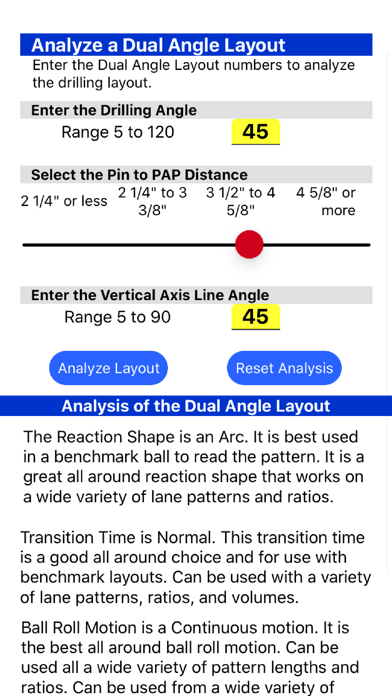
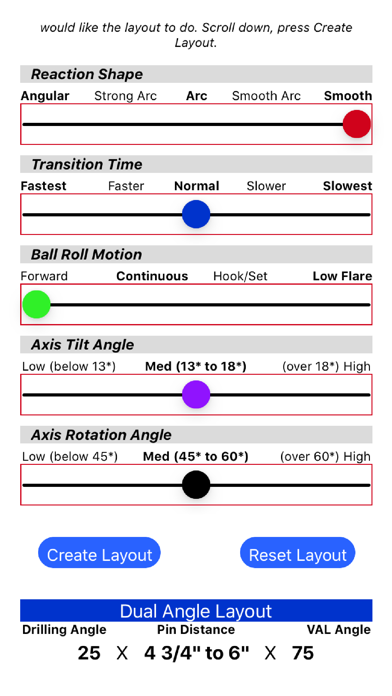
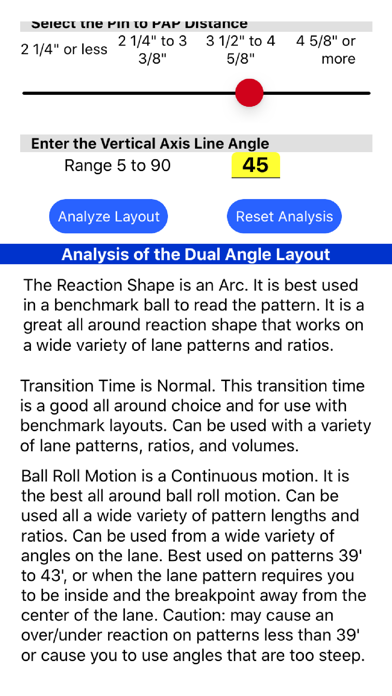
The Paddock 3.0: Master Your Bowling Motion Professional Dual Angle Layouts Driven by Physics Stop guessing and start striking. The Paddock App 3.0 is the most advanced bowling layout engine ever built for mobile. Developed using the "Dual Angle Layout" logic, this tool translates your unique physical release—Speed, Rev Rate, Tilt, and Rotation—into mathematically optimized Dual Angle layouts (DA x PD x VA). Why it works: The Paddock doesn't just give you numbers; it understands the "why." By analyzing your LS(Launch Speed):RPM Balance, the app calculates the perfect Transition Speed (Sum) and Motion Shape (Ratio) to match your game to the lane conditions. Whether you are a Speed-Dominant "Stroker" or a Rev-Dominant "Cranker," The Paddock tunes your equipment for maximum "miss room" and pin carry. Key Features: * 9 Release Profile Matrix: Custom logic for every combination of Axis Tilt and Rotation. * Core-Specific Tuning: Differentiated Pin-to-PAP (PD) logic for Symmetrical and Asymmetrical cores. * Precision Timing: Our "Sum" logic determines exactly when your ball reads the midlane. * Geometric Shaping: Use our "Ratio" engine to design the perfect backend shape. * Surface Strategy: Built-in Benchmark grit recommendations based on your Bowler DNA. * Motion Shape Geometry: Let the app solve the DA : VA ratio for you. Version 3.0 provides 2 benchmark layouts, for a Symmetrical Core and Asymmetrical Core, and 20 more Dual * Angle Layouts characterized by flare amount, how fast axis rotation is lost, and how soon the ball rolls forward. All of the layouts are based on your Bowler DNA. * The Analyze Layout "Why This Works" Summary: Every layout includes a plain-English breakdown of how the ball will behave on the lane. Engineered for Accuracy: From "Short Pin" asymmetrical control layouts to high-leverage symmetrical benchmarks, The Paddock 3.0 uses the latest in bowling sports science to give you a competitive edge. The Goal of The Paddock App 3.0: To provide you with dual angle layouts, specific to your Bowler DNA, for every ball in your bag and the confidence to play on any lane condition in the world.


