
PC 용 PureLibro: eBook Reader
- 카테고리: Book
- 최근 업데이트: 2026-10-25
- 현재 버전: 3.3.28
- 파일 크기: 31.97 MB
- 개발자: 添欢 谢
- 호환성: 필요 Windows XP, Windows Vista, Windows 7, Windows 8, Windows 8.1 and Windows 10, Windows 11

PC에서 PureLibro: eBook Reader 용 호환 APK 다운로드
| 다운로드 | 개발자 | 평점 | 점수 | 현재 버전 | 성인 랭킹 |
|---|---|---|---|---|---|
| ↓ PC용 APK 다운로드 | 添欢 谢 | 1 | 5 | 3.3.28 | 17+ |
에뮬레이터의 중요성은 컴퓨터에서 안드로이드 환경을 흉내 내고 안드로이드 폰을 구입하지 않고도 안드로이드 앱을 설치하고 실행하는 것을 매우 쉽게 만들어주는 것입니다. 누가 당신이 두 세계를 즐길 수 없다고 말합니까? 우선 아래에있는 에뮬레이터 앱을 다운로드 할 수 있습니다.
A. Nox App . OR
B. Bluestacks App .
Bluestacks는 매우 대중적이므로 개인적으로 "B"옵션을 사용하는 것이 좋습니다. 문제가 발생하면 Google 또는 Naver.com에서 좋은 해결책을 찾을 수 있습니다.
Bluestacks.exe 또는 Nox.exe를 성공적으로 다운로드 한 경우 컴퓨터의 다운로드 폴더 또는 다운로드 한 파일을 일반적으로 저장하는 곳으로 이동하십시오.
찾으면 클릭하여 응용 프로그램을 설치하십시오. PC에서 설치 프로세스를 시작해야합니다.
다음을 클릭하여 EULA 라이센스 계약에 동의하십시오.
응용 프로그램을 설치하려면 화면 지시문을 따르십시오.
위 사항을 올바르게 수행하면 소프트웨어가 성공적으로 설치됩니다.
이제 설치 한 에뮬레이터 애플리케이션을 열고 검색 창을 찾으십시오. 지금 입력하십시오. - PureLibro: eBook Reader 앱을 쉽게 볼 수 있습니다. 그것을 클릭하십시오. 응용 프로그램 창이 열리고 에뮬레이터 소프트웨어에 응용 프로그램이 표시됩니다. 설치 버튼을 누르면 응용 프로그램이 다운로드되기 시작합니다. 이제 우리는 모두 끝났습니다.
그런 다음 "모든 앱"아이콘이 표시됩니다.
클릭하면 설치된 모든 응용 프로그램이 포함 된 페이지로 이동합니다.
당신은 PureLibro: eBook Reader 상. 그것을 클릭하고 응용 프로그램 사용을 시작하십시오.
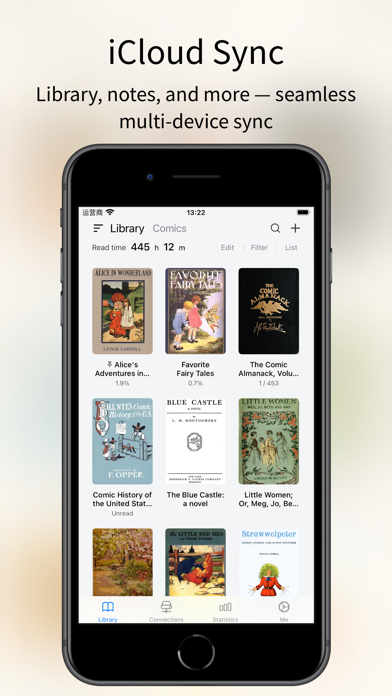
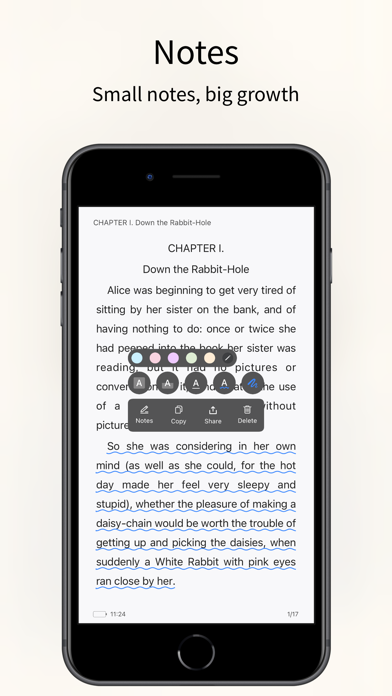
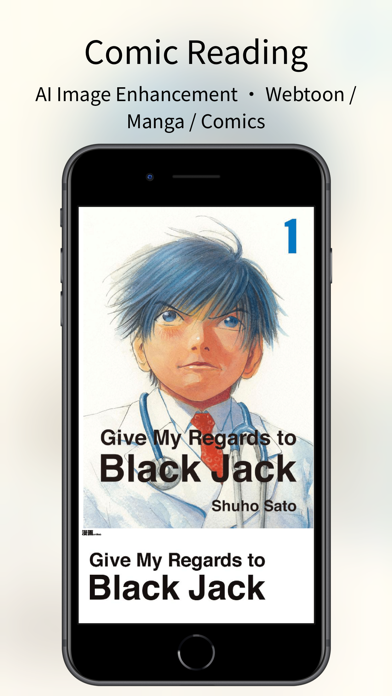
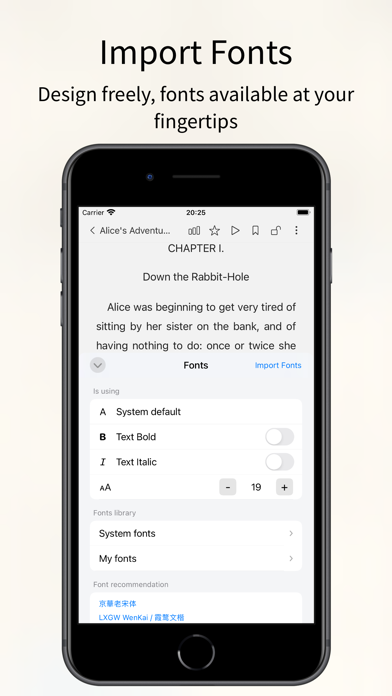
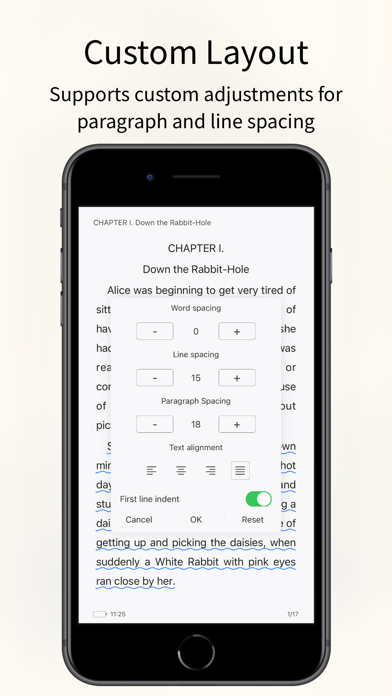
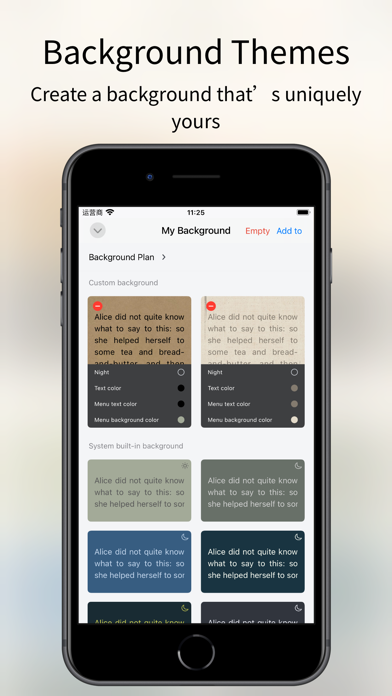
PureLibro is a multi-format reader for novels, comics, PDFs, local files, and remote libraries. Feature Highlights. Everything is designed for better reading. 1. Rich format support: supports popular formats including TXT, EPUB, MOBI, AZW3, AZW, CBZ, CBR, PDF, ZIP, and RAR (DRM-free files only). 2. Comic reader: supports ZIP, RAR, CBZ, and CBR comic archives. PDF, EPUB, and MOBI files can also be switched to comic mode with one tap, making it ideal for comics, art books, and image-rich content. 3. Remote library streaming reading (comic mode): supports remote libraries such as SMB, OPDS and WebDAV. On servers that support streaming access, ZIP, RAR, CBZ, CBR, and PDF files can be opened without fully downloading them first, saving local storage space. 4. AI-based image enhancement: supports Waifu2x / Anime4K to improve comic image quality (comic mode only). 5. iCloud sync: keeps reading progress and book data consistent across your devices. 6. Data backup: package your reading data with one tap and save it to cloud drives or other storage locations for extra peace of mind. 7. TXT file editing: edit TXT content directly for easier reading and organization. 8. Multiple import methods: import books via WebDAV, cloud drives, Wi-Fi transfer, iCloud, and more. 9. Auto reading: free your hands and make long reading sessions more comfortable. 10. Personalized layout: customize character spacing, paragraph layout, background images, and text colors to create your own reading style. 11. Eye-friendly reading: supports dark mode, page curl, slide, scrolling, and other reading modes, with Simplified/Traditional Chinese conversion. 12. Privacy protection: supports password, gesture, and Face ID unlock, and allows you to encrypt or hide books to protect your personal reading space. 13. Reading statistics: records reading duration, frequency, progress, and more to help you understand your reading habits. 14. Flexible book management: supports custom groups, title editing, and sorting for a clearer library. 15. Custom covers: customize covers for TXT and other books to make your bookshelf look better. 16. Automatic chapter detection: TXT novels can also be divided into chapters with one tap, improving the long-form reading experience. 17. Multiple font options: use system fonts or import custom fonts. 18. Multiple listening voices: supports system text-to-speech and Alibaba Cloud speech synthesis, with multiple voices to choose from. -- Pro benefits: After subscribing to Pro, you can use all Pro advanced features during the service period and remove all ads. -- Monthly subscription (1 month), quarterly subscription (3 months), and yearly subscription (1 year) are auto-renewable subscriptions. -- The actual product price applies. The purchase price will be charged in your local currency according to the current exchange rate defined by iTunes. Payment will be charged to your iTunes account upon confirmation of purchase. 【Monthly, Quarterly, and Yearly Auto-Renewable Subscription Services】 -- If you subscribe to the monthly, quarterly, or yearly auto-renewable service, you authorize Window Reading to charge your iTunes account (the “Account”) for the next billing cycle of the Pro service within 24 hours before the current subscription period expires. If the charge fails due to insufficient account balance, Window Reading reserves the right to suspend or terminate your Pro service without further notice. -- To cancel an active auto-renewable subscription, go to “Settings” on your iOS device → “iTunes Store & App Store” → select “Apple ID” → tap “View Apple ID” → tap “Subscriptions” on the account settings page → cancel the subscription. -- Privacy Policy: https://gitee.com/coder_to/luck/blob/master/App/Privacy.md -- Terms of Service and Auto-Renewal Terms: https://gitee.com/coder_to/luck/blob/master/App/serviceForMembers.md Icon Design Studying icons created by Freepik - Flaticon



