
PC 용 간헐적 단식 및 추적기
- 카테고리: Health & Fitness
- 최근 업데이트: 2022-08-23
- 현재 버전: 1.0.8
- 파일 크기: 49.32 MB
- 개발자: Cleaner LLC
- 호환성: 필요 Windows XP, Windows Vista, Windows 7, Windows 8, Windows 8.1 and Windows 10, Windows 11


에뮬레이터의 중요성은 컴퓨터에서 안드로이드 환경을 흉내 내고 안드로이드 폰을 구입하지 않고도 안드로이드 앱을 설치하고 실행하는 것을 매우 쉽게 만들어주는 것입니다. 누가 당신이 두 세계를 즐길 수 없다고 말합니까? 우선 아래에있는 에뮬레이터 앱을 다운로드 할 수 있습니다.
A. Nox App . OR
B. Bluestacks App .
Bluestacks는 매우 대중적이므로 개인적으로 "B"옵션을 사용하는 것이 좋습니다. 문제가 발생하면 Google 또는 Naver.com에서 좋은 해결책을 찾을 수 있습니다.
Bluestacks.exe 또는 Nox.exe를 성공적으로 다운로드 한 경우 컴퓨터의 다운로드 폴더 또는 다운로드 한 파일을 일반적으로 저장하는 곳으로 이동하십시오.
찾으면 클릭하여 응용 프로그램을 설치하십시오. PC에서 설치 프로세스를 시작해야합니다.
다음을 클릭하여 EULA 라이센스 계약에 동의하십시오.
응용 프로그램을 설치하려면 화면 지시문을 따르십시오.
위 사항을 올바르게 수행하면 소프트웨어가 성공적으로 설치됩니다.
이제 설치 한 에뮬레이터 애플리케이션을 열고 검색 창을 찾으십시오. 지금 입력하십시오. - 간헐적 단식 및 추적기 앱을 쉽게 볼 수 있습니다. 그것을 클릭하십시오. 응용 프로그램 창이 열리고 에뮬레이터 소프트웨어에 응용 프로그램이 표시됩니다. 설치 버튼을 누르면 응용 프로그램이 다운로드되기 시작합니다. 이제 우리는 모두 끝났습니다.
그런 다음 "모든 앱"아이콘이 표시됩니다.
클릭하면 설치된 모든 응용 프로그램이 포함 된 페이지로 이동합니다.
당신은 간헐적 단식 및 추적기 상. 그것을 클릭하고 응용 프로그램 사용을 시작하십시오.
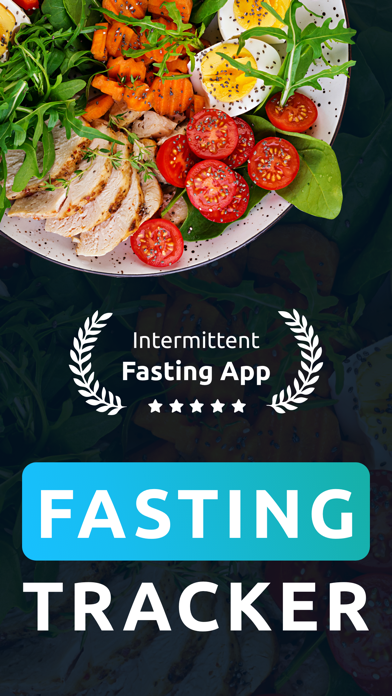
Cover all the stages of fasting, weight loss, and keep track of water intake with the Fasting App for iPhone. Try intermittent fasting and reshape your lifestyle towards a better and healthier body and mind. Harness the power of intermittent fasting and manage your weight easily and effectively. Flexible TRF (Time-Restricted Feeding) plans complement everyone - from beginner to advanced level intermittent fasting users. You can also track your water intake and thus maintain your targeted water level. Use this fasting app and build good habits that will eventually lead you to a healthy and happy life. Key Features of Fasting App: - Create custom fasting plans based on your personal needs - Fasting plan intended to reduce your weight and maintain it naturally - Setup your fasting and drinking target and track your progression - Get fast starting and ending reminders - View fasting performance in graphs from history. Elicit deeper perception from the graphs and remodel your targets and goals - Track your water intake. Get more insight on your water intake from the graph - Get reminders from the water tracker - Track your weight and also monitor your progress from the graph Auto-Renewable Subscription Terms: Subscribe to get unrestricted access to all the features outlined above. • Subscription Length: Weekly, Yearly • Subscription with a free trial period will automatically renew to a paid subscription unless it is canceled at least 24 hours before the end of the trial period. • Payment will be charged to iTunes Account at confirmation of purchase. • Your Apple ID account will be charged for renewal within 24 hours before the end of the trial period. • You can manage and cancel your subscriptions by going to your account settings on the App Store. • Any unused portion of a free trial period, if offered, will be forfeited when the user purchases a subscription to that publication, where applicable. • By signing up for this subscription, you agree to our Terms of Use and Privacy Policy. Terms of Use: https://applavia.com/app/fasting/terms.html Privacy Policy: https://applavia.com/app/fasting/privacy.html Disclaimer: This app is free to download, but you will be required to sign-up for an auto-renewing subscription to access the app's full functionality.


