개발자 설명
Make your iPhone or iPad look exactly the way you want it.
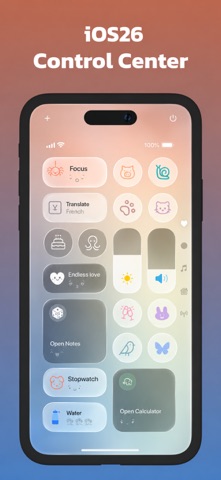
Widget Custom HomeScreen is the all-in-one personalization app for iPhone and iPad — with 5,000+ icons, 500+ themes, animated widgets, full Lock Screen customization, and a library of 500+ 4K live wallpapers. Whether your style is minimal and clean, bold and colorful, or aesthetic and moody, you'll find a theme that feels like you.
- WHAT'S INSIDE
Widgets
• Animated & static widgets — small, medium, and large
• Lock Screen widgets (iOS 16 and above)
• Health widgets — step count, move ring, exercise & stand from Apple Health
Icons & Themes
• 5,000+ custom icons, applied through the native iOS Shortcuts app
• 500+ complete themes — each includes matching icons, wallpapers & widgets
• Icon styles that complement iOS 26's Default, Dark, Tinted & Clear modes
Wallpapers
• 500+ 4K & HD live wallpapers
• Aesthetic collections updated regularly
- HOW IT WORKS
Browse themes, tap one you love, and follow the simple step-by-step setup guide. Your Home Screen and Lock Screen transform in minutes. Icons work through iOS Shortcuts — no jailbreak or third-party tools required.
- HEALTH & FITNESS WIDGETS
Connect Widget Custom HomeScreen to Apple Health to show your daily step count, move ring, exercise minutes, and stand progress directly on your Home Screen or Lock Screen.
Compatible with all iPhones and iPads running iOS 14 or later.
SUBSCRIPTION OPTIONS
• Monthly: $9.99/month — includes a 3-day free trial
• Yearly: $29.99/year
Payment is charged to your Apple ID at purchase confirmation and renews automatically. Cancel anytime in iOS Settings at least 24 hours before the next renewal date. Any unused portion of a free trial is forfeited when upgrading to a paid plan.
Privacy Policy: https://widgetsapp.net/privacy-policy.html
Terms of Use: https://widgetsapp.net/terms-of-use.html
EULA: https://www.apple.com/legal/internet-services/itunes/dev/stdeula/
Have a feature request or need help? We'd love to hear from you:
https://support.widgetsapp.net/support/tickets/new