
PC 용 Amonggame - Skin for Imposter
- 카테고리: Entertainment
- 최근 업데이트: 2026-10-26
- 현재 버전: 4.1
- 파일 크기: 22.92 MB
- 개발자: Ayoub Boussemousse
- 호환성: 필요 Windows XP, Windows Vista, Windows 7, Windows 8, Windows 8.1 and Windows 10, Windows 11

PC에서 Amonggame - Skin for Imposter 용 호환 APK 다운로드
| 다운로드 | 개발자 | 평점 | 점수 | 현재 버전 | 성인 랭킹 |
|---|---|---|---|---|---|
| ↓ PC용 APK 다운로드 | Ayoub Boussemousse | 5 | 4 | 4.1 | 4+ |
에뮬레이터의 중요성은 컴퓨터에서 안드로이드 환경을 흉내 내고 안드로이드 폰을 구입하지 않고도 안드로이드 앱을 설치하고 실행하는 것을 매우 쉽게 만들어주는 것입니다. 누가 당신이 두 세계를 즐길 수 없다고 말합니까? 우선 아래에있는 에뮬레이터 앱을 다운로드 할 수 있습니다.
A. Nox App . OR
B. Bluestacks App .
Bluestacks는 매우 대중적이므로 개인적으로 "B"옵션을 사용하는 것이 좋습니다. 문제가 발생하면 Google 또는 Naver.com에서 좋은 해결책을 찾을 수 있습니다.
Bluestacks.exe 또는 Nox.exe를 성공적으로 다운로드 한 경우 컴퓨터의 다운로드 폴더 또는 다운로드 한 파일을 일반적으로 저장하는 곳으로 이동하십시오.
찾으면 클릭하여 응용 프로그램을 설치하십시오. PC에서 설치 프로세스를 시작해야합니다.
다음을 클릭하여 EULA 라이센스 계약에 동의하십시오.
응용 프로그램을 설치하려면 화면 지시문을 따르십시오.
위 사항을 올바르게 수행하면 소프트웨어가 성공적으로 설치됩니다.
이제 설치 한 에뮬레이터 애플리케이션을 열고 검색 창을 찾으십시오. 지금 입력하십시오. - Amonggame - Skin for Imposter 앱을 쉽게 볼 수 있습니다. 그것을 클릭하십시오. 응용 프로그램 창이 열리고 에뮬레이터 소프트웨어에 응용 프로그램이 표시됩니다. 설치 버튼을 누르면 응용 프로그램이 다운로드되기 시작합니다. 이제 우리는 모두 끝났습니다.
그런 다음 "모든 앱"아이콘이 표시됩니다.
클릭하면 설치된 모든 응용 프로그램이 포함 된 페이지로 이동합니다.
당신은 Amonggame - Skin for Imposter 상. 그것을 클릭하고 응용 프로그램 사용을 시작하십시오.
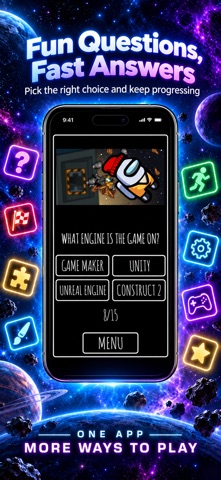
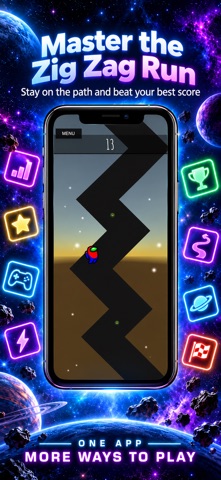
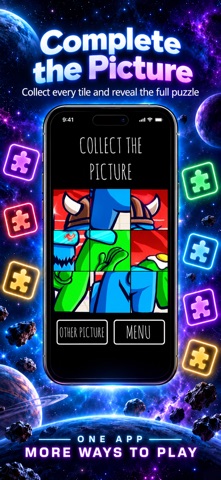
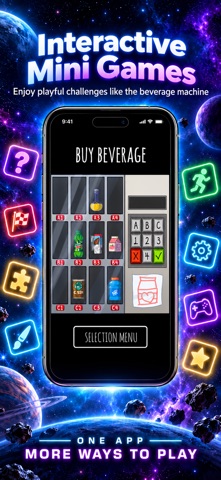
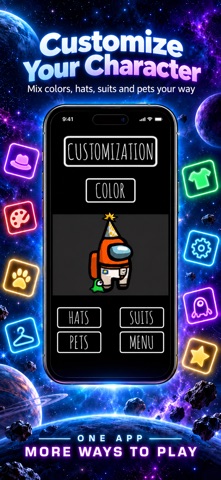
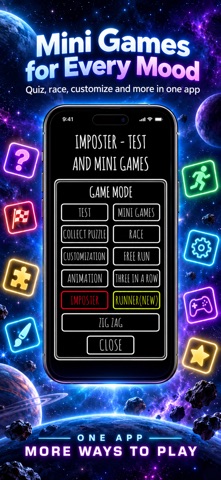
Discover amonggame, a world of character customization, timed missions, and mini-games. Choose your style, personalize your appearance, and jump into different game modes. Do you enjoy spacesuit characters and the visual style of among us? Let your imagination guide you, experiment with different looks, and put your reflexes to the test in amonggame. ## Express Your Creativity with the skin maker Create a character that reflects your imagination with the skin maker. Change your color, try different hats, mix costumes, and add a companion to complete your look. Every combination is a chance to explore another idea. Design a low-profile explorer, a colorful adventurer, or a character with playful accessories. Build your among skin, check the result, and adjust the details until you find a combination you like. For an amoungus look, experiment with contrasting colors and accessories. Give your amongas creation a different personality with a costume change, or keep your amoung style simple and let a single hat stand out. Want a fresh look without choosing every detail? Try random customization. Discover unexpected combinations and use them as inspiration for your next character in amonggame. ## Jump into Imposter Mode Once your character is ready, take on the bots in a race against time. Watch their positions, move around the map, and approach your targets. Your objective is to eliminate the computer-controlled characters before the countdown ends. Keep track of the remaining time and choose your movements carefully. Ready to play “the imposter”? Prepare your impster look, start a round, and aim for victory. If you enjoy the tension of the imposter role in among us, explore the timed challenges available in amonggame. ## Explore Maps and Complete Your Missions Switch things up with missions you must complete within the time limit. Move through the environments, locate your objectives, and work through your tasks as the clock counts down. Finding your way and planning your movements are part of the challenge. A moment of hesitation can cost valuable seconds, so stay focused on your next objective. Try again to explore another approach, become more familiar with the surroundings, and move with greater confidence. ## Discover Different Ways to Play In amonggame, you can move between activities that challenge your observation, timing, and reflexes. - Puzzles: study the pictures and put them back together. - Runner: move forward, jump, and test your reactions. - Match-three: look for combinations on the board. - ZigZag: practice your timing and changes of direction. - Animations: explore character movements in the dedicated mode. Pick an activity, take on the challenge, and explore the other modes whenever you want a change of pace. ## Imagine Your Next Character A color, costume, or companion can become the starting point for your next amongus character design. Take your time exploring the available elements and finding combinations that suit your imagination. The skin maker lets you customize your character directly inside amonggame, without using a “hack amongus.” The customization options and challenges described here belong to this app. If the visual style of among us inspires you, explore your ideas through different colors and accessories. Then switch to missions or mini-games whenever you feel ready for a challenge. Discover amonggame, create your next look, and see which challenge becomes your favorite!


