
PC 용 Alias Football Word Game
- 카테고리: Entertainment
- 최근 업데이트: 2026-09-07
- 현재 버전: 4.0.0
- 파일 크기: 23.17 MB
- 개발자: Artur Simonyan
- 호환성: 필요 Windows XP, Windows Vista, Windows 7, Windows 8, Windows 8.1 and Windows 10, Windows 11



PC에서 Alias Football Word Game 용 호환 APK 다운로드
| 다운로드 | 개발자 | 평점 | 점수 | 현재 버전 | 성인 랭킹 |
|---|---|---|---|---|---|
| ↓ PC용 APK 다운로드 | Artur Simonyan | 0 | 0 | 4.0.0 | 4+ |
에뮬레이터의 중요성은 컴퓨터에서 안드로이드 환경을 흉내 내고 안드로이드 폰을 구입하지 않고도 안드로이드 앱을 설치하고 실행하는 것을 매우 쉽게 만들어주는 것입니다. 누가 당신이 두 세계를 즐길 수 없다고 말합니까? 우선 아래에있는 에뮬레이터 앱을 다운로드 할 수 있습니다.
A. Nox App . OR
B. Bluestacks App .
Bluestacks는 매우 대중적이므로 개인적으로 "B"옵션을 사용하는 것이 좋습니다. 문제가 발생하면 Google 또는 Naver.com에서 좋은 해결책을 찾을 수 있습니다.
Bluestacks.exe 또는 Nox.exe를 성공적으로 다운로드 한 경우 컴퓨터의 다운로드 폴더 또는 다운로드 한 파일을 일반적으로 저장하는 곳으로 이동하십시오.
찾으면 클릭하여 응용 프로그램을 설치하십시오. PC에서 설치 프로세스를 시작해야합니다.
다음을 클릭하여 EULA 라이센스 계약에 동의하십시오.
응용 프로그램을 설치하려면 화면 지시문을 따르십시오.
위 사항을 올바르게 수행하면 소프트웨어가 성공적으로 설치됩니다.
이제 설치 한 에뮬레이터 애플리케이션을 열고 검색 창을 찾으십시오. 지금 입력하십시오. - Alias Football Word Game 앱을 쉽게 볼 수 있습니다. 그것을 클릭하십시오. 응용 프로그램 창이 열리고 에뮬레이터 소프트웨어에 응용 프로그램이 표시됩니다. 설치 버튼을 누르면 응용 프로그램이 다운로드되기 시작합니다. 이제 우리는 모두 끝났습니다.
그런 다음 "모든 앱"아이콘이 표시됩니다.
클릭하면 설치된 모든 응용 프로그램이 포함 된 페이지로 이동합니다.
당신은 Alias Football Word Game 상. 그것을 클릭하고 응용 프로그램 사용을 시작하십시오.
Mac OS 에서 Alias Football Word Game 다운로드
| 다운로드 | 개발자 | 점수 | 현재 버전 | 성인 랭킹 |
|---|---|---|---|---|
| 무료 - Mac 에서 다운로드 | Artur Simonyan | 0 |
4.0.0 | 4+ |
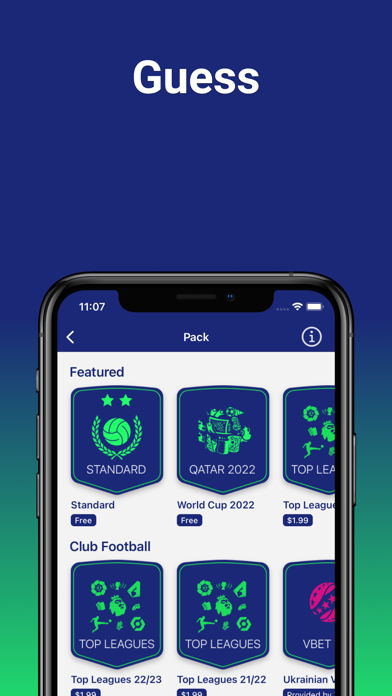
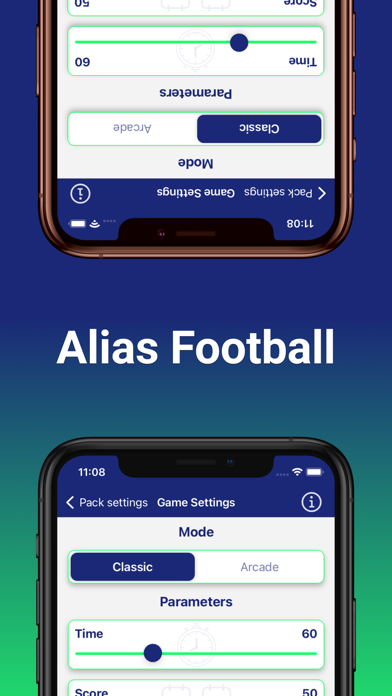
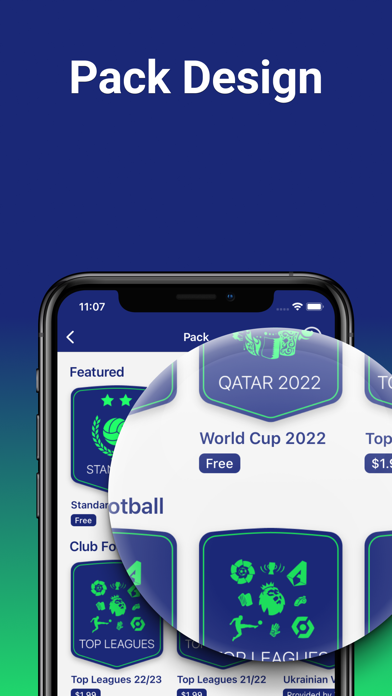
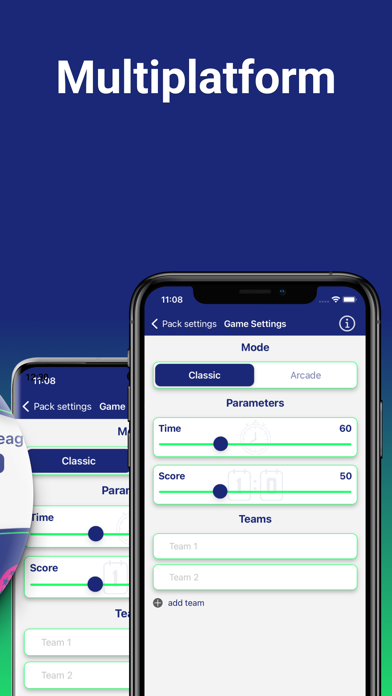
ALIAS FOOTBALL is a game, where the opponent teams are trying to guess as many football “names” (players, clubs and managers) as possible in a certain amount of time. Alias Football is played with at least 2 teams, consisting of at least 2 players. A player from each team has to describe “names”, which appear on the card, while the other member(s) of the team have to guess the “names” before the timer runs out. The “names” should be described without pronouncing them, but various facts, information or clues, related to the “names” could be used. Each guessed “name” gives 1 point to the team. The team to reach the winning score first is the winner. GAME OPTIONS Modes Before starting the game, you can choose one of the 2 available modes in Game Settings. • Classic In Classic mode, each card includes 5 “names”. In order to turn to the next card, you have to guess all the “names” on the first card. • Arcade In Arcade mode each card includes just 1 “name”. In order to turn to the next card, you have to guess the “name” or skip it. Skipping will cost you 1 point. Score and Time Before starting the game, you can set the winning “Score” and the“Time” in Game Settings. The winning “score” is the number of points you have to collect to win the game. The “Time” is the duration of each round in seconds. Pack Before starting the game, you can choose the “pack” you want to play. The “pack” is a specific group of names (players, managers and clubs), related to a certain topic. By default, you can play the standard pack, which includes largely known football players, managers and clubs. In some packs, you will have an option to play only with player names or include manager and club names as well. Also, the pack might have “Easy” and “Hard” versions. Teams Before starting the game, you can choose to play with 2 teams by default or add more teams. In addition, there is an option to input your team’s name. Kick-off After tapping on “Kick off”, the round starts. While playing, you can see your points count and the time remained before the end of the round. After each round, you can see the score of the game.


