
PC 용 AchieveCare
- 카테고리: Health & Fitness
- 최근 업데이트: 2021-06-17
- 현재 버전: 1.0.0
- 파일 크기: 142.76 MB
- 개발자: Hifinite Inc
- 호환성: 필요 Windows XP, Windows Vista, Windows 7, Windows 8, Windows 8.1 and Windows 10, Windows 11


에뮬레이터의 중요성은 컴퓨터에서 안드로이드 환경을 흉내 내고 안드로이드 폰을 구입하지 않고도 안드로이드 앱을 설치하고 실행하는 것을 매우 쉽게 만들어주는 것입니다. 누가 당신이 두 세계를 즐길 수 없다고 말합니까? 우선 아래에있는 에뮬레이터 앱을 다운로드 할 수 있습니다.
A. Nox App . OR
B. Bluestacks App .
Bluestacks는 매우 대중적이므로 개인적으로 "B"옵션을 사용하는 것이 좋습니다. 문제가 발생하면 Google 또는 Naver.com에서 좋은 해결책을 찾을 수 있습니다.
Bluestacks.exe 또는 Nox.exe를 성공적으로 다운로드 한 경우 컴퓨터의 다운로드 폴더 또는 다운로드 한 파일을 일반적으로 저장하는 곳으로 이동하십시오.
찾으면 클릭하여 응용 프로그램을 설치하십시오. PC에서 설치 프로세스를 시작해야합니다.
다음을 클릭하여 EULA 라이센스 계약에 동의하십시오.
응용 프로그램을 설치하려면 화면 지시문을 따르십시오.
위 사항을 올바르게 수행하면 소프트웨어가 성공적으로 설치됩니다.
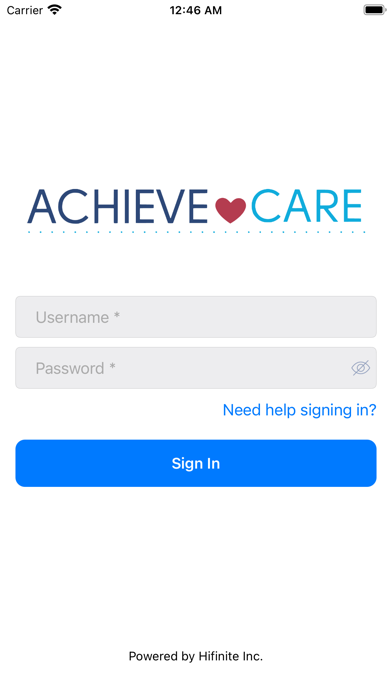
이제 설치 한 에뮬레이터 애플리케이션을 열고 검색 창을 찾으십시오. 지금 입력하십시오. - AchieveCare 앱을 쉽게 볼 수 있습니다. 그것을 클릭하십시오. 응용 프로그램 창이 열리고 에뮬레이터 소프트웨어에 응용 프로그램이 표시됩니다. 설치 버튼을 누르면 응용 프로그램이 다운로드되기 시작합니다. 이제 우리는 모두 끝났습니다.
그런 다음 "모든 앱"아이콘이 표시됩니다.
클릭하면 설치된 모든 응용 프로그램이 포함 된 페이지로 이동합니다.
당신은 AchieveCare 상. 그것을 클릭하고 응용 프로그램 사용을 시작하십시오.
Chronic diseases are the kind of prevalent health conditions that need regular monitoring. Irregular management may lead to unnecessary health complications, ER visits, hospitalization, and may cause more expenses and reduced quality of life. Whether you are maintaining a Blood Pressure or Blood Sugar diary, are tracking COPD conditions, or are monitoring your body temperature, AchieveCare Chronic Disease Management app is the ultimate health companion for you and your loved ones. Let’s see how! Achieve’s AchieveCare Chronic Disease Management app helps providers and caretakers by letting them engage with chronic patients in real time using modern technologies. AchieveCare helps patients track their health, allows self-scheduling, alerts providers and caretakers to address issues before they become worse, and allows remote access to providers. Achieve is truly Health. Connected. We’d love to hear your feedback! Drop us a line at [email protected] . Extended FAQ’s for AchieveCare app: How does Achieve Care Chronic Disease Management app work? Patients use connected probes and sensors through AchieveCare Chronic Disease Management app running on their smartphone to collect their vitals and medication adherence data. All this data is securely transmitted and stored on an HIPAA compliant cloud-based AchieveCare Chronic Platform. Healthcare providers including physicians, nurses, and family members use the AchieveCare Chronic Disease Management app on their smartphones to monitor a patient’s vitals, compliance, and medication adherence data. The system allows clinical staff to set custom thresholds for each patient. Whenever a patient takes a reading and the vital sign crosses the set threshold, an instant alert is sent to the providers and caretakers. The system provides multiple means of communication for parties to engage and resolve an emergency. How does AchieveCare Chronic Disease Management benefit the patients? AchieveCare user dashboard displays the patient’s overall health status by showing vitals such as temperature, blood pressure, blood glucose level, capacity of vitals, blood oxygen saturation, weight and pulse rate, amongst others. Patients can engage with their providers via calls, chats, SMS, and emails. Patients can request an online appointment with the providers anytime, anywhere. Patients can schedule online appointments for video consultation and setup reminder notifications for the same. Patients can invite their friends and family to be up to date on their health status by allowing them to join their care circle. Patients can track their overall health score based on adherence, vitals, and compliance rates. Patients can view their electronic health record, which includes allergies, diagnoses, lab reports, medications, vaccinations, and medical procedures. Additionally, patients can sign consent forms electronically, pay bills, view invoices, view the provider directory, and take surveys for helping collect subjective health data. How does AchieveCare Chronic Disease Management benefit the providers? AchieveCare user dashboard displays the list of patients who need urgent care, based on their overall health score, along with the upcoming schedules of the logged-in user. Providers can view their patients’ overall health status based on adherence, vitals, and compliance rates. Providers can actively engage with their patients via calls, chats, SMS, and email. Providers can schedule and conduct video consultations with their patients. To use the AchieveCare Chronic Disease Management app, you must have a AchieveCare account with Achieve. About Achieve: Achieve aims to bring Highly Optimized Patient, Provider and Partner Engagement (H.O.P.E.), securely, in real-time, through AchieveCare, as a comprehensive, integrated technology solution, making an impact through integrating a variety of digital health products. Achieve is truly Health. Connected.


