PC 용 WA Scan Dual Messenger Web
- 카테고리: Social Networking
- 최근 업데이트: 2026-08-15
- 현재 버전: 2.1
- 파일 크기: 14.22 MB
- 개발자: SHELL INFRASTRUCTURE PRIVATE LIMITED
- 호환성: 필요 Windows XP, Windows Vista, Windows 7, Windows 8, Windows 8.1 and Windows 10, Windows 11


PC에서 WA Scan Dual Messenger Web 용 호환 APK 다운로드
| 다운로드 | 개발자 | 평점 | 점수 | 현재 버전 | 성인 랭킹 |
|---|---|---|---|---|---|
| ↓ PC용 APK 다운로드 | SHELL INFRASTRUCTURE PRIVATE LIMITED | 1 | 5 | 2.1 | 4+ |
호환되는 PC 앱 또는 대안 확인
| 소프트웨어 | 다운로드 | 평점 | 개발자 |
|---|---|---|---|
| WA Scan Dual Messenger Web |
PC 앱 받기 | 5/5 1 리뷰 5 |
SHELL INFRASTRUCTURE PRIVATE LIMITED |
에뮬레이터의 중요성은 컴퓨터에서 안드로이드 환경을 흉내 내고 안드로이드 폰을 구입하지 않고도 안드로이드 앱을 설치하고 실행하는 것을 매우 쉽게 만들어주는 것입니다. 누가 당신이 두 세계를 즐길 수 없다고 말합니까? 우선 아래에있는 에뮬레이터 앱을 다운로드 할 수 있습니다.
A. Nox App . OR
B. Bluestacks App .
Bluestacks는 매우 대중적이므로 개인적으로 "B"옵션을 사용하는 것이 좋습니다. 문제가 발생하면 Google 또는 Naver.com에서 좋은 해결책을 찾을 수 있습니다.
Bluestacks.exe 또는 Nox.exe를 성공적으로 다운로드 한 경우 컴퓨터의 다운로드 폴더 또는 다운로드 한 파일을 일반적으로 저장하는 곳으로 이동하십시오.
찾으면 클릭하여 응용 프로그램을 설치하십시오. PC에서 설치 프로세스를 시작해야합니다.
다음을 클릭하여 EULA 라이센스 계약에 동의하십시오.
응용 프로그램을 설치하려면 화면 지시문을 따르십시오.
위 사항을 올바르게 수행하면 소프트웨어가 성공적으로 설치됩니다.
이제 설치 한 에뮬레이터 애플리케이션을 열고 검색 창을 찾으십시오. 지금 입력하십시오. - WA Scan Dual Messenger Web 앱을 쉽게 볼 수 있습니다. 그것을 클릭하십시오. 응용 프로그램 창이 열리고 에뮬레이터 소프트웨어에 응용 프로그램이 표시됩니다. 설치 버튼을 누르면 응용 프로그램이 다운로드되기 시작합니다. 이제 우리는 모두 끝났습니다.
그런 다음 "모든 앱"아이콘이 표시됩니다.
클릭하면 설치된 모든 응용 프로그램이 포함 된 페이지로 이동합니다.
당신은 WA Scan Dual Messenger Web 상. 그것을 클릭하고 응용 프로그램 사용을 시작하십시오.
Mac OS 에서 WA Scan Dual Messenger Web 다운로드
| 다운로드 | 개발자 | 점수 | 현재 버전 | 성인 랭킹 |
|---|---|---|---|---|
| 무료 - Mac 에서 다운로드 | SHELL INFRASTRUCTURE PRIVATE LIMITED | 5 |
2.1 | 4+ |
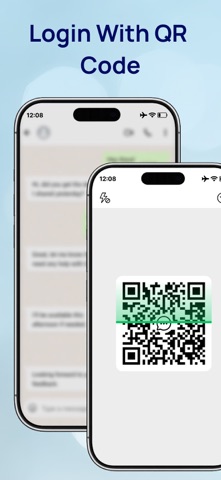
Dual Messenger Web is a simple and efficient tool that allows you to manage multiple chat accounts on a single device using secure web-based access. With an easy QR code scanning process, you can connect and mirror your chat sessions across devices and stay connected anytime. The app is designed to provide a smooth and reliable experience for users who want to access multiple accounts or use the same account on different devices. All you need to do is scan the QR code and your session will be instantly connected. Key Features Multi Account Access Use multiple chat accounts on one device or access the same account across multiple devices using web-based login. QR Code Scanner Quickly scan and connect your chat sessions. The scanner also supports multiple formats including text, URLs, contacts, and more. Direct Chat Send messages to any number without saving it to your contacts. This makes communication faster and more convenient. Stylish Text and Status Create unique and creative text styles, quotes, and status messages that can be shared across different platforms. Image to Text Extract text from images instantly using advanced recognition and reuse it wherever needed. Message Scheduler Schedule messages to be sent at your preferred time and manage your communication more effectively. Secure and Easy to Use The app provides a simple interface with fast performance. No data is stored on external servers and all sessions are handled securely. Disclaimer This app is an independent tool and is not affiliated, associated, authorized, endorsed by, or officially connected with WhatsApp or any of its affiliates. All product names, logos, and brands are the property of their respective owners. Privacy Policy https://shellinfra.com/privacy-policy.html Terms of Service https://shellinfra.com/tos.html