PC 용 Magical Unicorn World
- 카테고리: Games
- 최근 업데이트: 2026-11-16
- 현재 버전: 1.11
- 파일 크기: 181.36 MB
- 개발자: Pazu Games Ltd
- 호환성: 필요 Windows XP, Windows Vista, Windows 7, Windows 8, Windows 8.1 and Windows 10, Windows 11

PC에서 Magical Unicorn World 용 호환 APK 다운로드
| 다운로드 | 개발자 | 평점 | 점수 | 현재 버전 | 성인 랭킹 |
|---|---|---|---|---|---|
| ↓ PC용 APK 다운로드 | Pazu Games Ltd | 6 | 3.66667 | 1.11 | 4+ |
호환되는 PC 앱 또는 대안 확인
| 소프트웨어 | 다운로드 | 평점 | 개발자 |
|---|---|---|---|
| Magical Unicorn World |
PC 앱 받기 | 3.66667/5 6 리뷰 3.66667 |
Pazu Games Ltd |
에뮬레이터의 중요성은 컴퓨터에서 안드로이드 환경을 흉내 내고 안드로이드 폰을 구입하지 않고도 안드로이드 앱을 설치하고 실행하는 것을 매우 쉽게 만들어주는 것입니다. 누가 당신이 두 세계를 즐길 수 없다고 말합니까? 우선 아래에있는 에뮬레이터 앱을 다운로드 할 수 있습니다.
A. Nox App . OR
B. Bluestacks App .
Bluestacks는 매우 대중적이므로 개인적으로 "B"옵션을 사용하는 것이 좋습니다. 문제가 발생하면 Google 또는 Naver.com에서 좋은 해결책을 찾을 수 있습니다.
Bluestacks.exe 또는 Nox.exe를 성공적으로 다운로드 한 경우 컴퓨터의 다운로드 폴더 또는 다운로드 한 파일을 일반적으로 저장하는 곳으로 이동하십시오.
찾으면 클릭하여 응용 프로그램을 설치하십시오. PC에서 설치 프로세스를 시작해야합니다.
다음을 클릭하여 EULA 라이센스 계약에 동의하십시오.
응용 프로그램을 설치하려면 화면 지시문을 따르십시오.
위 사항을 올바르게 수행하면 소프트웨어가 성공적으로 설치됩니다.
이제 설치 한 에뮬레이터 애플리케이션을 열고 검색 창을 찾으십시오. 지금 입력하십시오. - Magical Unicorn World 앱을 쉽게 볼 수 있습니다. 그것을 클릭하십시오. 응용 프로그램 창이 열리고 에뮬레이터 소프트웨어에 응용 프로그램이 표시됩니다. 설치 버튼을 누르면 응용 프로그램이 다운로드되기 시작합니다. 이제 우리는 모두 끝났습니다.
그런 다음 "모든 앱"아이콘이 표시됩니다.
클릭하면 설치된 모든 응용 프로그램이 포함 된 페이지로 이동합니다.
당신은 Magical Unicorn World 상. 그것을 클릭하고 응용 프로그램 사용을 시작하십시오.
Mac OS 에서 Magical Unicorn World 다운로드
| 다운로드 | 개발자 | 점수 | 현재 버전 | 성인 랭킹 |
|---|---|---|---|---|
| 무료 - Mac 에서 다운로드 | Pazu Games Ltd | 3.66667 |
1.11 | 4+ |
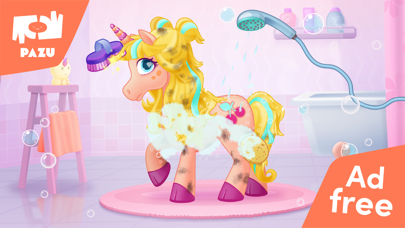
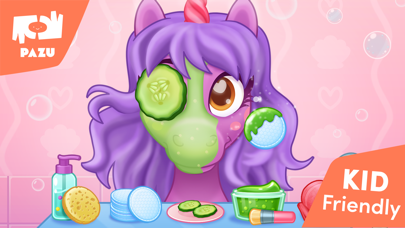
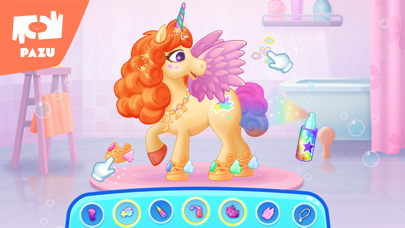
Welcome to the magical fantasy world of My Unicorn 2 dress up game for girls! The world’s cutest rainbow unicorn is back with even more pet care and fun activities for girls and boys! awesome surprises, exciting mini games and more virtual pet care adventures! If you like caring games for girls with cutest unicorns that you came to the right place! You will have the chance to visit a land full of beauty adventures for girls and take a trip to the unicorn magical rainbow hair salon for girls, learn all about unicorn caring, how to love and give them the best attention in the world. Fulfill every kid’s wish to have your own unicorn, Adopt a rainbow pony! Take good care of the little pony: feed, bathe, go potty, dress up and play! Express your creativity with your new pet pony! Dress up the unicorn in pretty dresses and fun costumes! Add accessories! Decorate the unicorn the way you like! My Unicorn is all about magical colors, cuteness and style! Get creative with your own one-of-a-kind unicorn - dress up, makeup and hairstyle, wings, horn and tail, jewels and accessories, just pick your favorite and make it magical. Care for your unicorn, wash it, dress it, choose its colors and style and make it your own cute pony. My Unicorn 2 is brought to you by Pazu Games Ltd, the publisher of popular kids’ games like Girls Hair Salon, Girls Makeup Salon, Animal Doctor, and many more, which are trusted by millions of parents worldwide. Pazu games designed especially for children under the age of 10. It offers fun and educational games for girls and boys to enjoy and experience. We invite you to try out Pazu games for kids and toddlers for free and discover a wonderful brand for boys’ & girls’ games, with a large portfolio of educational and learning games for girls and boys. Our games offer a variety of game mechanics adapted to the kids’ age and capabilities. Pazu games have no ads, so the kids have no distractions while playing, no accidental ad clicks, and no external interferences. This game is included in the Pazu subscription which offers access to 50+ Pazu’s games with full game versions, no ads, a child-friendly interface, and up to 3 devices for each subscription. Pazu games are trusted by millions of parents and loved by millions of kids worldwide. Our games are designed especially for kids and offer fun educational experiences for girls and boys to enjoy. With a variety of game mechanics adapted to different ages and capabilities, it is suitable for kids to be able to play on their own, without the support of adults. For more information, visit our website: https://www.pazugames.com/ The Pazu Subscription is an auto-renewable subscription with full access to multiple gaming apps, therefore: Payment will be charged to iTunes Account at confirmation of purchase. Subscription automatically renews unless auto-renew is turned off at least 24-hours before the end of the current period. Account will be charged for renewal within 24-hours prior to the end of the current period, and identify the cost of the renewal. Subscriptions may be managed by the user and auto-renewal may be turned off by going to the user's Account Settings after purchase. Any unused portion of a free trial period, if offered, will be forfeited when the user purchases a subscription to that publication, where applicable. Terms of Use: https://www.pazugames.com/terms-of-use Privacy Policy: https://www.pazugames.com/privacy-policy All rights are reserved Pazu ® Games Ltd. The use of the games or the content presented therein, apart from the usual use of Pazu ® Games, is not authorized, without express written permission from Pazu ® Games.