PC 용 Video Player - All-in-One
- 카테고리: Entertainment
- 최근 업데이트: 2026-06-18
- 현재 버전: 2026.43
- 파일 크기: 59.42 MB
- 개발자: Dhiren Patel
- 호환성: 필요 Windows XP, Windows Vista, Windows 7, Windows 8, Windows 8.1 and Windows 10, Windows 11






PC에서 Video Player - All-in-One 용 호환 APK 다운로드
| 다운로드 | 개발자 | 평점 | 점수 | 현재 버전 | 성인 랭킹 |
|---|---|---|---|---|---|
| ↓ PC용 APK 다운로드 | Dhiren Patel | 2 | 5 | 2026.43 | 4+ |
에뮬레이터의 중요성은 컴퓨터에서 안드로이드 환경을 흉내 내고 안드로이드 폰을 구입하지 않고도 안드로이드 앱을 설치하고 실행하는 것을 매우 쉽게 만들어주는 것입니다. 누가 당신이 두 세계를 즐길 수 없다고 말합니까? 우선 아래에있는 에뮬레이터 앱을 다운로드 할 수 있습니다.
A. Nox App . OR
B. Bluestacks App .
Bluestacks는 매우 대중적이므로 개인적으로 "B"옵션을 사용하는 것이 좋습니다. 문제가 발생하면 Google 또는 Naver.com에서 좋은 해결책을 찾을 수 있습니다.
Bluestacks.exe 또는 Nox.exe를 성공적으로 다운로드 한 경우 컴퓨터의 다운로드 폴더 또는 다운로드 한 파일을 일반적으로 저장하는 곳으로 이동하십시오.
찾으면 클릭하여 응용 프로그램을 설치하십시오. PC에서 설치 프로세스를 시작해야합니다.
다음을 클릭하여 EULA 라이센스 계약에 동의하십시오.
응용 프로그램을 설치하려면 화면 지시문을 따르십시오.
위 사항을 올바르게 수행하면 소프트웨어가 성공적으로 설치됩니다.
이제 설치 한 에뮬레이터 애플리케이션을 열고 검색 창을 찾으십시오. 지금 입력하십시오. - Video Player - All-in-One 앱을 쉽게 볼 수 있습니다. 그것을 클릭하십시오. 응용 프로그램 창이 열리고 에뮬레이터 소프트웨어에 응용 프로그램이 표시됩니다. 설치 버튼을 누르면 응용 프로그램이 다운로드되기 시작합니다. 이제 우리는 모두 끝났습니다.
그런 다음 "모든 앱"아이콘이 표시됩니다.
클릭하면 설치된 모든 응용 프로그램이 포함 된 페이지로 이동합니다.
당신은 Video Player - All-in-One 상. 그것을 클릭하고 응용 프로그램 사용을 시작하십시오.
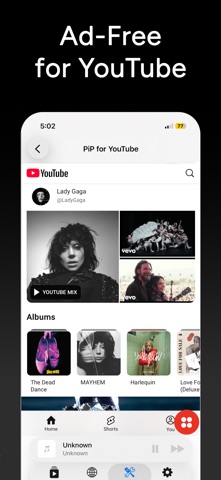
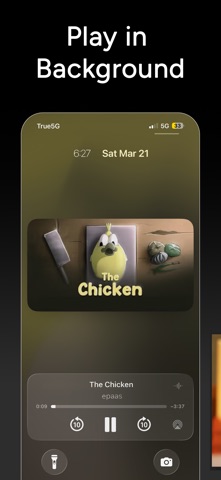
Enjoy smooth playback for all your movies, shows and music in most formats without conversion. Play MP4, MKV, AVI, MOV, M4V, MPG, MPEG, WEBM, 3GP, OGV, MP3, AAC, M4A, FLAC, WAV and more. Import files from your PC via cable or Wi-Fi sharing, then keep everything automatically organized. Easily Sort, browse, and access your media anytime. Create custom playlists and arrange your media your way, so your favorites are always ready to play. Take full control with gesture support: - Swipe to adjust volume and brightness - Hold to 2X playback speed - Double tap to skip duration (backward and forward) - Pinch & drag with two fingers to zoom and move - Swipe down to hide the player - Customize playback speed & skip duration Key Features: • Cast to TV: Stream videos to your Smart bigger screen TV using Chromecast • Screenshot: Capture images instantly while watching videos • Multi-Track Audio: Switch between different audio tracks • Picture-in-Picture (PiP): Watch videos in a floating window while using other apps • Background Play: Keep listening while using other apps or when the screen is locked • Subtitle: Search online, download, and personalize with ease • AirPlay: Mirror and play videos on compatible devices • Browse: Explore and play videos with background playback for Youtube and more • Download Videos: Paste a link and download videos for offline watching • URL Streaming: Stream videos directly from online links • Video to MP3: Convert videos into HD audio files • Slideshow Maker: Craft beautiful video from your photos for Instagram and more • Quotes & Wishes: Discover and share messages • Video Tools: Edit videos with 10+ essential tools Not just a video player - enjoy your full music library with seamless background playback. Download now and enjoy the complete media experience.