
PC 용 Gacha Club Wallpapers HD
- 카테고리: Graphics & Design
- 최근 업데이트: 2026-06-15
- 현재 버전: 3.5
- 파일 크기: 86.40 MB
- 개발자: Sahil Pirani
- 호환성: 필요 Windows XP, Windows Vista, Windows 7, Windows 8, Windows 8.1 and Windows 10, Windows 11
PC에서 Gacha Club Wallpapers HD 용 호환 APK 다운로드
| 다운로드 | 개발자 | 평점 | 점수 | 현재 버전 | 성인 랭킹 |
|---|---|---|---|---|---|
| ↓ PC용 APK 다운로드 | Sahil Pirani | 10 | 4.4 | 3.5 | 4+ |
에뮬레이터의 중요성은 컴퓨터에서 안드로이드 환경을 흉내 내고 안드로이드 폰을 구입하지 않고도 안드로이드 앱을 설치하고 실행하는 것을 매우 쉽게 만들어주는 것입니다. 누가 당신이 두 세계를 즐길 수 없다고 말합니까? 우선 아래에있는 에뮬레이터 앱을 다운로드 할 수 있습니다.
A. Nox App . OR
B. Bluestacks App .
Bluestacks는 매우 대중적이므로 개인적으로 "B"옵션을 사용하는 것이 좋습니다. 문제가 발생하면 Google 또는 Naver.com에서 좋은 해결책을 찾을 수 있습니다.
Bluestacks.exe 또는 Nox.exe를 성공적으로 다운로드 한 경우 컴퓨터의 다운로드 폴더 또는 다운로드 한 파일을 일반적으로 저장하는 곳으로 이동하십시오.
찾으면 클릭하여 응용 프로그램을 설치하십시오. PC에서 설치 프로세스를 시작해야합니다.
다음을 클릭하여 EULA 라이센스 계약에 동의하십시오.
응용 프로그램을 설치하려면 화면 지시문을 따르십시오.
위 사항을 올바르게 수행하면 소프트웨어가 성공적으로 설치됩니다.
이제 설치 한 에뮬레이터 애플리케이션을 열고 검색 창을 찾으십시오. 지금 입력하십시오. - Gacha Club Wallpapers HD 앱을 쉽게 볼 수 있습니다. 그것을 클릭하십시오. 응용 프로그램 창이 열리고 에뮬레이터 소프트웨어에 응용 프로그램이 표시됩니다. 설치 버튼을 누르면 응용 프로그램이 다운로드되기 시작합니다. 이제 우리는 모두 끝났습니다.
그런 다음 "모든 앱"아이콘이 표시됩니다.
클릭하면 설치된 모든 응용 프로그램이 포함 된 페이지로 이동합니다.
당신은 Gacha Club Wallpapers HD 상. 그것을 클릭하고 응용 프로그램 사용을 시작하십시오.
Mac OS 에서 Gacha Club Wallpapers HD 다운로드
| 다운로드 | 개발자 | 점수 | 현재 버전 | 성인 랭킹 |
|---|---|---|---|---|
| 무료 - Mac 에서 다운로드 | Sahil Pirani | 4.4 |
3.5 | 4+ |
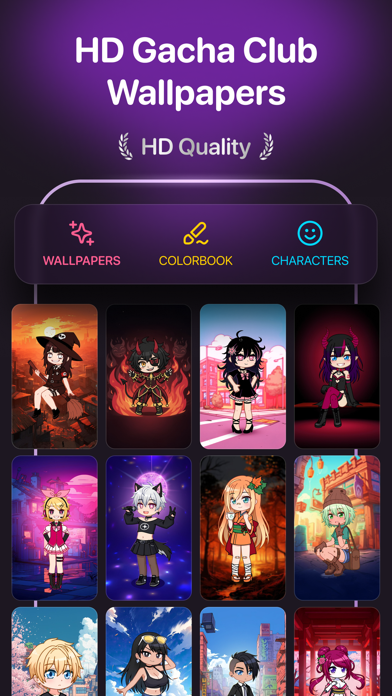
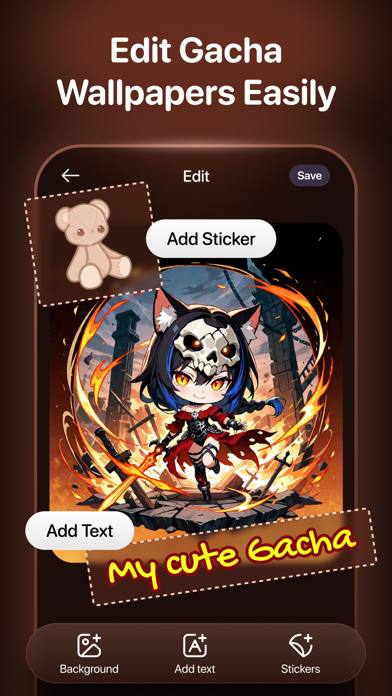
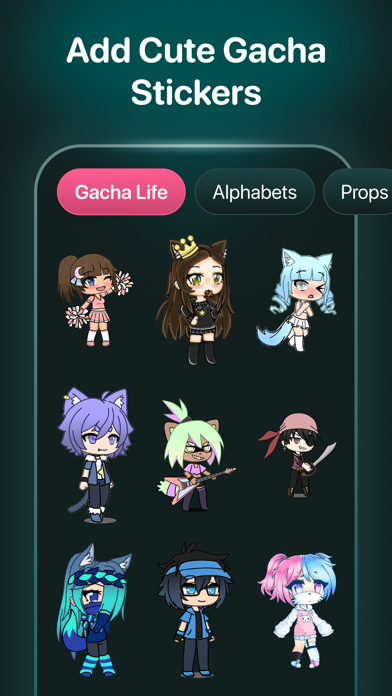
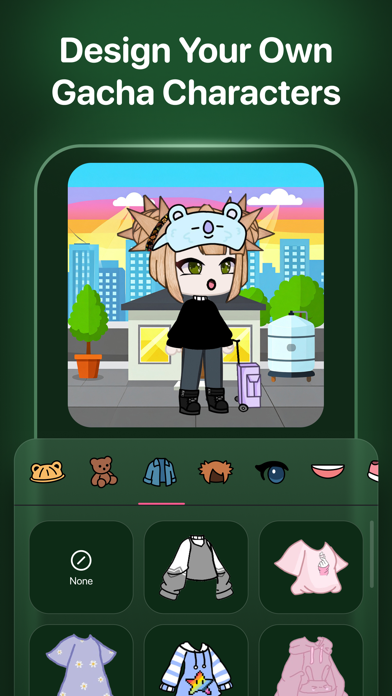
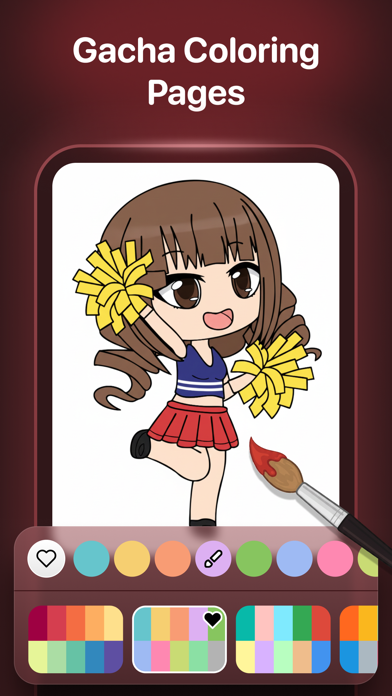
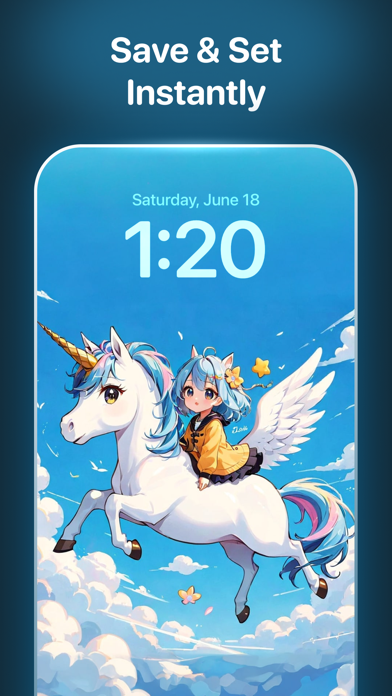
Discover the cutest and most aesthetic Gacha wallpapers for your phone! Gacha Life HD Wallpapers brings you thousands of handpicked Gacha Life, Gacha Club, and anime-style backgrounds in HD and 4K. Whether you love cute, pastel, aesthetic, dark mode, chibi characters, or fan-made edits — you’ll find them all here! This app offers the best high-quality Gacha wallpapers that you can instantly apply to your home or lock screen. Enjoy a smooth experience with daily new additions, powerful editing tools, stickers, customization features, character creation options, coloring pages, and much more. Why You’ll Love Gacha Life HD Wallpaper • Huge library of Gacha Club and Gacha Life wallpapers • HD & 4K quality for crystal-clear screens • Daily updated cute, aesthetic, pastel & chibi collections • Works on all screen sizes, including tablets • Create your own Gacha characters (Gacha OC Creator) • Gacha coloring pages to color and save Create & Customize Your Gacha Characters Design your own Gacha characters using a simple and fun creator tool. Mix outfits, hairstyles, expressions, accessories, poses, and more to build your perfect Gacha OC. Use your creations as wallpapers or share them with your friends. Edit Your Gacha Wallpapers Gacha Wallpaper HD also allows you to edit wallpapers with easy-to-use tools. Customize your wallpaper exactly the way you want! Editor Features • Add stylish stickers to your Gacha wallpapers • Crop, enhance, blur, adjust colors and lighting • Customize the notch area in wallpapers • Add borders, effects, and overlays • Save your favorite edits to your device • Add wallpapers to Favorites and access them later • Create custom Gacha characters to use in wallpapers • Color Gacha line-art pages and save them as wallpapers Gacha Coloring Pages Enjoy a relaxing Gacha coloring experience with cute line-art pages. Color characters, outfits, chibis, and aesthetic designs using easy tools and save them as wallpapers or share them with friends. Share Your Cute Gacha Look Share your customized or original Gacha wallpapers with your friends on: • Instagram • WhatsApp • Facebook • TikTok • Snapchat • And any other social media! Show off your aesthetic and make your profile stand out. What You Get • Lots of exclusive Gacha Club wallpapers • All wallpapers in HD & 4K quality • Edit wallpapers with amazing tools • Add cute stickers to your Gacha edits • Add wallpapers to Favorites • Customize notch cutouts • Daily new wallpapers • Create Gacha characters (OC/Avatar Creator) • Gacha coloring pages for fun and creativity • Free to use with optional PRO features SUBSCRIPTION PRICING AND TERMS Gacha Life HD Wallpaper PRO offers auto-renewing subscription options: $3.99 Weekly Subscription $3.99 Weekly Subscription with 3-day Free Trial $39.99 Yearly Subscription $39.99 Yearly Subscription with 3-day Free Trial Prices are for U.S. customers. Pricing may vary in other countries, and charges may be converted to your local currency depending on your region. Your subscription automatically renews unless auto-renew is turned off at least 24 hours before the end of the current period. Payment will be charged to your iTunes Account at confirmation of purchase. You can manage or turn off auto-renew from your App Store Account Settings at any time. Refunds will not be provided for unused portions of any term. Any unused portion of a free trial is forfeited after purchase. You can also manage your subscription through the “Manage Subscription” option in the app settings. Privacy Policy & Terms Privacy Policy: https://topstarlabs.blogspot.com/2023/12/privacy-policy.html Terms of Use: https://topstarlabs.blogspot.com/2023/12/terms-of-use.html


