
PC 용 island: Charging Animation HD
- 카테고리: Utilities
- 최근 업데이트: 2026-11-04
- 현재 버전: 5.0
- 파일 크기: 104.26 MB
- 개발자: Nishan Singh
- 호환성: 필요 Windows XP, Windows Vista, Windows 7, Windows 8, Windows 8.1 and Windows 10, Windows 11



PC에서 island: Charging Animation HD 용 호환 APK 다운로드
| 다운로드 | 개발자 | 평점 | 점수 | 현재 버전 | 성인 랭킹 |
|---|---|---|---|---|---|
| ↓ PC용 APK 다운로드 | Nishan Singh | 3 | 4.33333 | 5.0 | 4+ |
에뮬레이터의 중요성은 컴퓨터에서 안드로이드 환경을 흉내 내고 안드로이드 폰을 구입하지 않고도 안드로이드 앱을 설치하고 실행하는 것을 매우 쉽게 만들어주는 것입니다. 누가 당신이 두 세계를 즐길 수 없다고 말합니까? 우선 아래에있는 에뮬레이터 앱을 다운로드 할 수 있습니다.
A. Nox App . OR
B. Bluestacks App .
Bluestacks는 매우 대중적이므로 개인적으로 "B"옵션을 사용하는 것이 좋습니다. 문제가 발생하면 Google 또는 Naver.com에서 좋은 해결책을 찾을 수 있습니다.
Bluestacks.exe 또는 Nox.exe를 성공적으로 다운로드 한 경우 컴퓨터의 다운로드 폴더 또는 다운로드 한 파일을 일반적으로 저장하는 곳으로 이동하십시오.
찾으면 클릭하여 응용 프로그램을 설치하십시오. PC에서 설치 프로세스를 시작해야합니다.
다음을 클릭하여 EULA 라이센스 계약에 동의하십시오.
응용 프로그램을 설치하려면 화면 지시문을 따르십시오.
위 사항을 올바르게 수행하면 소프트웨어가 성공적으로 설치됩니다.
이제 설치 한 에뮬레이터 애플리케이션을 열고 검색 창을 찾으십시오. 지금 입력하십시오. - island: Charging Animation HD 앱을 쉽게 볼 수 있습니다. 그것을 클릭하십시오. 응용 프로그램 창이 열리고 에뮬레이터 소프트웨어에 응용 프로그램이 표시됩니다. 설치 버튼을 누르면 응용 프로그램이 다운로드되기 시작합니다. 이제 우리는 모두 끝났습니다.
그런 다음 "모든 앱"아이콘이 표시됩니다.
클릭하면 설치된 모든 응용 프로그램이 포함 된 페이지로 이동합니다.
당신은 island: Charging Animation HD 상. 그것을 클릭하고 응용 프로그램 사용을 시작하십시오.
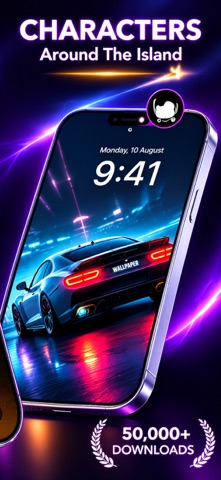
Island: charging animations that start by themselves every time you plug in your phone. Choose from Trending HD charging animations and make each one yours: colour, accent colour, speed, glow, density, position, battery % and clock style – with a full-screen preview before you set it. CHARGING ANIMATIONS • Glow: Energy Core, Liquid Rise, Plasma Core, Glass Cell, Aurora Ring, Neon Pulse, Galaxy, Lightning Storm and more • Minimal: Charge Drop, Bolt Fill, Bubble Stem, Gold Orb • Festivals: Fireworks, Northern Lights, Lantern Rise, Sakura Fall, Diya Glow, Rangoli Bloom, Carnival and more • Seasonal: Halloween, Christmas and New Year • Fun: Emoji Party with your own emoji, Shuriken, anime-style heroes with fire, water, lightning and aura effects • Classic: circle, battery, heart, wave and more ISLAND ANIMATIONS • Cute animated characters that live around the island at the top of your screen • Battery sticker in Classic, Glass, Segments, Gradient or Neon style – any size and position • Backgrounds: colours, templates, your own photo or video LIVE & CHARGING WALLPAPERS HD charging and live wallpapers in categories (New, Popular and more), updated regularly – including fresh wallpapers in the newest system look. BEDSIDE SCREENS Ready-made StandBy charging screens, or design your own in StandBy Studio with clock styles and colours. MAKE YOUR OWN • Your photo as a charging screen – crop and rotate it • DIY templates • Slideshow from several photos • Live wallpapers from your videos and Live Photos • Animated battery for your Lock Screen HANDY EXTRAS • Battery Level Alarm: get notified when charging reaches your chosen % • Charging sounds when you plug in • Many clock fonts and colours • My Wallpapers: switch back to anything you set in one tap SET UP ONCE (1 MINUTE) 1. Pick an animation 2. Follow the step-by-step guide to add the automation in the Shortcuts app 3. Plug in your charger – the animation plays automatically SUBSCRIPTION Pro unlocks every animation, wallpaper and feature. Choose a weekly or monthly plan; a 3-day free trial may be offered. Prices are shown in the app in your local currency. Payment is charged to your Apple Account at confirmation of purchase. The subscription renews automatically unless auto-renew is turned off at least 24 hours before the end of the current period. Your account is charged for renewal within 24 hours before the end of the current period. You can manage subscriptions and turn off auto-renew in your Apple Account settings after purchase. Any unused part of a free trial is forfeited when you buy a subscription. Terms of Use: https://drive.google.com/file/d/1r4OAXE2fLuctwyE6svZlBbBd13elC7U9/view?usp=sharing Privacy Policy: https://drive.google.com/file/d/1Cw_OYL3fZqEzx2I3hqWhgpGU69V3l6jX/view?usp=sharing


