PC 용 Kaomoji Emoticon Keyboard
- 카테고리: Graphics & Design
- 최근 업데이트: 2026-11-11
- 현재 버전: 1.8.6
- 파일 크기: 42.48 MB
- 개발자: Ronnie Nguyen
- 호환성: 필요 Windows XP, Windows Vista, Windows 7, Windows 8, Windows 8.1 and Windows 10, Windows 11


PC에서 Kaomoji Emoticon Keyboard 용 호환 APK 다운로드
| 다운로드 | 개발자 | 평점 | 점수 | 현재 버전 | 성인 랭킹 |
|---|---|---|---|---|---|
| ↓ PC용 APK 다운로드 | Ronnie Nguyen | 138 | 4.78261 | 1.8.6 | 9+ |
호환되는 PC 앱 또는 대안 확인
| 소프트웨어 | 다운로드 | 평점 | 개발자 |
|---|---|---|---|
| Kaomoji Emoticon Keyboard |
PC 앱 받기 | 4.78261/5 138 리뷰 4.78261 |
Ronnie Nguyen |
에뮬레이터의 중요성은 컴퓨터에서 안드로이드 환경을 흉내 내고 안드로이드 폰을 구입하지 않고도 안드로이드 앱을 설치하고 실행하는 것을 매우 쉽게 만들어주는 것입니다. 누가 당신이 두 세계를 즐길 수 없다고 말합니까? 우선 아래에있는 에뮬레이터 앱을 다운로드 할 수 있습니다.
A. Nox App . OR
B. Bluestacks App .
Bluestacks는 매우 대중적이므로 개인적으로 "B"옵션을 사용하는 것이 좋습니다. 문제가 발생하면 Google 또는 Naver.com에서 좋은 해결책을 찾을 수 있습니다.
Bluestacks.exe 또는 Nox.exe를 성공적으로 다운로드 한 경우 컴퓨터의 다운로드 폴더 또는 다운로드 한 파일을 일반적으로 저장하는 곳으로 이동하십시오.
찾으면 클릭하여 응용 프로그램을 설치하십시오. PC에서 설치 프로세스를 시작해야합니다.
다음을 클릭하여 EULA 라이센스 계약에 동의하십시오.
응용 프로그램을 설치하려면 화면 지시문을 따르십시오.
위 사항을 올바르게 수행하면 소프트웨어가 성공적으로 설치됩니다.
이제 설치 한 에뮬레이터 애플리케이션을 열고 검색 창을 찾으십시오. 지금 입력하십시오. - Kaomoji Emoticon Keyboard 앱을 쉽게 볼 수 있습니다. 그것을 클릭하십시오. 응용 프로그램 창이 열리고 에뮬레이터 소프트웨어에 응용 프로그램이 표시됩니다. 설치 버튼을 누르면 응용 프로그램이 다운로드되기 시작합니다. 이제 우리는 모두 끝났습니다.
그런 다음 "모든 앱"아이콘이 표시됩니다.
클릭하면 설치된 모든 응용 프로그램이 포함 된 페이지로 이동합니다.
당신은 Kaomoji Emoticon Keyboard 상. 그것을 클릭하고 응용 프로그램 사용을 시작하십시오.
Mac OS 에서 Kaomoji Emoticon Keyboard 다운로드
| 다운로드 | 개발자 | 점수 | 현재 버전 | 성인 랭킹 |
|---|---|---|---|---|
| 무료 - Mac 에서 다운로드 | Ronnie Nguyen | 4.78261 |
1.8.6 | 9+ |
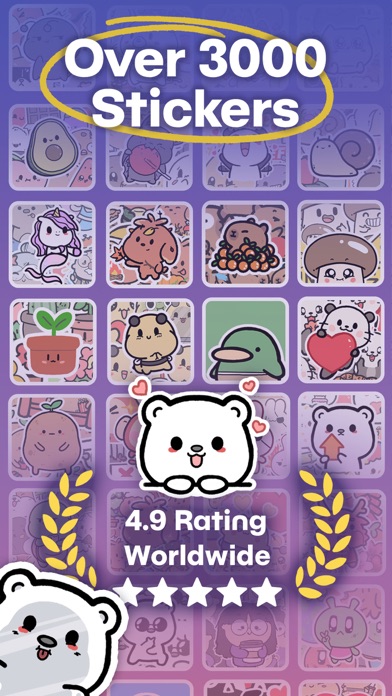
Who reads descriptions? ======================= Words are so boring! Stop sending people words Images, emojis, and GIFs are the way now There are OVER 4500 STICKERS in this app for you to send They are cute, funny, and weird! AND they can be used as Sticker Widgets to customize your iPhone! More stickers being added regularly Enough said, go add stickers to your text messages! ======================= Some more notes for those who don't mind text: iMessage & WhatsApp! ------------- The stickers in this app can be used for iMessage and WhatsApp (aka WASticker)! Or they can be downloaded and copied to be used elsewhere! Did I mention that the sticker / GIF keyboard can be used on both the iPhone and iPad too? Soooo versatile! And there are so many cute and funny animal memes, wasticker, and emoji Ex: We've got cat, dog, bear, axolotl, capybara, frog, and Moo Deng stickers! Animated and top of the line art for you to message and text!! (The iMessage app can be found in your iMessage app's Sticker section and there is an easy button to export to WhatsApp) Widgets ------------- Sticker GIF Widgets can be added to your home screen featuring your favorite stickers! You can customize the background of these widgets to be transparent or colored FREEBIES! ------------- You get a bunch of stickers for free And you get coins for free! You can use coins in the app to download more stickers And because I like you I'll be giving you more free coins Every 24 hours! Sticker Search Game ------------- You can also play our sticker search game to earn coins! Find the hidden targets in a collage of all the stickers you've downloaded! Play endlessly and get a new board ever day! Sticker Club! ------------- You can join the Sticker Club too! Members can download literally every single sticker / GIF in the app! And they get other exclusive benefits! Made with Love! ------------- I've put a lot of time and love into making this app and its stickers And I'm almost constantly working on more app updates and stickers too! I really hope that what I've made can bring you at least a little bit of joy! - Ronnie ======================= Sticker Book can be used for free without a subscription Subscribing to Sticker Book will unlock everything the app has to offer - Payment will be charged to your Apple ID account at the confirmation of purchase. - The subscription automatically renews unless it is canceled at least 24 hours before the end of the current period. - Your account will be charged for renewal within 24 hours before the end of the current period. - You can manage and cancel your subscriptions by going to your App Store account settings after purchase. - Cancellation of the current active subscription period is not allowed. Terms of service: https://www.apple.com/legal/internet-services/itunes/dev/stdeula/ Privacy Policy: https://stickerbook.webflow.io/privacy-policy