PC 용 AyeTides
- 카테고리: Navigation
- 최근 업데이트: 2024-04-17
- 현재 버전: 4.3.16
- 파일 크기: 36.50 MB
- 개발자: Hahn Software LLC
- 호환성: 필요 Windows XP, Windows Vista, Windows 7, Windows 8, Windows 8.1 and Windows 10, Windows 11
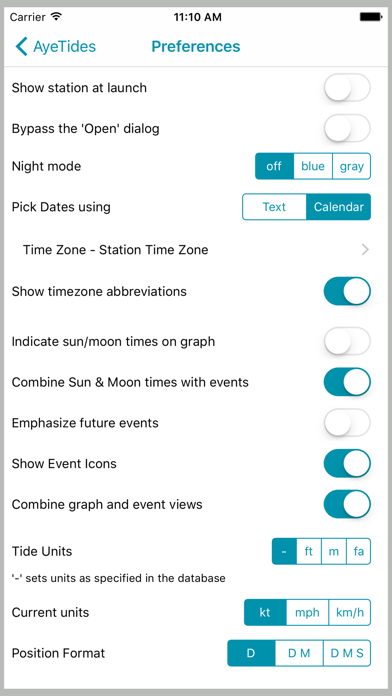
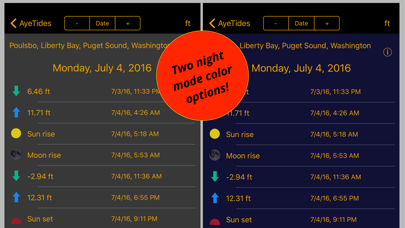
PC에서 AyeTides 용 호환 APK 다운로드
| 다운로드 | 개발자 | 평점 | 점수 | 현재 버전 | 성인 랭킹 |
|---|---|---|---|---|---|
| ↓ PC용 APK 다운로드 | Hahn Software LLC | 2 | 3.5 | 4.3.16 | 4+ |
에뮬레이터의 중요성은 컴퓨터에서 안드로이드 환경을 흉내 내고 안드로이드 폰을 구입하지 않고도 안드로이드 앱을 설치하고 실행하는 것을 매우 쉽게 만들어주는 것입니다. 누가 당신이 두 세계를 즐길 수 없다고 말합니까? 우선 아래에있는 에뮬레이터 앱을 다운로드 할 수 있습니다.
A. Nox App . OR
B. Bluestacks App .
Bluestacks는 매우 대중적이므로 개인적으로 "B"옵션을 사용하는 것이 좋습니다. 문제가 발생하면 Google 또는 Naver.com에서 좋은 해결책을 찾을 수 있습니다.
Bluestacks.exe 또는 Nox.exe를 성공적으로 다운로드 한 경우 컴퓨터의 다운로드 폴더 또는 다운로드 한 파일을 일반적으로 저장하는 곳으로 이동하십시오.
찾으면 클릭하여 응용 프로그램을 설치하십시오. PC에서 설치 프로세스를 시작해야합니다.
다음을 클릭하여 EULA 라이센스 계약에 동의하십시오.
응용 프로그램을 설치하려면 화면 지시문을 따르십시오.
위 사항을 올바르게 수행하면 소프트웨어가 성공적으로 설치됩니다.
이제 설치 한 에뮬레이터 애플리케이션을 열고 검색 창을 찾으십시오. 지금 입력하십시오. - AyeTides 앱을 쉽게 볼 수 있습니다. 그것을 클릭하십시오. 응용 프로그램 창이 열리고 에뮬레이터 소프트웨어에 응용 프로그램이 표시됩니다. 설치 버튼을 누르면 응용 프로그램이 다운로드되기 시작합니다. 이제 우리는 모두 끝났습니다.
그런 다음 "모든 앱"아이콘이 표시됩니다.
클릭하면 설치된 모든 응용 프로그램이 포함 된 페이지로 이동합니다.
당신은 AyeTides 상. 그것을 클릭하고 응용 프로그램 사용을 시작하십시오.
Mac OS 에서 AyeTides 다운로드
| 다운로드 | 개발자 | 점수 | 현재 버전 | 성인 랭킹 |
|---|---|---|---|---|
| ₩9,900 - Mac 에서 다운로드 | Hahn Software LLC | 3.5 |
4.3.16 | 4+ |
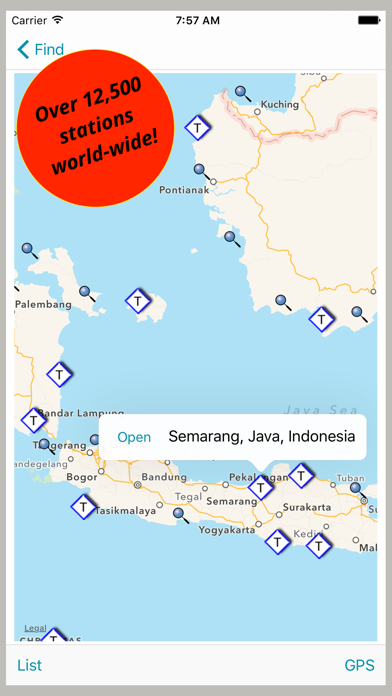
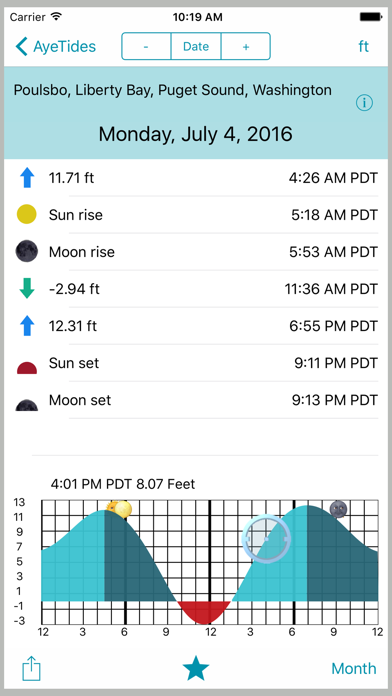
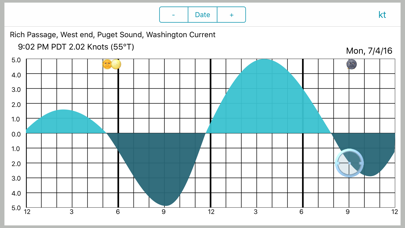
Never be without the tides again! You too can carry the tides in your pocket (or now, on your wrist!) as you walk along the shore, fly into a harbor, or sail off into the sunset. AyeTides displays tides and/or currents for over 13,400 locations worldwide and unlike many other tide apps, it does not require a network connection. With AyeTides you will never see those annoying ads or be asked to pay for additional features! Sailors, harbor pilots, beachcombers, nature photographers, and more use AyeTides to plan their outings on or around the world's oceans. Here are some of the things people are saying about AyeTides... "AyeTides is a quality professional product” "Your support has been the best I have experienced!" “As a harbor pilot in New York I’ve been using your excellent tide and current app” "I really appreciate the effort that you put into making AyeTides as accurate as it can be. It is a great program that has been very useful to us. I think we have 60 pilots using iPhones and iNavX and your app links in so well." "I am a ships Pilot in BC and use Aye Tides a lot and it has become invaluable.” You can see the day’s events in tabular form, or you can rotate the phone for an interactive graph that shows you the tide’s value at any point during the day. You can find a station on a map, by name, or based on your current location. AyeTides is updated regularly and stations are added whenever we find new data. We encourage our customers to contact us if you hare having any issues with the program so that we can help you. This app is designed to run on your iPhone or iPod Touch. While it will run on your iPad, it does not offer the additional features available with AyeTides XL, which was designed specifically for the iPad. If you have multiple devices, you may want to consider our bundle. You get both apps at a discount! This is the only place to install AyeTides. Other websites may look like they have AyeTides, but they do not. We only support iOS, any other version of AyeTides is not ours.


