PC 용 The Quest Classic - Isles
- 카테고리: Games
- 최근 업데이트: 2023-11-20
- 현재 버전: 20.13
- 파일 크기: 25.97 MB
- 개발자: Redshift
- 호환성: 필요 Windows XP, Windows Vista, Windows 7, Windows 8, Windows 8.1 and Windows 10, Windows 11

PC에서 The Quest Classic - Isles 용 호환 APK 다운로드
| 다운로드 | 개발자 | 평점 | 점수 | 현재 버전 | 성인 랭킹 |
|---|---|---|---|---|---|
| ↓ PC용 APK 다운로드 | Redshift | 1 | 3 | 20.13 | 12+ |
에뮬레이터의 중요성은 컴퓨터에서 안드로이드 환경을 흉내 내고 안드로이드 폰을 구입하지 않고도 안드로이드 앱을 설치하고 실행하는 것을 매우 쉽게 만들어주는 것입니다. 누가 당신이 두 세계를 즐길 수 없다고 말합니까? 우선 아래에있는 에뮬레이터 앱을 다운로드 할 수 있습니다.
A. Nox App . OR
B. Bluestacks App .
Bluestacks는 매우 대중적이므로 개인적으로 "B"옵션을 사용하는 것이 좋습니다. 문제가 발생하면 Google 또는 Naver.com에서 좋은 해결책을 찾을 수 있습니다.
Bluestacks.exe 또는 Nox.exe를 성공적으로 다운로드 한 경우 컴퓨터의 다운로드 폴더 또는 다운로드 한 파일을 일반적으로 저장하는 곳으로 이동하십시오.
찾으면 클릭하여 응용 프로그램을 설치하십시오. PC에서 설치 프로세스를 시작해야합니다.
다음을 클릭하여 EULA 라이센스 계약에 동의하십시오.
응용 프로그램을 설치하려면 화면 지시문을 따르십시오.
위 사항을 올바르게 수행하면 소프트웨어가 성공적으로 설치됩니다.
이제 설치 한 에뮬레이터 애플리케이션을 열고 검색 창을 찾으십시오. 지금 입력하십시오. - The Quest Classic - Isles 앱을 쉽게 볼 수 있습니다. 그것을 클릭하십시오. 응용 프로그램 창이 열리고 에뮬레이터 소프트웨어에 응용 프로그램이 표시됩니다. 설치 버튼을 누르면 응용 프로그램이 다운로드되기 시작합니다. 이제 우리는 모두 끝났습니다.
그런 다음 "모든 앱"아이콘이 표시됩니다.
클릭하면 설치된 모든 응용 프로그램이 포함 된 페이지로 이동합니다.
당신은 The Quest Classic - Isles 상. 그것을 클릭하고 응용 프로그램 사용을 시작하십시오.
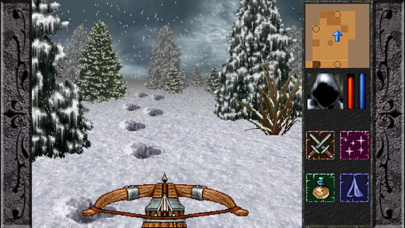
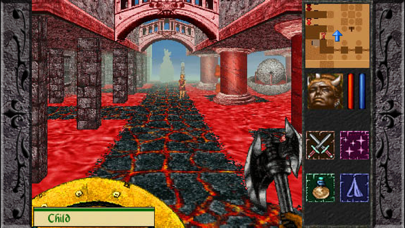
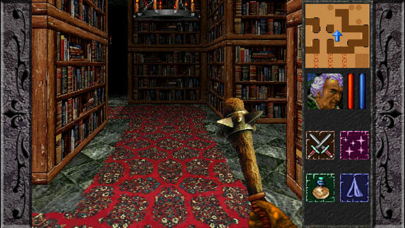
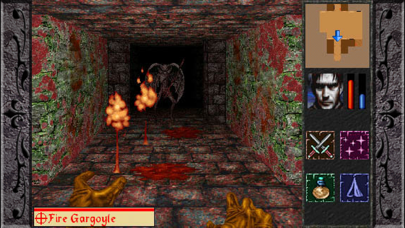
The Quest Classic - Islands of Ice and Fire is an expansion to The Quest Classic, a beautifully hand-drawn, engaging and sinister world full of mystery, magic and provocative challenges. After enabling the expansion, you can continue to play The Quest Classic with your existing character(s) to explore new areas and quests. However, if you don't have The Quest Classic, you can also play the expansion as a standalone game. In the game you are a Kingdom Agent on special assignment to discover the source of a mysterious illness that has devastated one island (icy Thule) and threatens another (fiery Eldfell). You'll need all your wits and gaming talents as you travel through these deceptively picturesque worlds to overcome new challenges, for good or evil. In the expansion you will find: - Over 30 hours of additional gameplay - New monsters with graphics/abilities/properties - New weapon type: crossbow and its ammo, crossbow bolt - New, superiorly enchantable armors and weapons - A brand new spell with its own effect - A lethal disease - keep yourself away from that one! - Many new quests, NPCs and high level shops - New books to learn skills from To access the new areas (not applicable if you are playing the expansion standalone), go to Mithria harbor and talk to captain Hanty, then select "The Quest Isle" as your travel destination. It is recommended to reach at least level 14 before trying to take on the challenges the isles pose.